

We may receive a commission from our partners if you click on a link to review or purchase a product or service. Click to Learn More
FreeAgent offers one single plan, which is available for $27 per month if billed on a monthly basis, or $270 per year if billed on a yearly basis.
However, the provider is currently offering a promotional offer, meaning that new customers can get 50% off a monthly plan ($13.50 per month) for the first six months, or 50% off a yearly plan ($135 per year) for the first year.
During the latest round of research, FreeAgent was ranked as the best value-for-money provider out of all the accounting platforms tested. In this guide, I’ll be unpacking everything that you need to know about FreeAgent pricing, including plan details, hidden fees, add-ons, and more.
- FreeAgent offers one single plan at $27 per month or $270 per year, making its pricing structure simpler than competitors with multiple tiers.
- New users can get 50% off the platform, reducing the price to $13.50 per month for the first six months, or $135 for the first year.
- FreeAgent doesn’t have a free plan, but offers a 30-day free trial, or you can get it at no extra cost through NatWest, Royal Bank of Scotland, Ulster Bank, or Mettle.
- Optional add-ons like Stripe and PayPal integrations allow direct invoice payments for a small per-transaction fee, while Basecamp integration lets you import project data for accurate client billing.
- FreeAgent is best suited for budget-conscious small businesses needing built-in tax forecasting and cash flow alerts, but competitors like Xero and QuickBooks are better for advanced functionality.
How Much Does FreeAgent Cost?
FreeAgent offers one single plan, which customers can either pay for on a monthly or yearly basis. With most other platforms offering three or more pricing tiers, this simplicity is refreshing. Below, you’ll find some key at-a-glance facts about FreeAgent.
FreeAgent

In Short
-
Pros
- Simple, low cost pricing options for businesses
- Built-in tax forecasting tools for future financial planning
- Helpful cash flow alerts for surpluses and shortfalls
-
Cons
- Overly complex and unhelpful support options
- Difficult to navigate for basic feature usage
- Distracting call-to-action buttons everywhere
Pricing
-
 Billed monthly: $27/month
-
Billed annually: $270/year
-
30-day free trial
Images
Monthly vs annual billing
FreeAgent pricing starts at just $27 per month if billed on a monthly basis. However, with the company currently running a promotional offer, new customers can get 50% off for the first six months, meaning that you’ll pay just $13.50 per month for six months.
Similarly, if you opt to pay on a yearly basis, you’re looking at $270 per year – or, rather, $135 per year for the first year, thanks to the promotional offer in question. With that equating to just $11.25 per month, FreeAgent really is a steal.
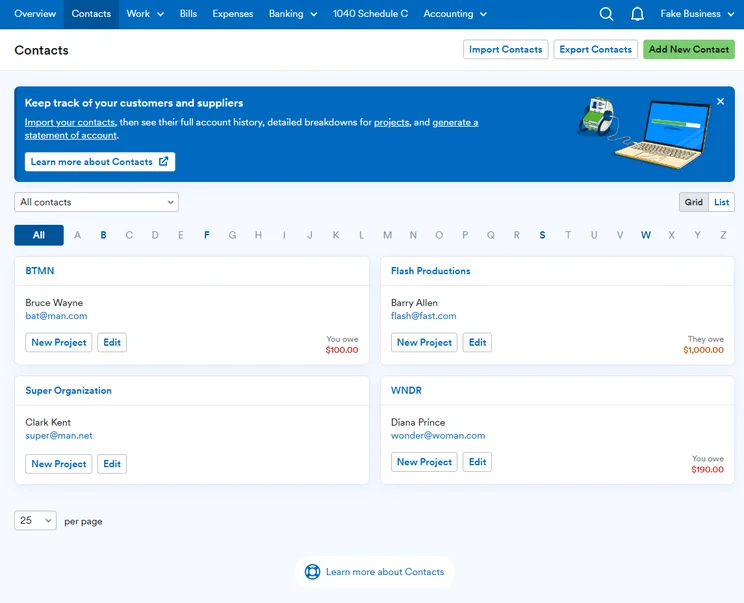
For a relatively modest outlay, you’ll get an easy-to-use platform with an intuitive interface, simple navigation, and templates to simplify repeat actions. However, it lacks advanced accounting tools like comprehensive inventory management and deep customization, making it best suited for freelancers and budget-conscious small businesses rather than complex enterprises.
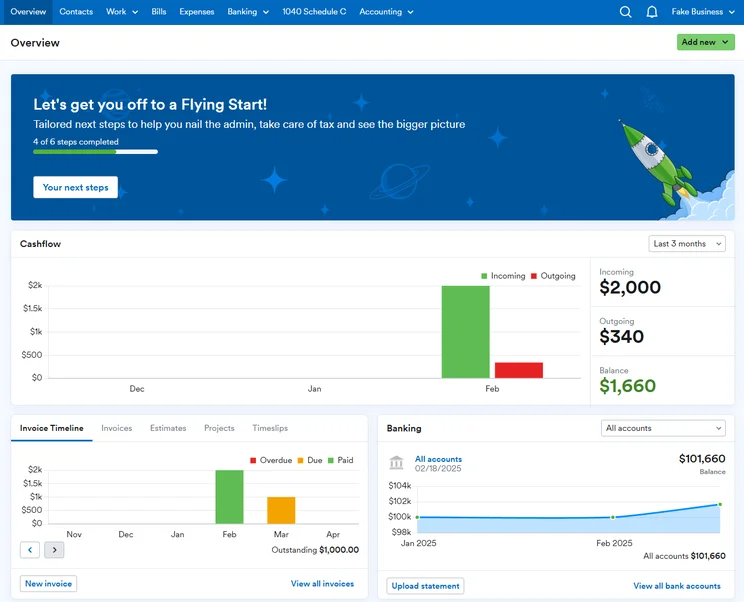
The FreeAgent dashboard provided us with a snapshot of your business’s financial situation. Source: Tech.co testing
Does FreeAgent have a free plan?
No, FreeAgent does not offer a free plan. However, you can get a 30-day free trial to get a feel for the platform before making a commitment.
However, if you have a current business account with NatWest, Royal Bank of Scotland, or Ulster Bank, you can get your hands on FreeAgent at no extra cost. Likewise, if you have an account with Mettle and use it to make at least one transaction per month, FreeAgent is yours at no added cost.
You can find the full eligibility details in FreeAgent’s bank-funded account guide.
If you don’t fall into those parameters and you’re determined not to spend a dime, you can check out our list of the best free accounting platforms on the market.
What Features Are Included in FreeAgent’s Single Plan?
FreeAgent offers a single, all-inclusive accounting software plan that includes unlimited users, clients, and projects. The core features that are included are:
- Invoicing & estimates: Create custom, branded invoices, recurring billing schedules and estimates. Includes automated late-payment reminders and online payment integrations (Stripe, PayPal, GoCardless).
- Multi-currency: Issue invoices, record bills, and track bank accounts in over 100 currencies with USD set as your base reporting currency.
- Expenses & receipt capture: Track out-of-pocket costs and business mileage via the web or iOS/Android mobile app.
- Banking & reconciliation: Import transactions automatically via third-party US bank feed integrations or CSV uploads.
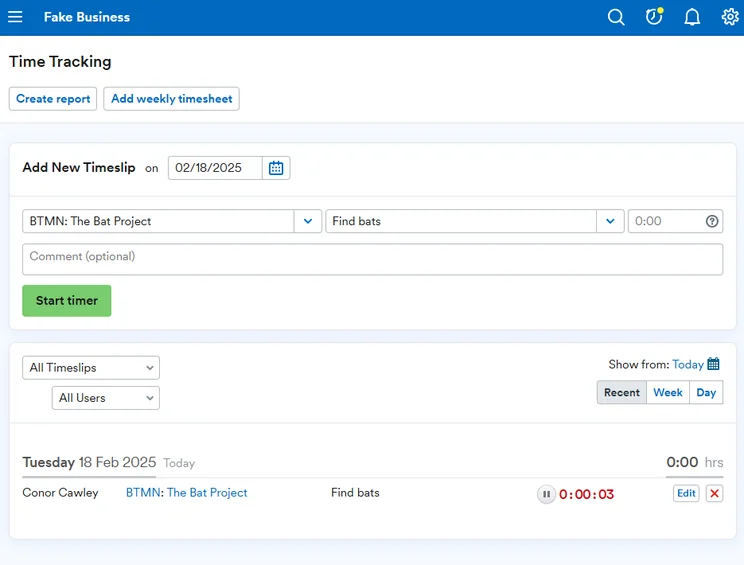
- Projects & time tracking: Log billable hours via built-in timers or weekly timesheets, convert unbilled time directly into invoices, and track project-level income, expenses, and profitability.
- Sales tax tracking & reporting: Configure single, multiple, or compound state/local sales tax rates on invoices and bills.
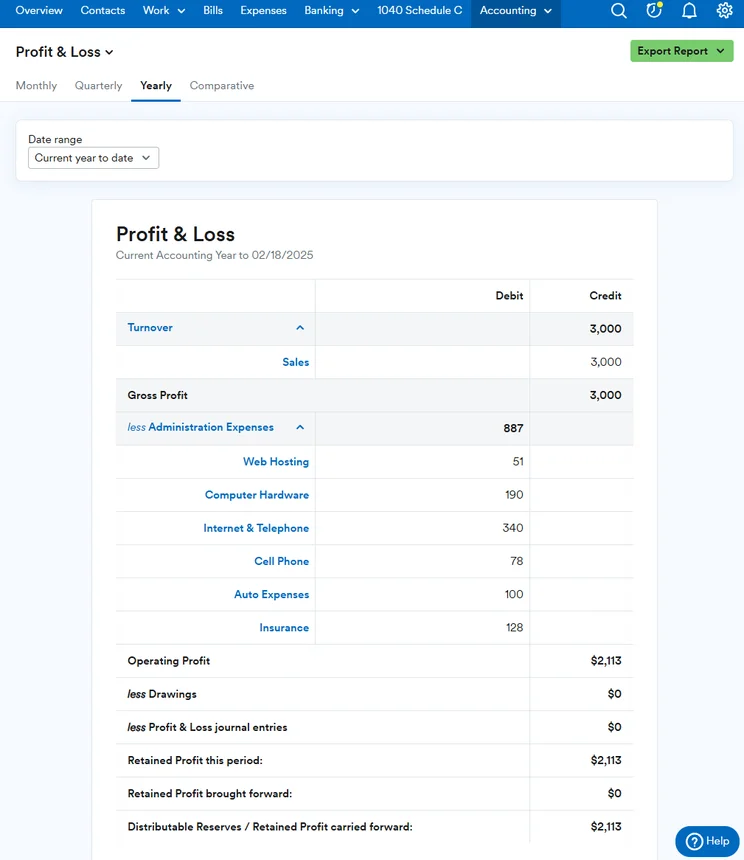
- Financial statements: View real-time Profit & Loss, Balance Sheet, Trial Balance, Aged Debtors/Creditors, and 90-day cashflow forecasts.
- Radar insights: Automated dashboard alerts highlighting overdue invoices, cashflow trends, and administrative to-do items.
Does FreeAgent Have Any Hidden Fees or Paid Add-Ons?
FreeAgent offers a selection of optional add-ons, some of which incur an added cost.
For example, the provider allows you to connect your account to PayPal or Stripe so that your end customers can pay you directly from within their invoices. Rather than paying an additional monthly fee, you’ll be charged standard third-party payment processing fees (such as Stripe’s 2.9% + 30¢ per online card transaction). You can find a full list of Stripe transaction fees here, and a full list of PayPal fees here.
Users can also integrate with Basecamp, a fairly average project management tool. If you do so, you’ll be able to import your Basecamp contacts and project data into your FreeAgent account.
This is a great option for businesses that work on a billable basis, as you can accurately invoice your clients based on your project progress, without needing to cross-check between two different platforms.
Additionally, FreeAgent’s Smart Capture Unlimited add-on is $6 per month and unlocks unlimited use of its Smart Capture receipt scanning tool, allowing users to quickly capture and upload expenses without having to manually enter the details.
How Does FreeAgent Compare to Competitor Pricing?
At $27 per month ($13.50 promotional), FreeAgent is more affordable than Xero ($27/month standard) and FreshBooks ($23/month standard) once promotional periods end, though it lacks the permanent free tiers offered by Zoho Books, QuickBooks, and Clear Books in our comparison.
Many of FreeAgent’s contemporaries offer upwards of three tiers, which can make it hard for businesses to know where to start. What’s more, it can sometimes be difficult to upgrade your existing plan, with some providers charging an upgrade fee. FreeAgent waives those headaches.
At the same time, it might not be the best fit for your business. In the table below, you’ll find a snapshot of some other providers from across the accounting landscape.
|
Starting price
|
Free trial
|
Best for
|
Pros
|
Cons
|
Try now
|
||
|---|---|---|---|---|---|---|---|
 |
 |
 |
 |
 |
 |
||
|
FreeAgent |
Zoho Books |
Xero |
QuickBooks |
FreshBooks |
Clear Books |
||
|
|
Free |
|
Free |
|
Free |
||
|
30 days |
14 days |
30 days |
30 days |
30 days |
30 days |
||
|
Budget-conscious businesses |
Integrations |
Experienced accountants and established businesses with complex financial needs |
Businesses needing advanced financial insights and customization |
New businesses |
Professionals requiring comprehensive tax preparation tools |
||
|
|
|
|
|
|
||
|
|
|
|
|
|
||
| Get Quotes | Try Zoho Books | Try Xero now | Try QuickBooks | Try FreshBooks | Get Quotes |
How We Evaluated FreeAgent
At Tech.co, we take our impartial research and analysis seriously, so you can have complete confidence that we’re giving you the clearest, most useful recommendations.
After conducting an initial investigation to identify the most relevant, popular, and established accounting tools in the market, we conducted further research, including testing six major accounting software platforms.
Based on years of market and user needs research, we’ve established an accounting software testing methodology that scores these platforms against six main categories, and 25 subcategories — with a total of 1,512 areas of investigation being considered overall.
We also put the platforms through their paces with hands-on testing to gain a deeper grasp of their average user experience. We dedicated 57 hours to carrying out 37 user tests, with a total of 555 tasks being completed in total.
Our main testing categories for accounting software are:
- Core accounting features: We check how adept a platform will be at managing accounting tasks, focusing on key bookkeeping features like invoicing, tax preparation, journal entry, time tracking, financial transactions, and payment support.
- Operational efficiency: We determine how capable a system is at ensuring day-to-day processes run seamlessly, paying close attention to third-party integrations, collaboration tools, AI automation, and customization options.
- Financial planning: We assess how capable a system will be at measuring income, profits, and losses. Specifically, we check for the presence and quality of forecasting and budgeting, inventory management, reporting, and compliance tools.
- Help and support: We assess how useful and reliable a platform’s support system is, focusing on support options, whether it’s 24/7 support or knowledge center accuracy, as well as cloud backup, and security safeguards.
- Pricing: We compare the overall cost of each platform, taking factors like monthly costs, set-up fees, hidden fees, and free plans into account. We also measure how strict contracts are, and how much it would cost for a business to terminate them early.
- User experience: An overall judgment of how easily users can interact with the platform. We tested each accounting platform and got our team to report how easy they were to use, how they felt when they were using them, and how likely they were to recommend the platform to another business.
When it comes to calculating a product’s final score, not all testing areas are weighted evenly, with factors like “core accounting features” and “operational efficiency” being prioritized for small businesses, while sector-specific features are valued more highly for businesses across different industries.
We understand that accounting software is always evolving. That’s why at Tech.co, we have full-time product researchers to re-run this testing process regularly. It’s the only way to ensure our results remain reflective of the present day.
Learn more about our research.
Yes, FreeAgent is excellent value for money. The provider offers a single plan, which customers can pay for one of two ways. If you opt to pay monthly, you’re looking at $27 per month. However, FreeAgent is also currently running a promotional offer, so for the first six months, you’ll only be paying $13.50 per month.
If you choose to pay on a yearly basis, you’ll be paying just $135 for the first year, thanks to the same promotional offer. This equates to just $11.25 per month, which is pretty unbeatable. After that first year, your price will revert to $270 per year.
All told, FreeAgent is unmatched when it comes to pricing. For a small monthly fee, you’ll be getting your hands on a perfectly serviceable accounting tool with some neat tax forecasting tools and an easy-to-use interface. It’s a great option for small businesses with one eye on costs.
However, businesses looking for a more robust solution may find themselves disappointed with FreeAgent, which lacks some advanced functionality. In which case, check out our in-depth comparison guide to find out which of these platforms is the best fit for your business.
FAQs
No. FreeAgent’s single plan includes unlimited users, clients, and projects at no extra cost. You can add team members, bookkeepers, or your accountant with custom permission levels without increasing your monthly bill.
No, FreeAgent does not charge early termination or cancellation fees. If you pay monthly, you can cancel anytime before your next billing cycle.
If you choose the annual plan to take advantage of the discounted rate, you pay upfront for the 12 months, and you can cancel auto-renewal at any time before the year ends.
No. You can sign up for FreeAgent’s 30-day free trial without entering any payment or credit card details. You will only have to enter billing information if you decide to subscribe once the trial expires.
Yes. FreeAgent provides a free data migration service (powered by MoveMyBooks in eligible regions) or CSV import tools for contacts, bank transactions, and the chart of accounts.
However, keep in mind that while customer lists and historical balances can be imported, you cannot directly upload individual PDF invoices from your computer into the system.
Yes. The standard plan includes a limited number of complimentary Smart Capture receipt scans per month (typically 10 scans). If your business processes a high volume of paper receipts and bills, you will either need to enter them manually or pay the $6/month fee for the Smart Capture Unlimited add-on.
If you click on, sign up to a service through, or make a purchase through the links on our site, or use our quotes tool to receive custom pricing for your business needs, we may earn a referral fee from the supplier(s) of the technology you’re interested in. This helps Tech.co to provide free information and reviews, and carries no additional cost to you. Most importantly, it doesn’t affect our editorial impartiality. Ratings and rankings on Tech.co cannot be bought. Our reviews are based on objective research analysis. Rare exceptions to this will be marked clearly as a ‘sponsored’ table column, or explained by a full advertising disclosure on the page, in place of this one. Click to return to top of page


