

Automating marketing campaigns requires five core steps: planning, software configuration, lead capture, workflow and email automation, and performance monitoring.
Tools such as monday.com’s AI Work Platform can automate your marketing campaigns. You’ll unlock deeper customer insights, streamline repetitive tasks through, and effectively allocate resources, using real-time dashboards and reports.
Key Takeaways
- Define clear objectives, KPIs, and an ideal customer profile before building anything. A focused strategy is what makes automation effective.
- monday.com’s AI Work Platform gives marketing teams one centralized hub to automate lead management, email campaigns, and reporting.
- From lead scoring to email personalization to monday agents handling execution, the right AI products let your team achieve more without stretching capacity.
- Personalization at scale is achievable. Segment your audience and use AI tools like the email composer to keep every communication feeling relevant.
- Marketing automation saves an average of 2.3 hours per campaign, and 82% of CMOs report increased forecasting confidence thanks to AI.
Types of Marketing Automations
Marketing automations can be event-based, scheduled, or recurring:
| Type | Definition | Trigger | Example |
| Event-based | Fires in response to a specific user behavior | Customer abandons their cart | Follow-up email sent one hour later with a discount to close the sale |
| Scheduled | One-time message sent at a pre-determined time | A set date and time | Black Friday promotional email deployed at midnight when the sale goes live |
| Recurring | Repeats at regular intervals for long-term consistency | A recurring calendar date | Personalized birthday email with a discount code, sent annually |
How to Set Up and Run Automated Marketing Campaigns: Step-by-Step Guide
To set up an automated marketing campaign, plan your campaign, set up relevant software, gather leads, use automated emails and workflows, and continuously monitor and refine your campaign.
Phase 1: Strategy & Setup
Plan your campaign
- Define clear, measurable objectives, goals, and KPIs.
- Map out the customer journey and build your ideal customer profile (ICP).
Set up your software
- Choose a project management platform with strong automation capabilities, such as monday AI Work Platform.
- monday AI Work Platform can generate boards based on your campaign goals, auto-populate them with information, and help you to keep on top of them.
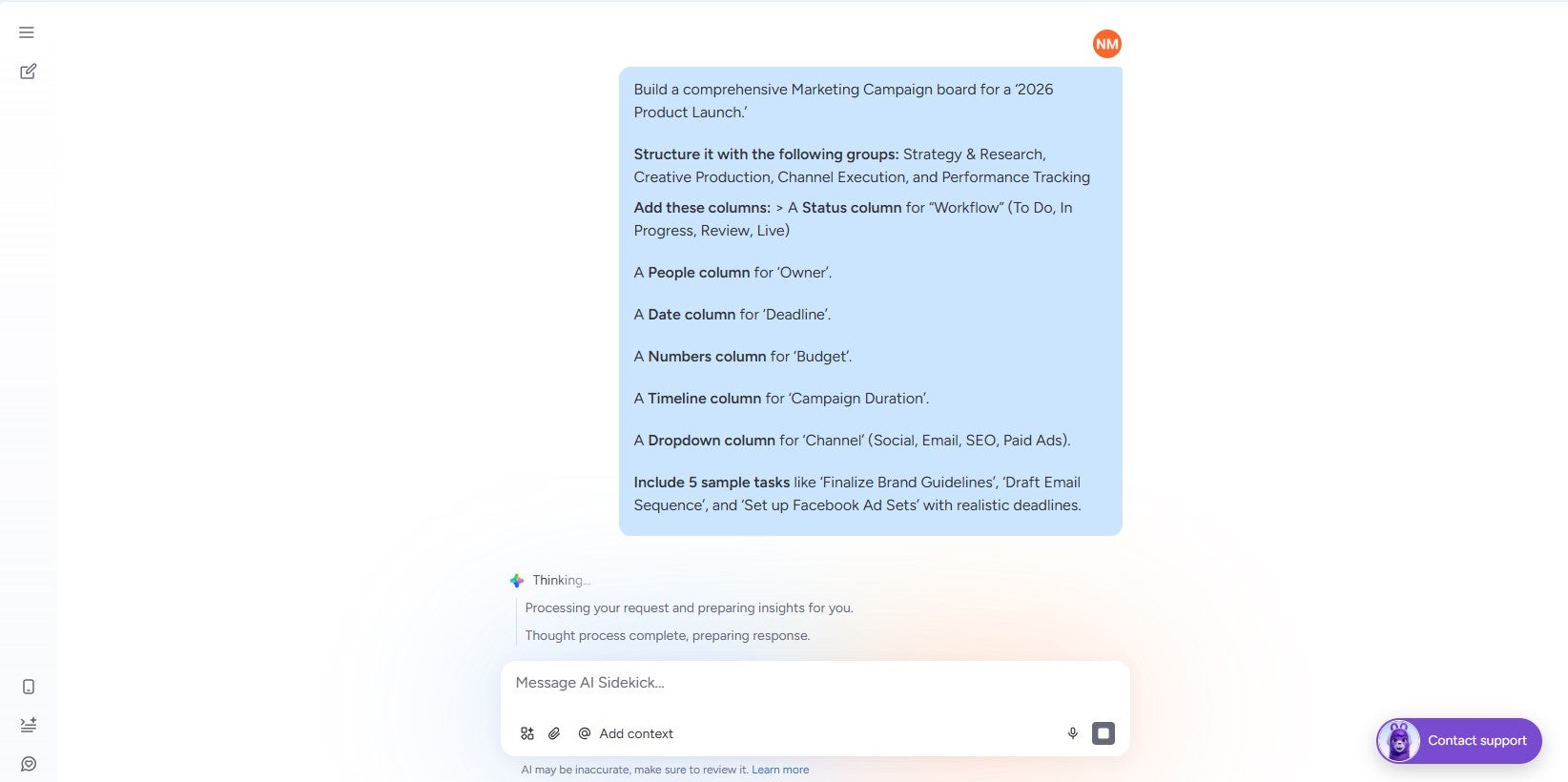
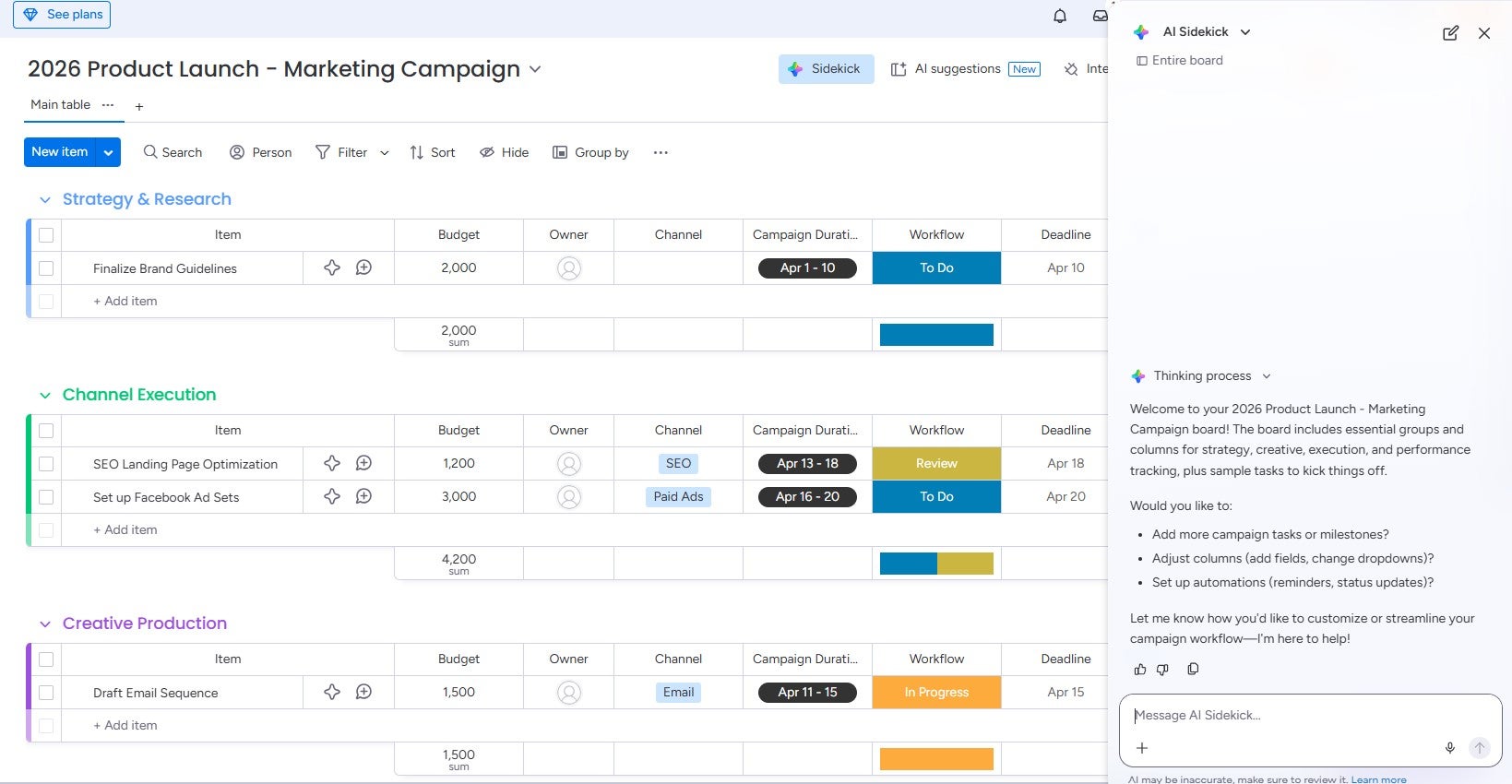
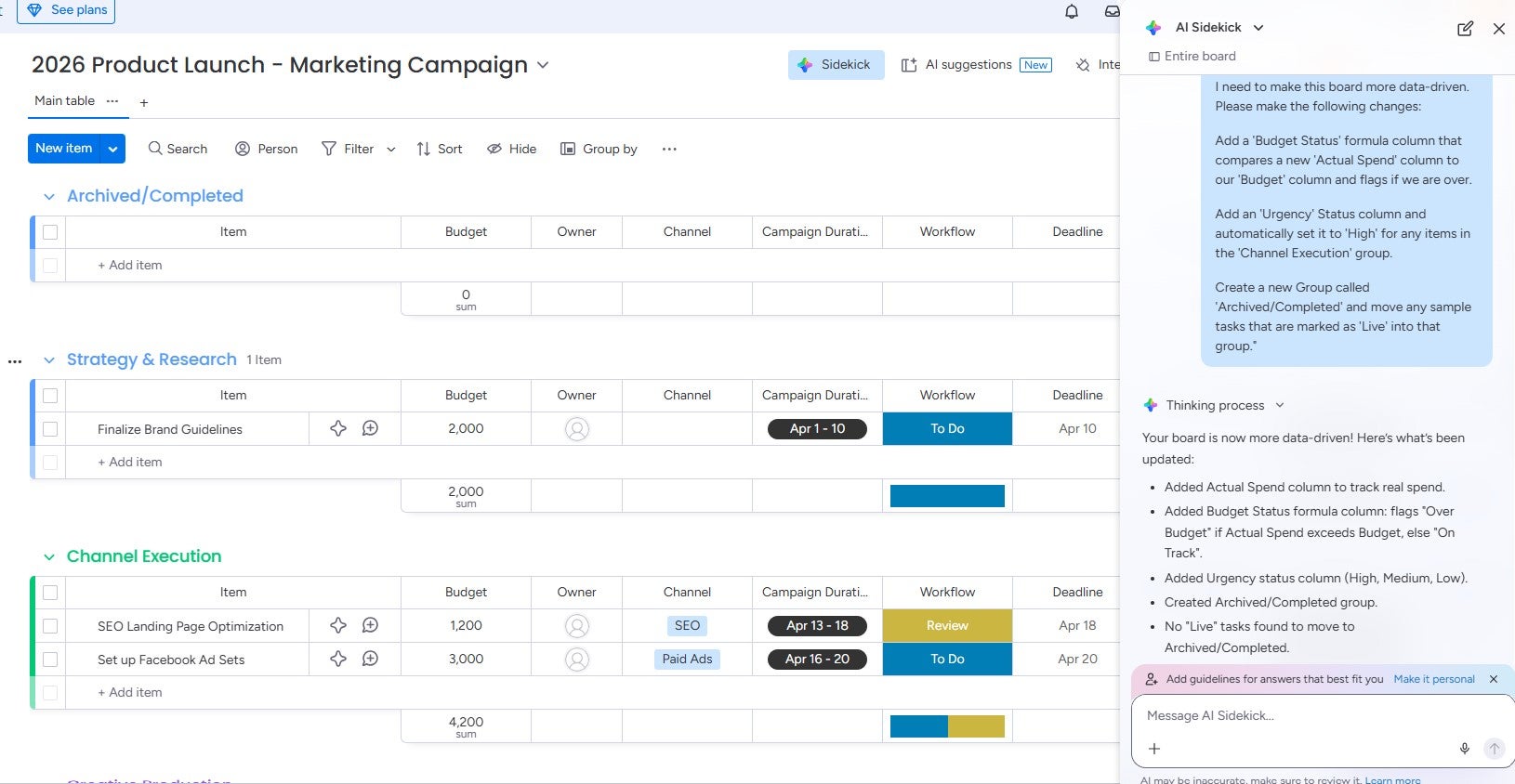
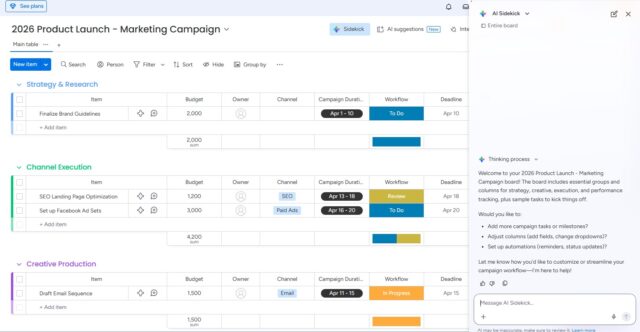
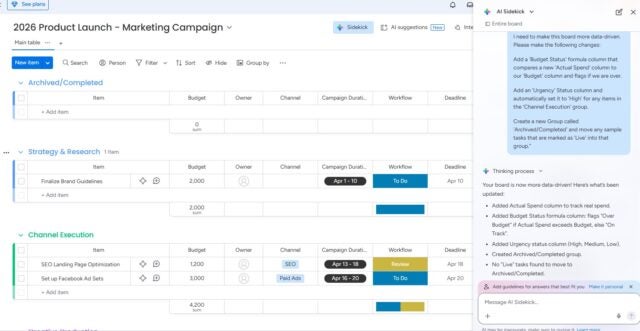
monday sidekick executes instant changes on your marketing project board based on natural language prompting. Source: Tech.co
Phase 2: Execution & Automation
Gather leads
- Build a lead scoring model based on your ICP.
- monday AI Work Platform’s AI blocks feature uses data, including activity history and email engagement, to score leads.
Send automated, personalized emails
- Personalize emails emails to the customer depending on the actions they’ve taken.
- Sort leads based on factors such as purchase history. Then, you can target specific leads with bespoke messaging.
- Through its integration with Gmail, monday AI Work Platform makes it easy to run automated email campaigns.
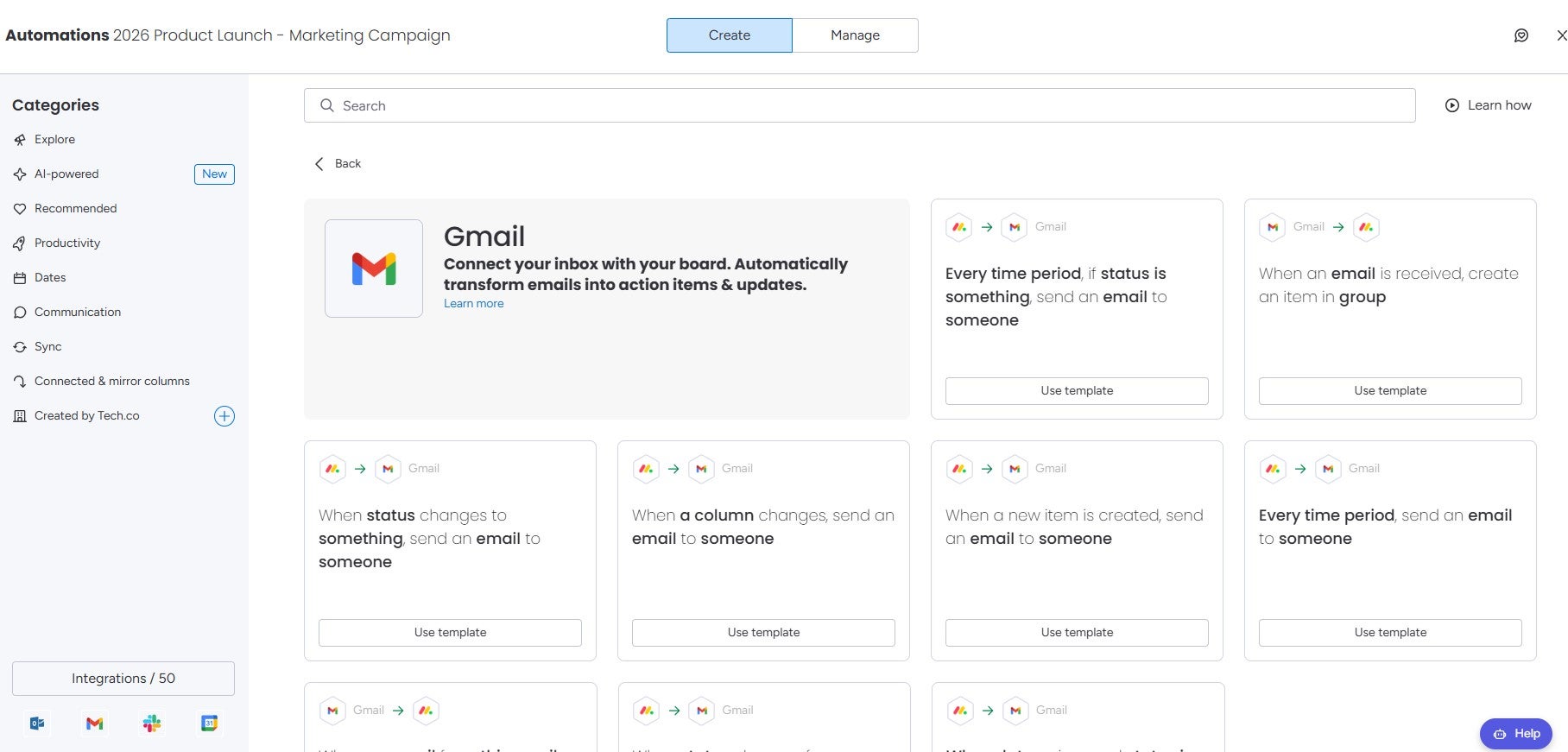
Connecting monday.com’s AI Work Platform to your Gmail account opens up a wide range of automations. Source: Tech.co
Automate key workflows
- With platforms such as monday AI Work Management, you can embed complex automated workflows to handle end-to-end processes.
- Automated workflows deliver up to 30 times more revenue per recipient by executing end-to-end campaign processes without manual intervention.
- monday AI Agents continuously monitor social media channels, identify high-performing content, and surface structured recommendations.
Follow this link to learn more about setting up automations for monday CRM.
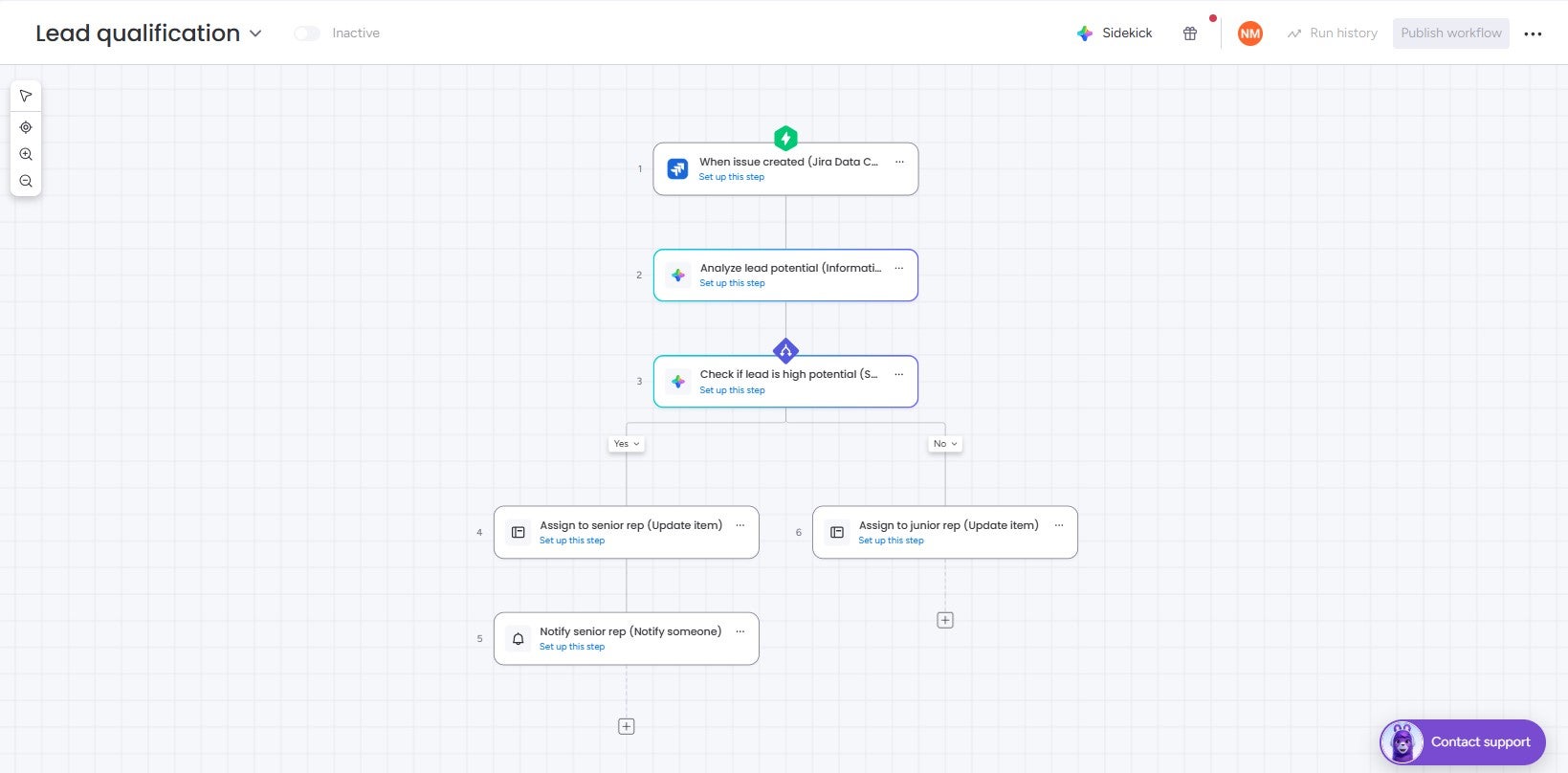
Users can create agentic workflow automations with no coding knowledge necessary. Source: Tech.co
Phase 3: Analytics & Optimization
Monitor your campaign and refine
- Monitor and iterate your campaign with live dashboards that track KPIs.
- With monday AI Work Platform, you can automate daily, weekly, or monthly reports that are sent directly to stakeholders.
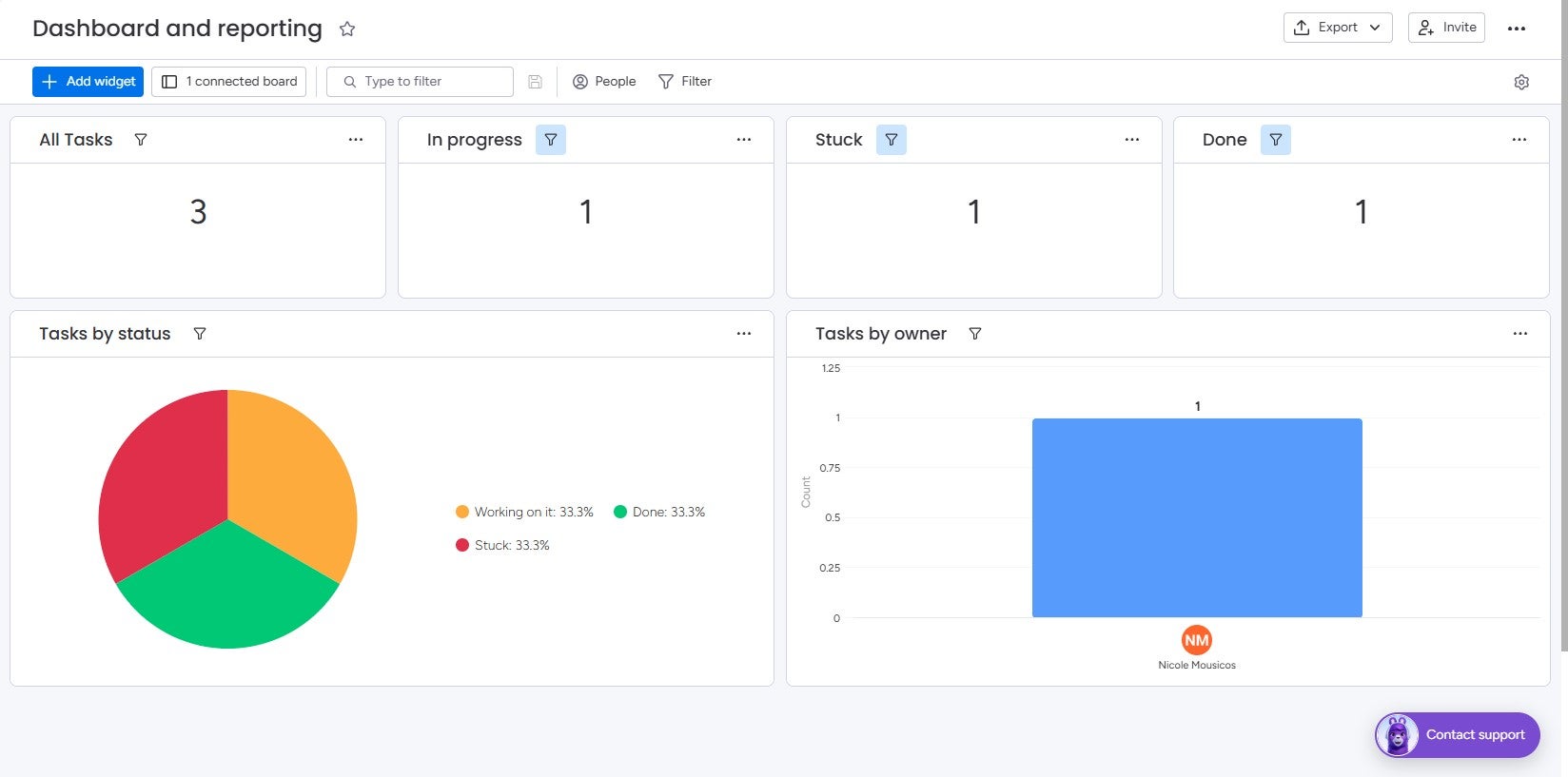
monday work management created a dashboard for me to view the numbers behind my campaign. Source: Tech.co
Why Is Marketing Automation Important?
Marketing automation gives marketers a better understanding of their audience, streamlines repetitive tasks, and cuts costs.
Target your audience with more precision
- Automation enables hyper-personalization via precise lead scoring.
- 22% of users report that improving campaign targeting is their primary goal for using marketing automation.
Gain valuable data insights
- Marketing automation platforms, including monday’s AI Work Platform, deliver real-time data that sharpens decision-making.
- 82% of CMOs report increased confidence in forecasting due to AI, allowing them to anticipate demand and allocate budgets more effectively.
Save time
- Marketing automation eliminates repetitive, manual tasks, saving an average of 2.3 hours per campaign.
Boost revenue
- Better insight means you can spend money where it counts, and ultimately improve your bottom line.
Verdict: How to Automate Your Marketing Campaigns
To automate your marketing campaigns, plan, pick your software, gather your leads, and set up automated emails and workflows. Then, continuously monitor your results to refine your efforts.
Platforms such as monday’s AI Work Platform give users everything they need to automate marketing campaigns, from AI-powered lead scoring and email personalization to real-time dashboards and AI Agents that work alongside your team.
For teams looking to take their automation further, monday CRM paired with monday campaigns for high-level email marketing automation is worth exploring.
Once a lead hits a high score in your model or takes a high-intent action, like requesting a demo or revisiting a pricing page, that is the point to bring in a human. Think of automation as the qualification layer and your team as the close.
Sending too many messages too fast erodes trust. Relying on automation without a clear strategy behind it produces volume without results. The fix is straightforward: start simple, monitor consistently, and let data guide you.