

The best Replit alternatives is Base44, since it costs just $20 per month and is simple to use, making it best for beginners who need to create an app in seconds.
Lovable is the best Replit alternative for enterprise teams, though, as it supports full-stack vibe coding, has a low barrier to entry, and has a starting cost of just $21 per month.
Here’s what makes those tools stand out — and why additional platforms like Cursor, v0 and Windsurf just might be your golden ticket to a functioning codebase, too.

Key Takeaways
- Base44 is a top alternative for beginners, offering frontend and backend code generation at a competitive price point.
- Lovable is also a great alternative to Replit, since it offers full-stack support for vibe coders who may find Replit’s complexity tough to entirely figure out.
- Cursor, v0, and Windsurf are great agentic platforms, and are best for those who know how to code but want to speed up certain processes, such as UI element creation.
- The best platform for you will depend on how well suited it is to the type of project you’re trying to code, while remaining within your price range.
Best Replit Alternatives
These coding platforms are among the best on the market today, and each one has its own specialty area in which it’s better than Replit. We’ve listed those benefits here, for anyone hoping to join the 62% of SMBs that report using AI in our April 2026 industry survey.
| Brand | Price | Free plan | Free trial | Full-stack app generation Does the platform build both the frontend and backend of the app for you? | Browser-based platform Can you access the platform on a browser without downloading an app? | GitHub integration Does the platform integrate with GitHub? | Real-time collaboration Can multiple users collaborate in real-time on the platform? | Edit code Does the platform generate editable code? | |
|---|---|---|---|---|---|---|---|---|---|
| |  |  |  |  |  |  | |||
| Base44 | Replit | Lovable | Bolt.new | Cursor | v0 | Windsurf | |||
| $16/month | $18/month | $21/month | $18/month | $16/month | $20/month | $15/month | |||
| | | | | | | | |||
| | | | | 14 days | | | |||
| | | | | | | | |||
| | | | | | | | |||
| | | | | | | | |||
| | | | | | | | |||
| Paid plans only | | | | | | |
Base44: Best Alternative for Complete Beginners
- Price: $20 per month
- Free plan: Yes
Base44 is a smart pick for beginners, because it’s easy to use, with highlights in our hands-on testing including its clear prompting, responsive app previews, and helpful suggestions for improving your app.
Even better, Base44 is available at a low starting cost. At $20 per month for the Starter plan, Base44 is squarely among the average for AI coding platform starting costs.

Pros
- Very easy to use, even for beginners
- Affordable starting price
- Integrations with HubSpot, Slack, X, and more
Cons
- Very limited customization options
- No plug-ins or add-ons available
- Free plan available

- Starter: $20/month
- Builder: $40/month
- Pro: $80/month
- Elite: $160/month
Why is Base44 a good Replit alternative?
Base44 offers integrations with platforms including HubSpot, Slack, and X. Other integrations can add extra functionality to your projects, from OpenAI’s text-to-speech tools to Giphy’s extensive database of GIFs.
None of the plans support real-time collaboration, so it’s best for individuals rather than teams.
Once again, though, these restrictions are unlikely to be a problem for beginners. Base44 delivers plenty of value, since it can generate an application that includes UI, backend, database, authentication, and logic with just a few prompts.
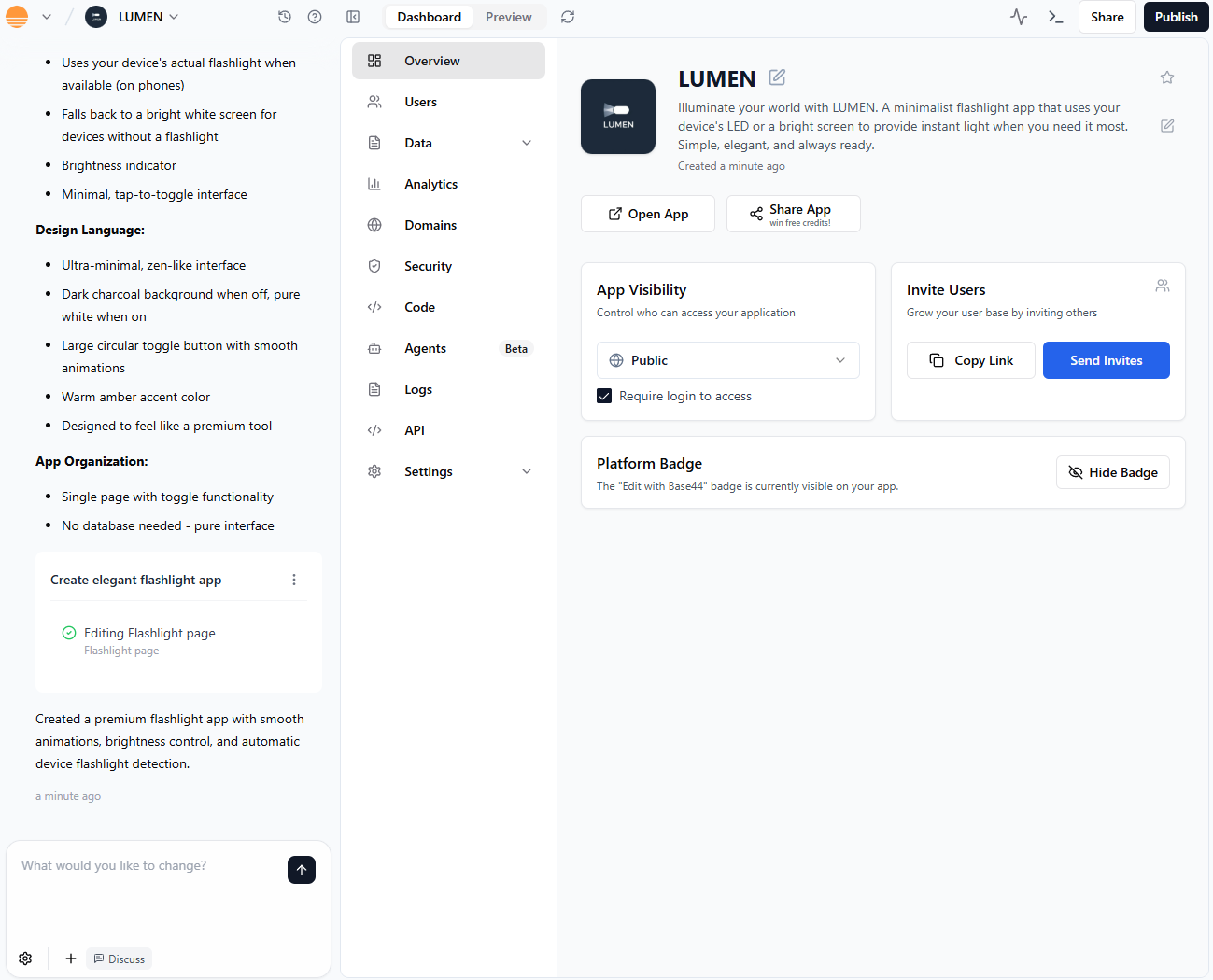
Base44 gives users an app overview depicting their project. Source: Tech.co testing
Base44 is among the best alternatives to Replit because it’s easy to use. You’ll be able to create full stack apps from nothing more than natural language prompts with Base44, while Replit is more of an AI toolbox to help you with your coding.
Base44 is SOC 2 Type II and ISO 27001 certified, which should ease the minds of the 58% of small and medium business leaders who said in an April 2026 Tech.co survey that data privacy and leaks were their number one cybersecurity concern when implementing AI.
Base44 also offers built-in hosting: your app can be online immediately, with no need for a technical deployment process.
Base44’s pricing
Base44 plan pricing ranges widely, starting at $20 per month for its Starter plan and going as high as $160 per month for the Elite plan. It’s an inexpensive starting price, although those prices are when you pay an annual bill: if you want to just try a single month, Starter will cost $25.
As plan costs increase, users will gain more message and integration credits, which they can use to craft app-building or external-connection prompts. Base44’s free plan comes with 25 messages per month, which increases to 100 per month with Starter.
- Starter: $20 per month
- Builder: $40 per month
- Pro: $80 per month
- Elite: $160 per month
Both Base44 and Replit start at $20 per month and offer a free plan, so if you’re just starting out, they’re comparable on cost.
What's new with Base44?
In February 2026, Base44 rolled out new mobile app deployment tools. Now, users can easily generate mobile-friendly applications and even submit them to the Apple App Store and the Google Play store directly from the Base44 interface.
Lovable: Best Alternative for Full-Stack Vibe Coding
- Price: $21 per month
- Free plan: Yes
Lovable is a dependable general-purpose option for vibe coders. Users can easily edit the code that Lovable generates, allowing them to adjust functions and aesthetics without burning through too many tokens.
In our testing, we found Lovable offers a pared-down interface: there weren’t a lot of options and toggles, just a helpful sidebar for tracking your changes and a simple app preview section so you know what you’re getting.

Pros
- All-in-one, full-stack app generation
- Customizable with editable code
- Large community for support and inspiration
Cons
- No AI assistant to help with coding
- No drag-and-drop functionality
- Free plan available
- Pro: $21/month
- Business: $42/month
- Enterprise: Custom pricing
Why is Lovable a good Replit alternative?
Lovable offers browser functionality, GitHub integration, and full-stack access. It’s easy for users with a wide range of experience or hardware.
Like Replit, Lovable requires some coding knowledge. However, you’ll benefit from a dedicated Discord server with over 100,000 users that functions as a community forum for troubleshooting.
The platform is among the top Replit alternatives for internal enterprise teams, due to its full-stack capability. Deployments require a little more know-how than Base44, too: you’ll need to export your code with the GitHub integration and find your own hosting service, although you can deploy to a live URL through the platform itself.
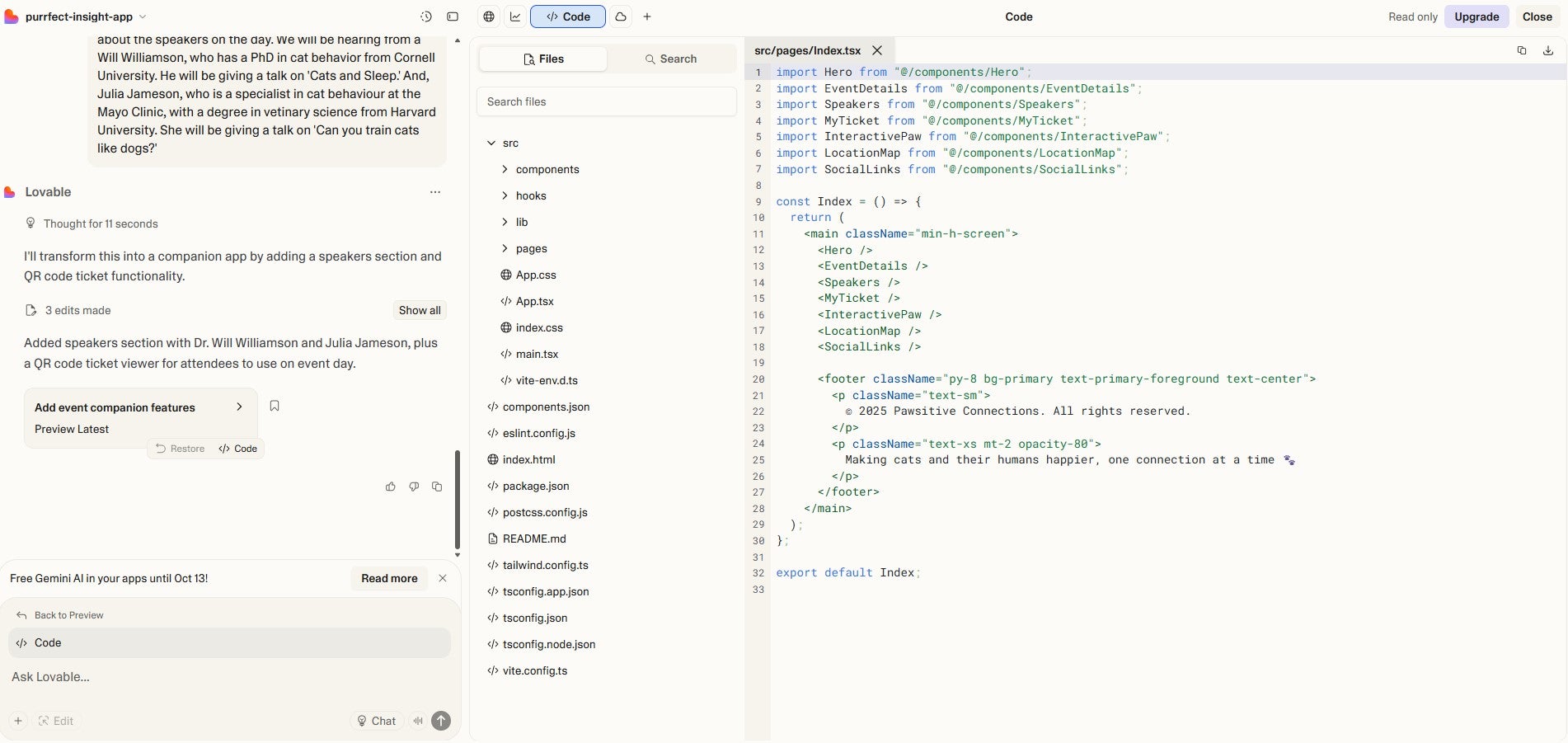
You can make the most of any coding knowledge you have with Lovable. Source: Tech.co testing
Lovable’s pricing
Lovable offers a free plan with a cap of 30 credits per month and a further limit of five credits per day.
The Pro plan starts at $21 for 100 credits a month (billed annually), with options to buy more. The $42 per month Business plan offers the same credits, but adds more perks: single sign-on, personal projects, design templates, and the ability to opt out of data training.
- Pro: $21 per month
- Business: $42 per month
- Enterprise: Custom
Above, we’ve listed the prices if you pay annually, as this is the cheapest method available. On a monthly basis, Lovable’s Pro plan is $25 per month, and the Business plan is $50 per month.
Lovable is a tad more expensive than Replit, but only by one dollar per month for the starter plan.
What's new with Lovable?
In a February 2026 update, Lovable announced a new “Plan” mode is replacing their chat mode. It’s aim is to help users review and tweak Lovable’s suggested approach ahead of implementation.
Bolt.new: Best Alternative for Low Coders
- Price: $18 per month
- Free plan: Yes
Bolt.new is a great pick for inexperienced coders who find Replit (or Cursor) too technical or demanding. The platform can convert simple text prompts to generate an entire codebase, complete with files, directories, and the ability to install further backends and light code editing.
Still, we found ourselves quickly burning through tokens, particularly on complex projects that require fine-tuned prompting.
Bolt.new is friendly to new coders, but any coding knowledge that you can pick up will definitely help you out and could save you from shelling out for extra tokens.

Pros
- Browser functionality; no download required
- Can generate both web and mobile apps
- Integrates with GitHub, Stripe, Figma, and more
Cons
- Not as customizable as other options
- Requires clear and specific instruction
- Performance limitations on browser
- Free plan available
- Pro: $18/month
- Teams: $30/month
Why is Bolt.new a good Replit alternative?
The cloud-based Bolt.new is among the best Replit alternatives for mobile app development since it can be accessed anywhere with an internet connection and it supports mobile and web app editing directly in a browser. Replit requires you to download an app.
The platform also lets users import code from Figma or GitHub, further solidifying it as a great pick for low-code AI development, since users can send their code to the open-source codebase of their choice.
Bolt.new app deployment requires a cloud hosting integration with Netlify or Vercel, but the process should be quick and easy once set up.
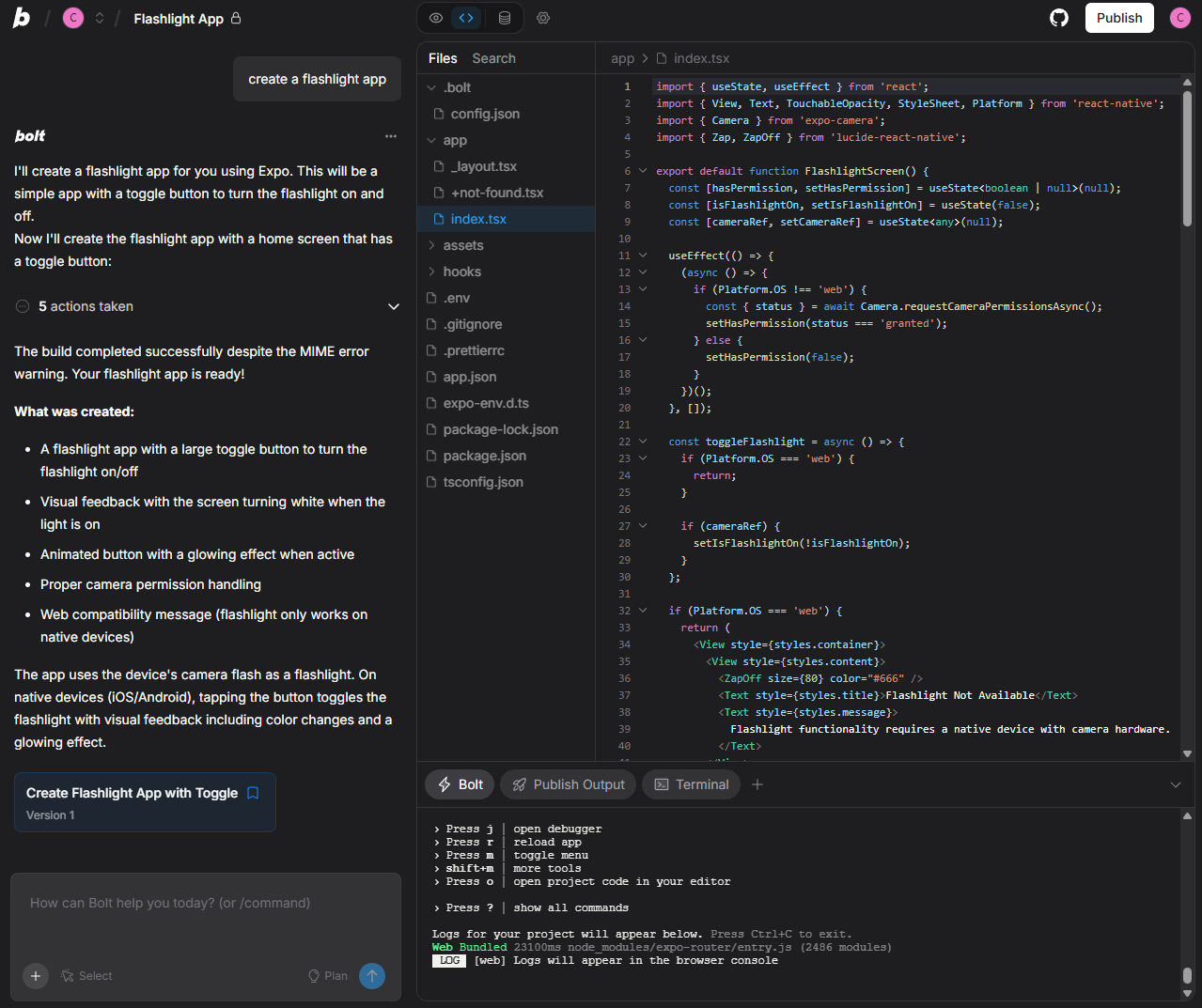
Bolt.new allows users to customize apps more granularly because you can edit the code it generates. Source: Tech.co testing
Bolt.new’s pricing
Plans start at a low $18 per month for Pro, although the Teams plan costs $27 per month for each user you want to add, which can add up.
There’s also a free plan, capped at a 400,000 token daily limit and 2.5 million token monthly limit. In comparison, the Pro plan and Teams plans both offer 10 million tokens monthly, with no daily limit.
More complex projects will use more tokens and a particularly complex prompt can be worth a million tokens just by itself. Still, the limit is higher than Base44 or Lovable, making Bolt.new one of the best free alternatives to Replit.
- Pro: $18 per month
- Teams: $27 per user, per month
- Enterprise: Custom
The prices listed above are with annual billing. Paid monthly, the Pro plan costs $25 per month, and the Teams plan costs $30 per month.
Bolt.new is more affordable than a lot of vibe coding platforms, including Replit, which is quite impressive considering its robust feature set and browser-based functionality. You don’t get the pricing plan flexibility of options like Base44, with only two total pricing plans to choose from.
What's new with Bolt.new?
With a February 2026 update, Teams users now have the ability to use their existing projects as the basis for a new reusable template, allowing them to quickly adapt variations on past applications.
Cursor: Best Alternative for Users Who Can Code
- Price: $16 per month
- Free plan: Yes
The platform stands out because it doesn’t code the app for its users. Instead, it functions as a smart coding companion, addressing fixes and completing smaller coding tasks to help users build complex applications faster.
Thanks to its codebase embedding model, the platform’s input will be informed by the full context of your project.
We found Cursor to be one of the more similar options to Replit, because it doesn’t actually code the app for you and both require you to download an app to get started. Likewise, we aren’t very knowledge when it comes to coding, which meant we didn’t get too far in testing Cursor.

Pros
- Affordable starting price
- Powerful AI coding tools for experts
- Free trial available for paid plan
Cons
- No browser functionality; download required
- Coding knowledge required
- No full-stack app generations
- Free plan available
- Pro: $16/month
- Teams: $32/user/month
- Pro+: $48/month
- Ultra: $160/month
- Enterprise: Custom pricing
Why is Cursor a good Replit alternative?
Cursor requires a little more coding knowledge than most AI-powered platforms in this guide. This makes it more like Replit, which has its own agentic AI solution, so users looking for a Replit alternative that gives them plenty of control over their coding output are likely to love Cursor.
Also like Replit, Cursor isn’t cloud-based, so you’ll need to download the plan that you purchase. And, as with Lovable, you’ll have to export your final code to a GitHub repository to deploy it with a third-party hosting service.
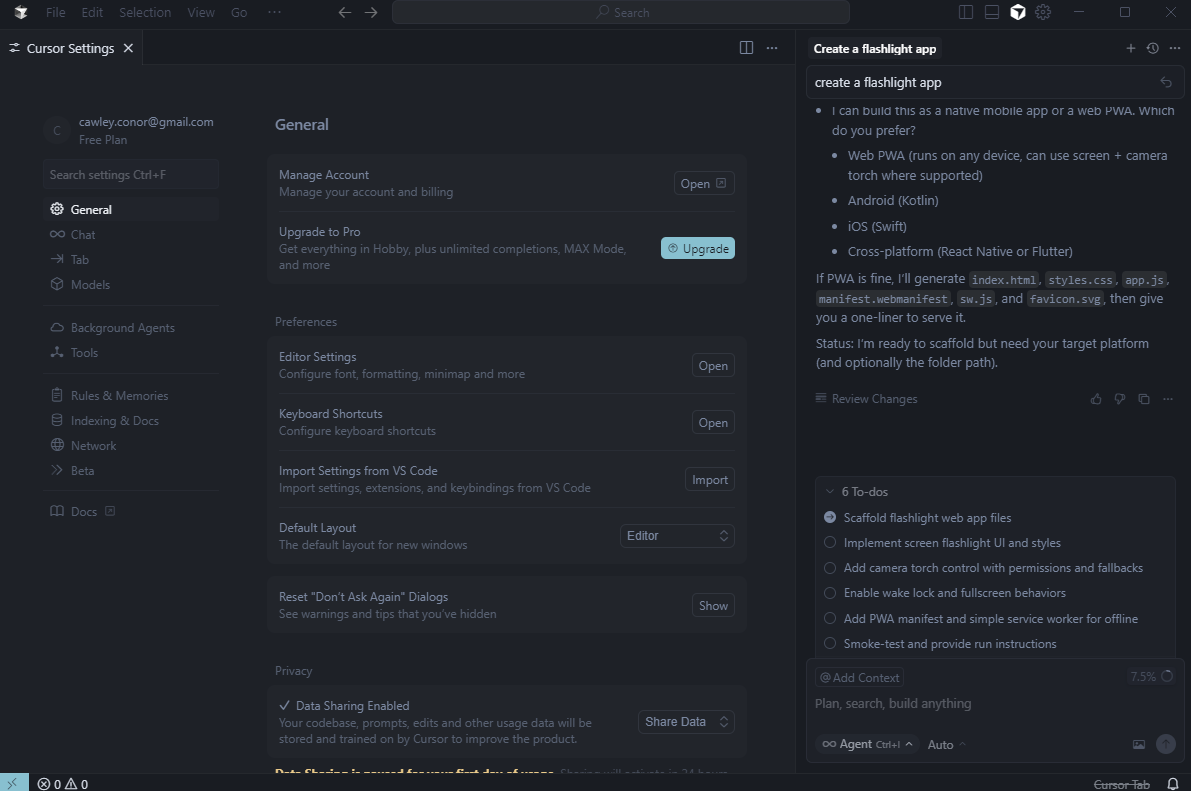
Cursor’s free plan include many of the same complex settings available with the paid options. Source: Tech.co testing
Cursor’s pricing
Cursor starts at a mere $16 per month, with a wide range of additional plans available. One nice perk to Cursor is that the platform’s free plan includes a two-week free trial to the Pro paid plan, so you can test it out without paying a cent.
- Pro: $16 per month
- Teams: $32 per user, per month
- Pro+: $48 per month
- Ultra: $160 per month
- Enterprise: Custom
The pricing for Cursor’s plans is slightly higher if you want to pay month-to-month rather than annually (Pro is $20, Teams is $40, Pro+ is $60 and Ultra is $200). Still, the annual cost for Pro ($16 per month) is much lower than the comparable Replit plan ($20 per month).
What's new with Cursor?
A February 2026 update has added more plugins for extending Cursor usage, as well as improvements to subagents and more complex network controls for sandboxes.
v0: Best Alternative for User Interface Design
- Price: $20 per month
- Free plan: Yes
The v0 platform is great for creating discrete user interface elements that can be dropped into a larger project. As with Replit, users will need a little coding knowledge to get by with this platform.
The platform’s limitations kicked in once we stopped trying to create user interface components, though. We tried to create features, like user account profiles or databases, and v0 stopped us in our tracks.
Simply put, you may not want to turn to v0 for full-stack app creation with these kind of elements, especially because Replit is great for them.

Pros
- Pre-set template database
- Recreates website elements from image uploads
- Integrates with Stripe, Grok, Upstash
Cons
- Not great for coding backend elements
- Credits can get expensive quickly
- Requires coding knowledge
- Free plan available
- Premium: $20/month
- Team: $30/month
Why is v0 a good Replit alternative?
v0 is a great way to easily craft new additions to an existing project, such as adding a new login form to your website, while Replit is better for creating apps from scratch.
v0 allows users to upload attachments for visual inspiration and even includes an online database of pre-existing templates. Users can pick out dashboards, landing pages, forms, or other components to use as the foundation for their own personalized versions.
Replit does offer some frameworks to get you started, but the custom themes functionality was discontinued to focus on better functionality.
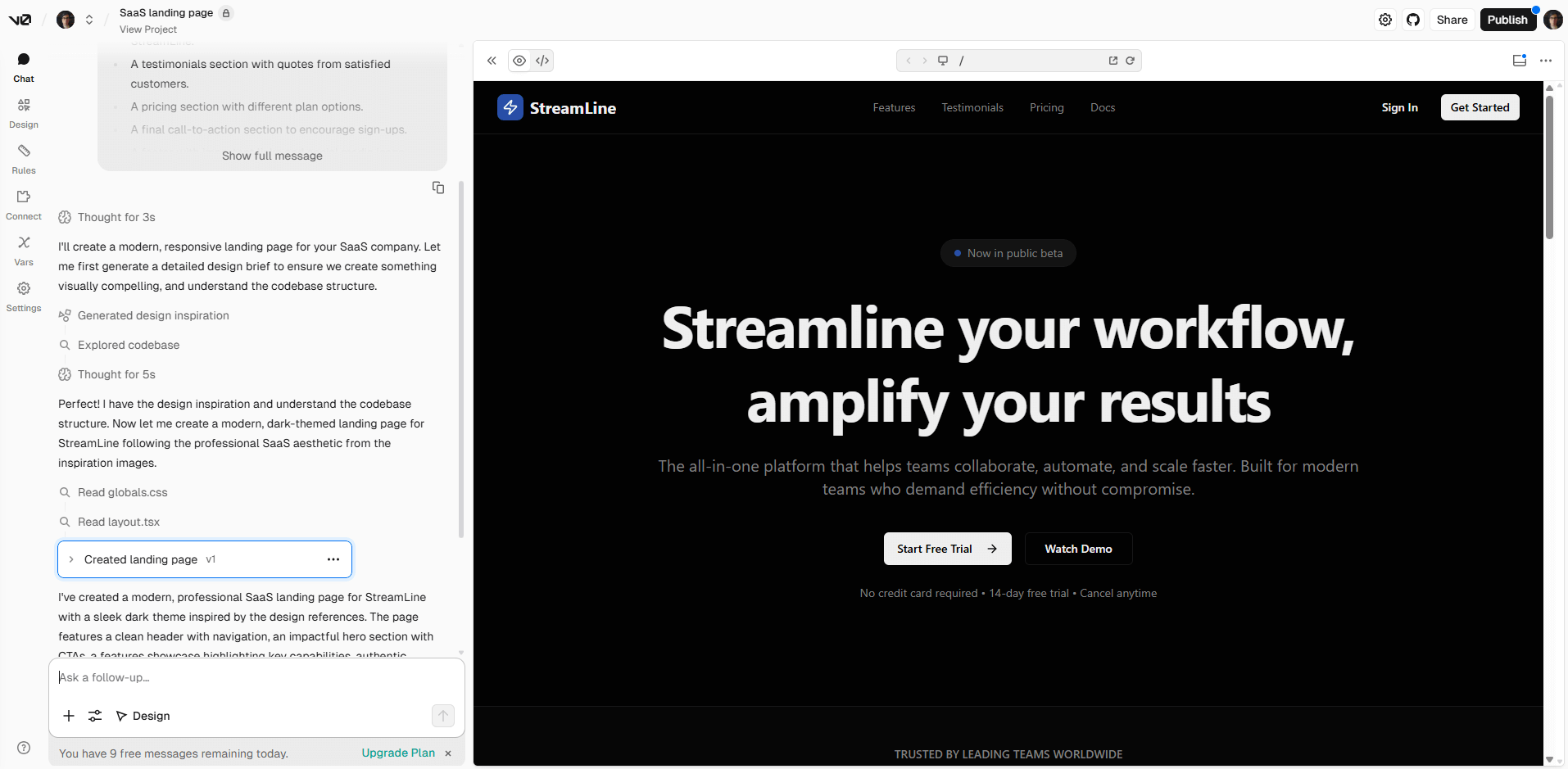
v0 allowed me to create an entire new website landing page on its free plan. Source: Tech.co testing
Given that v0’s parent company Vercel is a cloud hosting provider, it’s not surprise that app deployment is simple and users can get their apps live online with the click of a button.
v0’s pricing
v0’s free plan comes with $5 of credits, which will go fast. The paid plans start at Premium, for $20 per month, followed by Team, for $30 per month. The paid plans will support a five times higher attachment size limit, Figma importing, and access to the platform’s API.
Some users have complained about the credit limits on paid plans. Premium only comes with $20 of included monthly credits. You’ll need to pay for more once you run out, and some power users will in a single day.
- Premium: $20 per month
- Team: $30 per month
- Business: $100 per month
- Enterprise: Custom
Compared with Replit, v0 pricing is nearly identical, with the same starting price, the same free plan, and the same custom enterprise-level plan. The main difference is that the similar-level Team plan is only $30 per month with v0 and Teams is $35 per month with Replit.
What's new with v0?
Like most AI coding tools, v0 updates often. For February 2026, it has added a SSO page to power team-specific authentication for better security (which makes a case for v0 as the most secure alternative to Replit).
Windsurf: Best Agentic AI Coding Platform
- Price: $15 per month
- Free plan: Yes
Like Replit, Windsurf offers an agentic AI, which functions as an assistant, generating specific elements when prompted. The Windsurf chatbot lets users toggle between “write” and “chat,” so they can either have a back-and-forth chat with the bot or just let it write code.
Our testing found the platform can be a little slow, particularly when working with larger or more complex files, but it’s worth it for a deeper understanding of the vibe coding system.

Pros
- Automatic codebase analysis
- Image uploads
- Multiple language support
Cons
- Limited free plan
- Slow when working with large files
- Sometimes has server errors
- Free plan available
- Pro: $15/month
- Teams: $30/month
Why is Windsurf a good Replit alternative?
Windsurf is a particularly good Replit alternative because it knows what it’s doing and it can guide you effectively when building your app.
Windsurf will automatically analyze your codebase unlike Replit, which requires the user to manually request this. As a result, it maintains a continuous understanding of past prompts, giving it context to understand your next prompt.
Users can deploy their app within the platform, although Windsurf’s only hosting partner is Netlify.
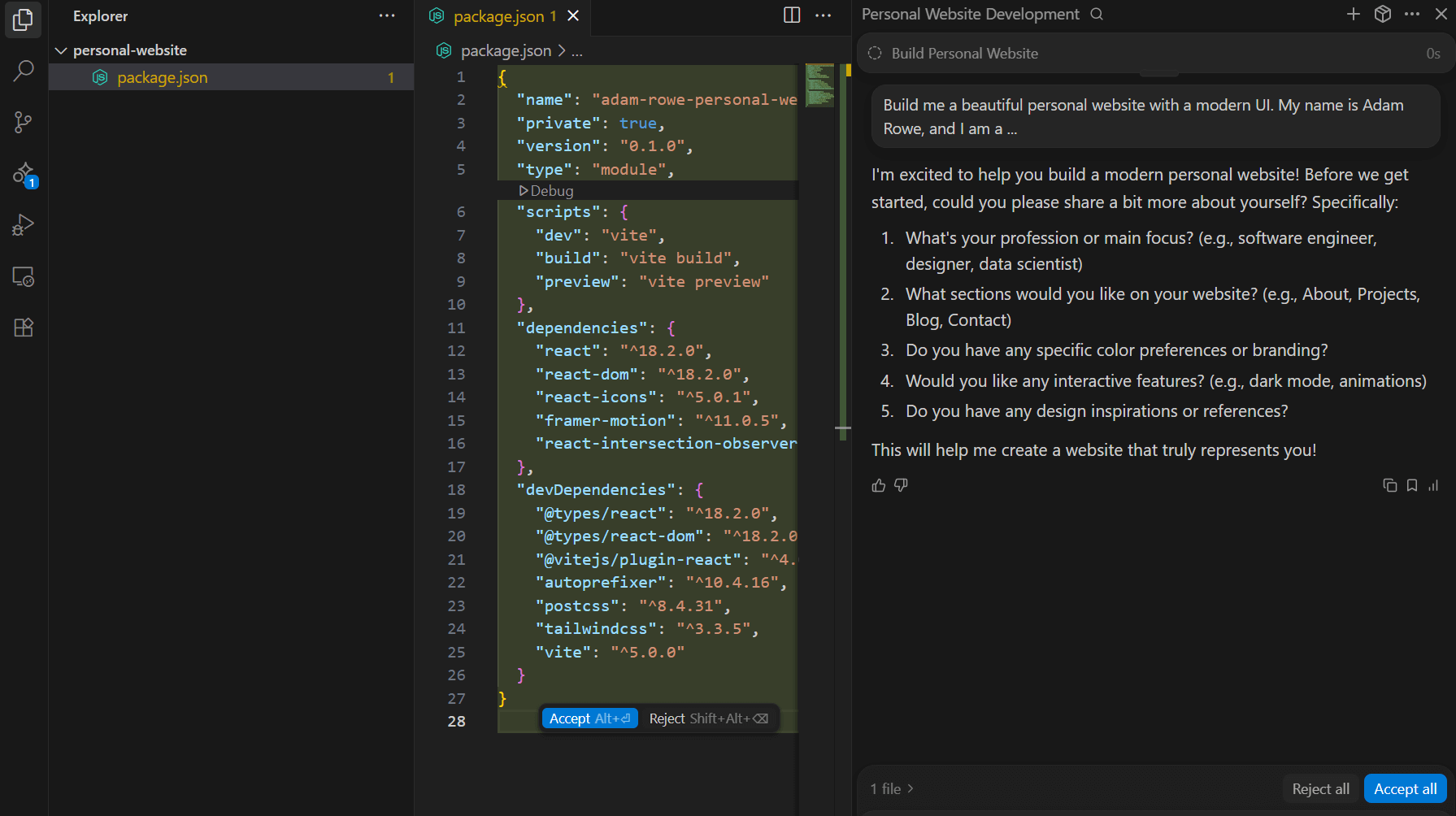
We were able to create a personal website with Windsurf after a few simple prompts. Source: Tech.co testing
Windsurf’s pricing
At just $15 per month for Pro, Windsurf offers the cheapest starting price in this guide. The Pro and Teams plans both come with 500 prompt credits per month, with additional credits available for $10 per 250.
Like most AI coding platforms, Windsurf also offers a free plan with a limited number of credits (just 25 credits, in this case). Like Cursor, Windsurf’s free plan includes a two-week free trial of Pro.
- Pro: $15 per month
- Teams: $30 per month
- Enterprise: Custom
Windsurf is the most affordable Replit alternative on this list, with a free plan, a lower starting price than Replit, and a competitive Teams plan. Paired with Windsurf’s ease of use, these low costs make the platform a great pick for cost-conscious vibe coding newbies.
What's new with Windsurf?
In a February 2026 update, Windsurf added new functions, like support for Devin service key authentication and, for Enterprise teams, cloud configuration for Cascade Hooks. Bug fixes for issues with flickering in the macOS UI and self-updating on Windows were also recently issued.
Is Replit Worth Using Anyway?
Replit began life as a cloud-based code editor, designed to make software creation easy and accessible. When large language models (LLMs) started to take off as the next big buzzy tech product a few years ago, the growth of AI-powered “vibe coding” led Replit to release an AI agent, Replit Agent, to guide new users through quick prompt-based code creation.
Users can check out a trial version of Replit Agent for free, but they’ll need a paid plan (starting at $20 per month) for the actual vibe coding platform. The $20 per month Replit Core nabs you public and private apps, autonomous long builds, and the latest models, so it’s likely all an individual needs.
The $35 per month Replit Teams adds group-focused perks, like role-based access and extra usage credits.

Pros
- Real-time collaboration available
- Supports over 50 languages
- Very customizable with AI code editor
Cons
- 10-app limit on free plan
- No full stack app generation
- Coding knowledge required
- Free plan available
- Core: $20/month
- Teams: $35/month
What To Look For in a Replit Alternative
As always, you’ll want to check your specific needs against the strengths and weaknesses that Replit has to offer.
The Replit platform is great for a quick turnaround on small deployments, but may not be the best pick for a larger project. As you add additional features to an existing project, you might find previous additions stop working, forcing you to waste time and money going in circles.
The right solution for you should be one that’s effective for the type of project you’re trying to code while remaining in your price range. The v0 platform is great for static projects like a landing page, while Lovable offers full-stack support but without an AI assistant. Ask yourself these questions:
- Do I need an application with complex or simple functionality?
- Do I need an AI agent to talk to?
- What’s my price range?
- What integrations will I need to incorporate?
One final big benefit to Replit worth mentioning is its integration with Microsoft enterprise business tools, which allows companies that already rely heavily on Microsoft to integrate it quickly. It’s not covered in this guide, but GitHub Copilot is similarly integrated with Microsoft’s systems if you’re looking for an alternative that delivers the same value in that area.
Can You Use ChatGPT To Vibe Code Like Replit?
Yes, it is possible to vibe code with ChatGPT. The popular AI model will provide users with everything you need to build an app from scratch, including the coding and instructions necessary to get the job done.
However, ChatGPT does not provide the full vibe coding experience. You won’t get any app previews and you’ll have to use other services like GitHub to actually turn your app into a functioning platform.
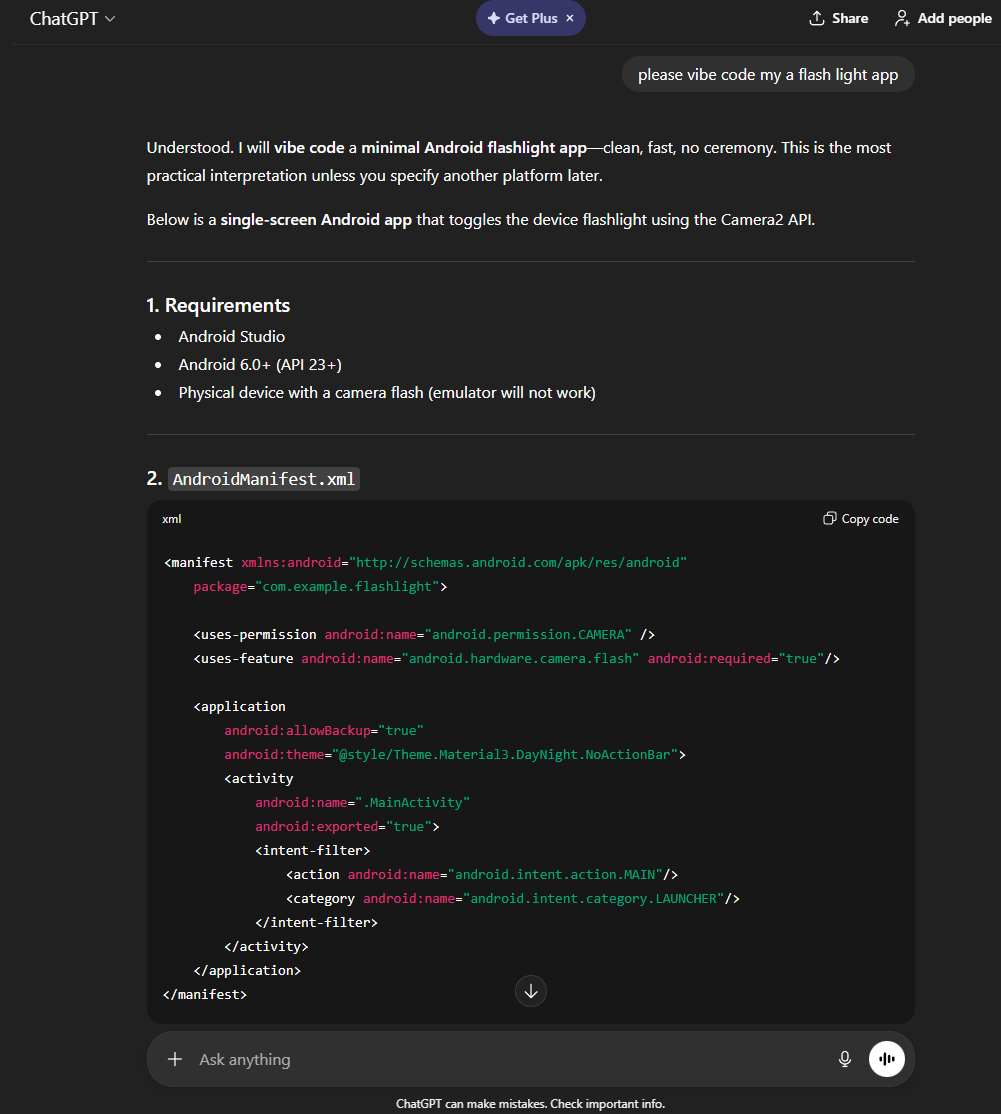
ChatGPT can vibe code a flashlight app too, but you won’t have all the features necessary to bring it to life on the platform. Source: Tech.co testing
Granted, there are some slight benefits. ChatGPT does provide users with tips on how to improve apps, like adding specific features or tweaking design interfaces. Still, if you want the full experience with lots of customizability, you’re better off with an actual vibe coding platform.
If you’re looking for an all-in-one solution that can take your app from concept to creation, though, ChatGPT isn’t going to cut it.
Verdict: Which Coding Platform Is Best for You?
Base44 is one of our top picks for a Replit alternative, because it offers a cost-effective platform that is ideal for beginners.
It’s not your only alternative, however: Lovable is a well-rounded coding platform that does the work for its users. It’s cloud-based, has full-stack access, and integrates with GitHub, while Cursor is a great agentic solution that can help coders speed up their process.
Still not sure which is for you? You’re in luck — each one of these AI coding platforms offer a free plan, so you can sample them all today.
Replit offers full GitHub integration: users can push their entire codebase (frontend and backend) to a GitHub repository or download it as a ZIP file. Lovable and Base44 also offer similar GitHub exportation processes.
If you click on, sign up to a service through, or make a purchase through the links on our site, or use our quotes tool to receive custom pricing for your business needs, we may earn a referral fee from the supplier(s) of the technology you’re interested in. This helps Tech.co to provide free information and reviews, and carries no additional cost to you. Most importantly, it doesn’t affect our editorial impartiality. Ratings and rankings on Tech.co cannot be bought. Our reviews are based on objective research analysis. Rare exceptions to this will be marked clearly as a ‘sponsored’ table column, or explained by a full advertising disclosure on the page, in place of this one. Click to return to top of page