
Cursor is a desktop integrated development environment (IDE) for experienced developers. Unlike vibe coding platforms, such as Base44 and Hostinger Horizons, Cursor functions as a coding assistant rather than a software generator. It is a very valuable tool for technically proficient users.
However, Cursor is not suitable for unskilled developer. The platform requires a degree of coding familiarity in order to function properly. If you do not have any technical experience, you should consider an alternative.
To research this article, I tested out Cursor for myself. While it is not suitable for inexperienced users, I was impressed with some of its advanced capabilities.

Key Takeaways
Cursor is a desktop-based integrated development environment (IDE) for experienced developers rather than unskilled users.
Individual paid plans range from $20 to $200 per month, making it one of the more expensive coding assistants on the market.
The platform features an autonomous Agent mode capable of multi-file edits, bug fixes, and terminal command execution.
Users can use Plan mode to outline complex architectural features before committing to code.
Beginners or those seeking a simple vibe coding experience should consider easier alternatives like Base44 or Bolt.new.
Why Trust Us? Our Research Methodology
Tech.co takes research seriously. To evaluate Cursor and the vibe coding market, we put several platforms through rigorous hands-on testing to analyze how they operate and whether they are simple enough to use for beginners.
On top of that, we investigate online documentation, provider websites, and other digital resources to learn all we can about what these vibe coding platforms have to offer, so that you can make the right decision for your business.
Cursor at a Glance
Cursor is a desktop IDE that sits alongside your existing projects and streamlines the coding process for you. Key features include:
- Agent — Agent mode autonomously executes complex coding tasks, such as multi-file edits, bug fixes, and more.
- Ask — Ask mode gives users unparalleled insight into their codebase, giving you a deeper understanding of exactly how everything fits together.
- Plan — Plan mode sketches out complex architectural components before you commit to building them.
- Debug — Debug mode analyzes error messages, generates hypotheses, and ultimately enables Agent mode to make targeted fixes.

Pros
- Powerful IDE for developers
- Free plan available
- Multi-file editing
Cons
- Steep learning curve
- Paid plans are expensive
- Slow to operate
- Free plan available

- Pro: $16/month
- Pro+: $48/month
- Ultra: $160/month
Using Cursor for the First Time
While the likes of Base44 and Hostinger Horizons are dedicated vibe coding platforms, Cursor is different — it’s an IDE with a built-in code assistant, known as Agent. In other words, it’s a great tool for coding and fixing bugs, at speed.
Testing the platform for myself, I was impressed with Cursor’s look and feel. The interface is sleek and stylish, and despite some complex functionality, it didn’t feel overwhelming.
I put the platform through the same test that I ran with Base44 and Hostinger Horizons, and considering it’s a fundamentally different tool, I was really impressed with the results.

Agent Mode
Agent is Cursor’s flagship AI feature that enables the platform to autonomously execute complex coding tasks, including multi-file edits, bug fixes, and terminal command execution. In essence, it’s the beating heart of Cursor.
Like other vibe coding tools, Agent can build new features from a prompt, edit existing ones, and resolve bugs. It can also write tests and run shell commands, meaning that it can execute text-based commands in a terminal, known as a “shell,” to interact with the wider operating system.
Users can interrupt it mid-task to change approach.
Agent’s dedicated multi-file editing tool is known as Composer. I asked Composer to generate a project management dashboard, which is the same prompt that I’ve used while testing Base44 and Hostinger Horizons. After “thinking” for about 10 seconds, the platform began writing code.
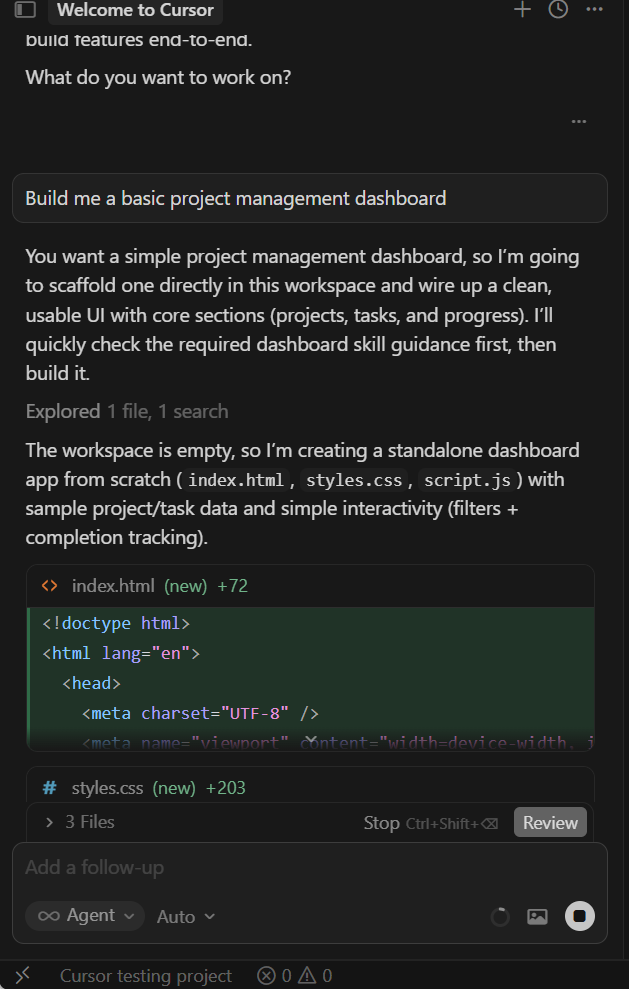
Like a lot of vibe coding platforms, Cursor shows its “working.” Source: Tech.co testing
Cursor fulfilled my request in about 40 seconds, creating a decent project management dashboard. It wasn’t immediately clear to me how to open the dashboard, with the platform instructing me to open “index.html” in my browser, without indicating the file destination.
I was really impressed with the fruits of Cursor’s labor, especially the fact that it chose to pre-populate the dashboard with placeholder “projects” and “tasks.”
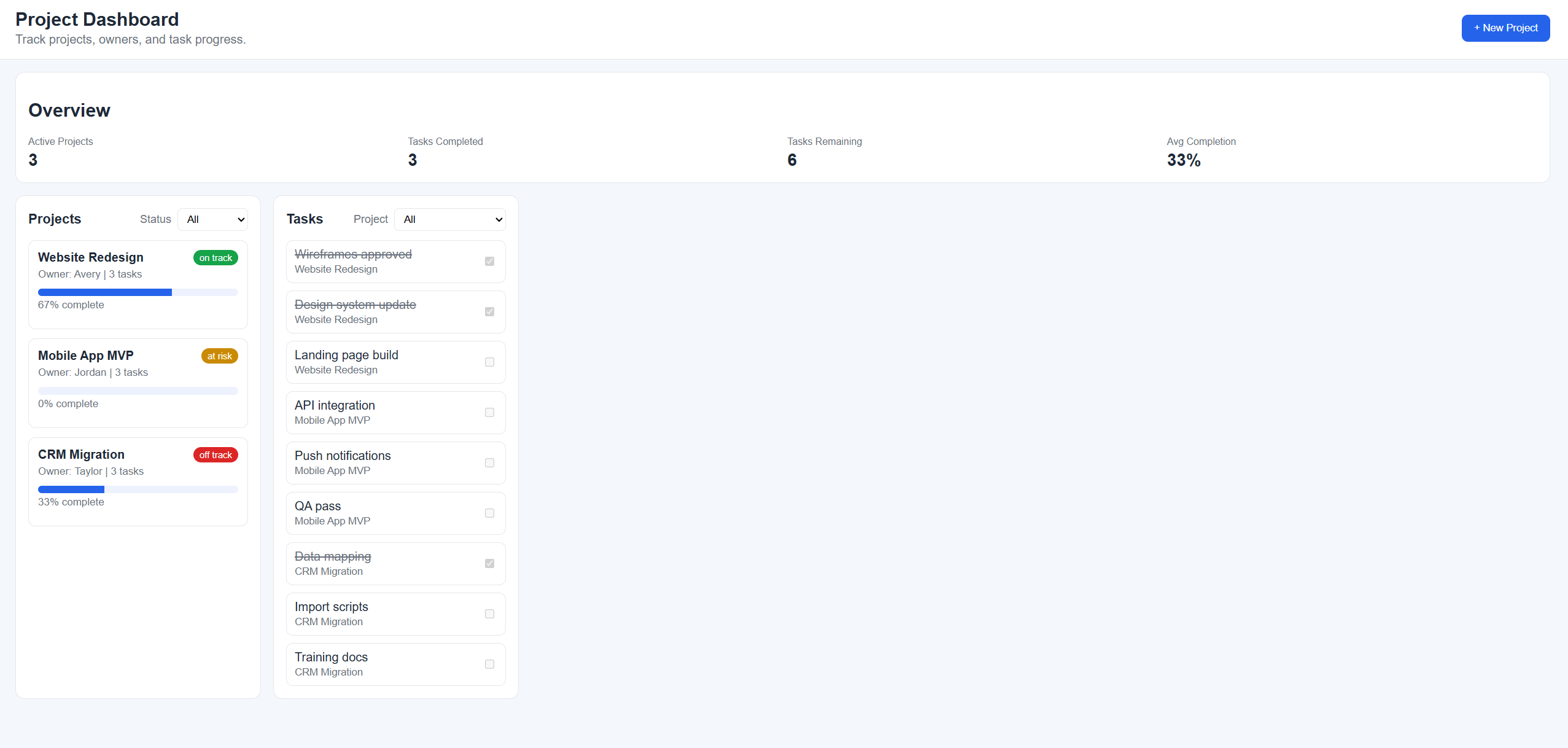
Cursor’s project management dashboard was well-organized, with color coding to segment individual tasks. Source: Tech.co testing
Frustratingly, the dashboard wasn’t functional, unlike similar offerings from Base44 and Hostinger Horizons, but this is where technical knowledge comes into play.
Interestingly, I ran the same test again a few days later, and I was greeted with a markedly different outcome. This time, Cursor built a fully functional project management dashboard, with which I was able to create new tasks and assign them to relevant stakeholders.
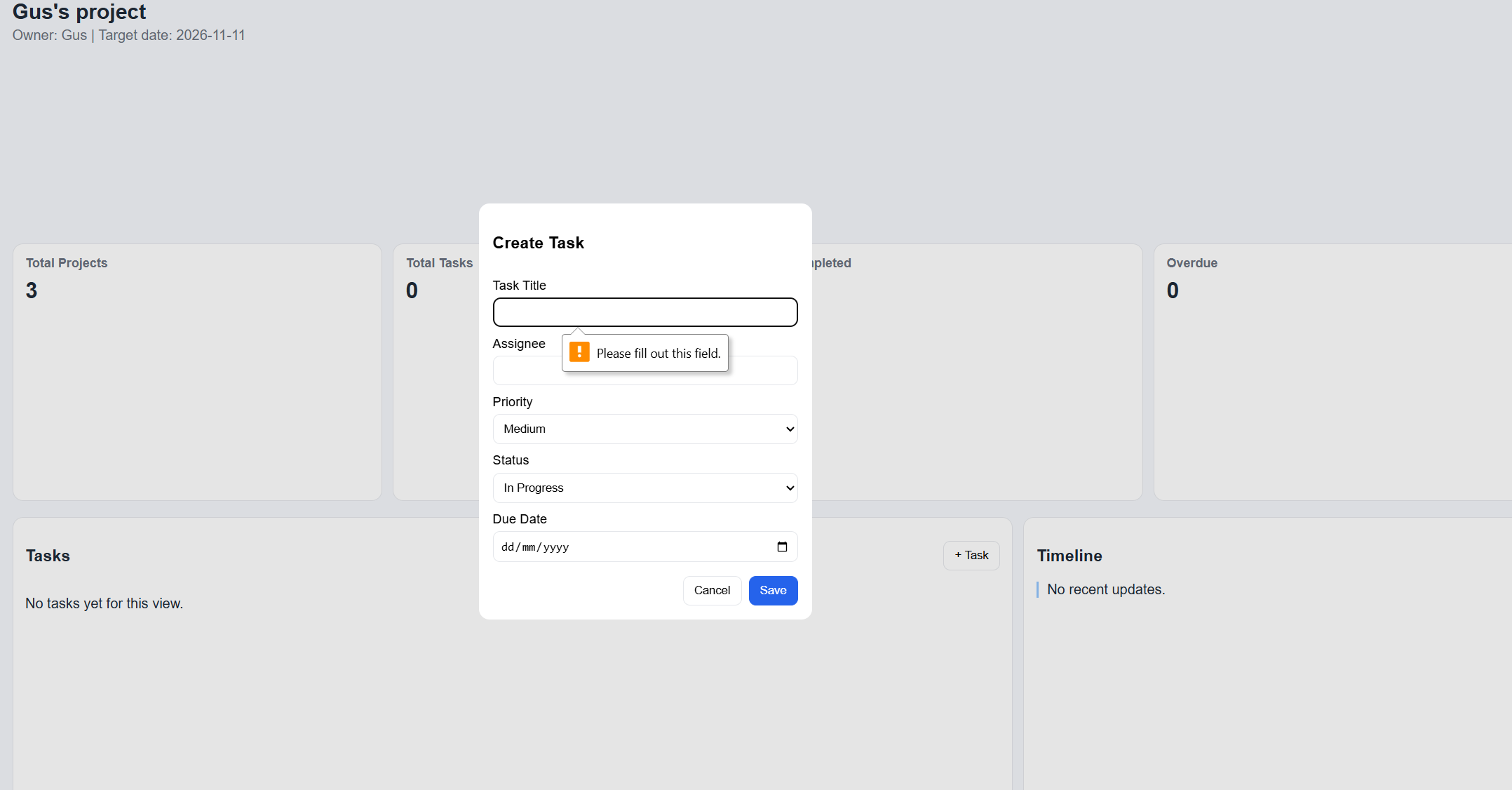
Cursor’s generated tasks contained key project management elements, including priority, status, and due date. Source: Tech.co testing
On this basis, it’s hard to separate Cursor from the other two platforms that I’ve recently tested, Hostinger Horizons and Base44.
Horizons generated a more comprehensive platform, with a wider breadth of functionality, but took significantly longer to do so. Base44, meanwhile, provided a fairly similar offering in about the same amount of time.
Ask Mode
By contrast, Ask mode is designed specifically to give users an insight into their codebase. While it can’t be used to make further edits, it is valuable for users who want to gain a deeper understanding of the code that Cursor has generated for them.
I tested it out myself, and I was impressed with how quickly the platform provided an answer, doing so in about three seconds.
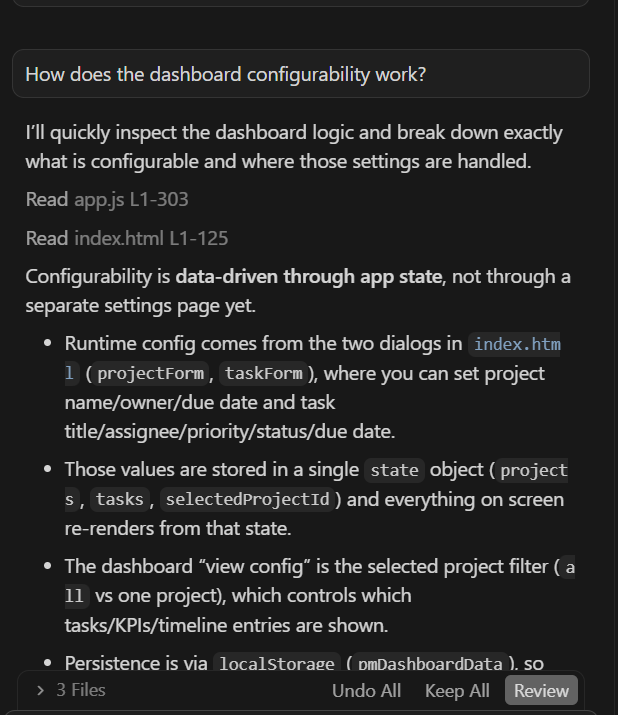
I wanted to understand how I was able to interact with Cursor’s project management dashboard. Source: Tech.co testing
Helpfully, Cursor also suggested a follow-up action, asking me if I’d like deeper configurability, which it offered to outline for me. I thought it was a neat touch, and it’s a good tool for code-literate users who are struggling for inspiration, visual or otherwise.
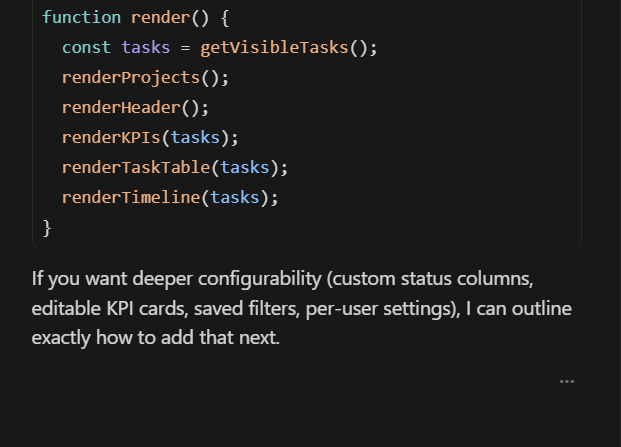
Cursor suggests helpful follow-up items, such as editable KPI cards, which are useful for users who might be creating an unfamiliar project. Source: Tech.co testing
Plan Mode
Plan mode is geared towards users who are highly technically proficient. If you’re considering a complex, multifaceted feature, you can use Plan to sketch out a detailed outline before you commit to building anything.
This is particularly useful for important architectural decisions for which you want to seek stakeholder approval first, or for executing unclear briefs.
I asked Plan to build me a full-stack project management dashboard with editable projects and tasks. Seeking further clarity, the platform immediately asked me two follow-up questions.
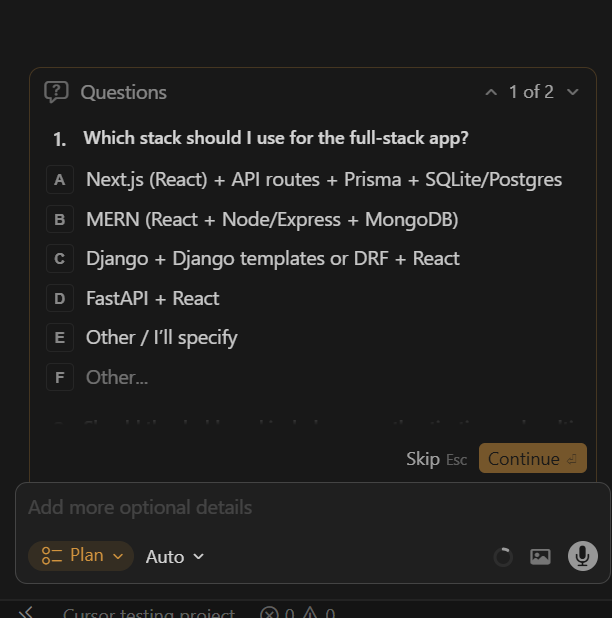
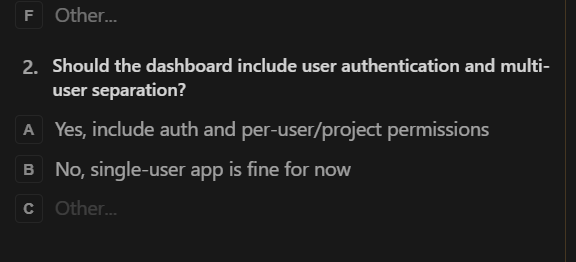
Like Hostinger Horizons, Cursor sought clarity before it acted. Source: Tech.co testing
Once I’d provided my answers and instructed the platform to “run” several different processes, Cursor spent about eight minutes drawing up my plan and actualizing it.
Unfortunately, I wasn’t able to view the final product due to my inability to access an additional plug-in, but the codebase was densely populated, and Cursor laid out everything that it had done, which was extensive.
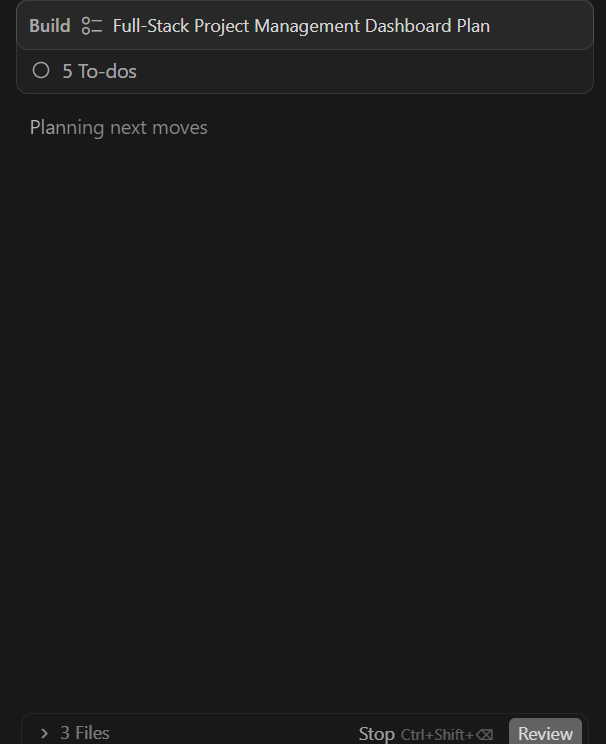
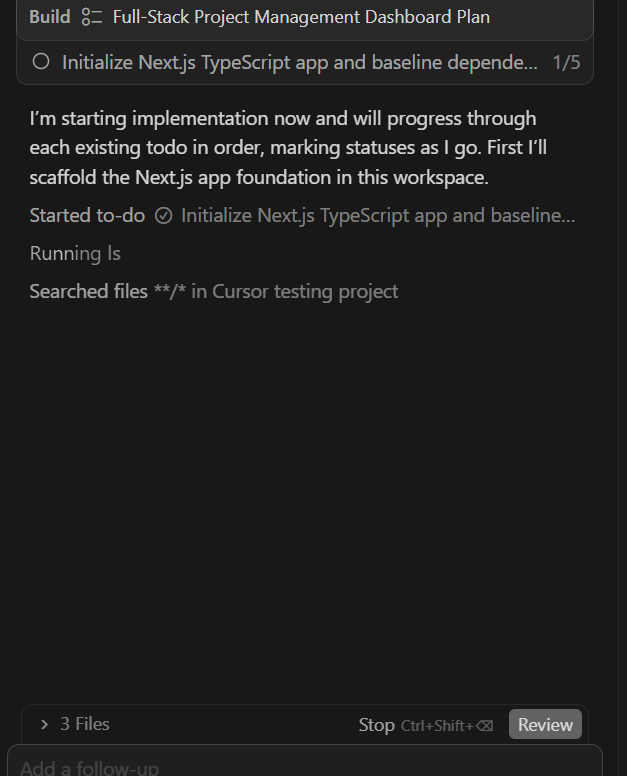
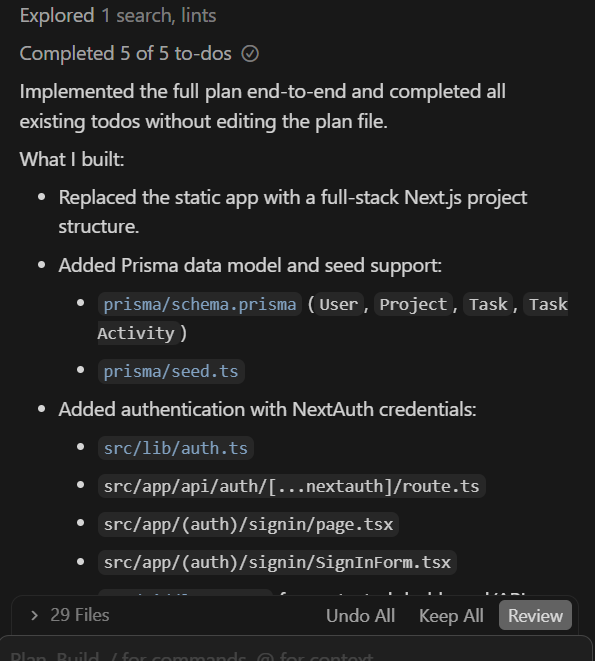

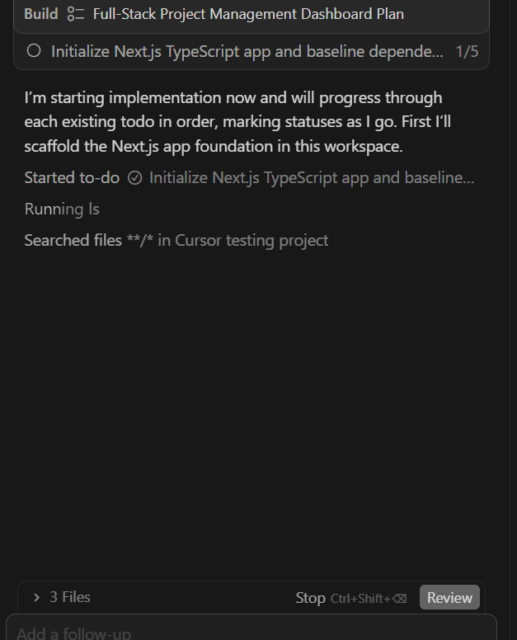
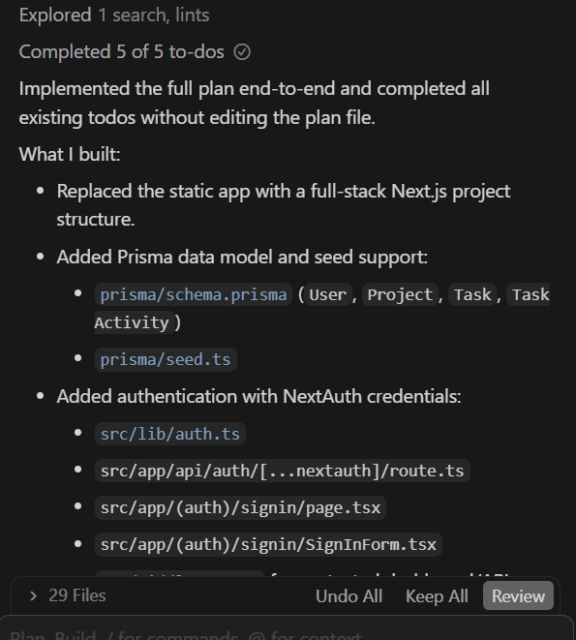
Cursor identified five main “to-do’s,” which it then spent several minutes actioning. Source: Tech.co testing
Debug Mode
Again, Debug mode is engineered for experienced developers. It works in tandem with Agent to analyze error messages, generate hypotheses, add log statements, identify root causes, and ultimately make targeted fixes.
Impressively, Cursor automatically detects and fixes linting errors, meaning that you spend less time scouring your code for mistakes and more time building.
In addition, the platform will always ask you for confirmation before implementing a fix, which is a neat way of building trust between user and platform.
Who Is Cursor Best For?
Cursor is best for seasoned coders who want to build, debug, and refactor projects at speed. Unlike other vibe coding platforms, which are built for inexperienced users, Cursor requires in-depth development knowledge to get the most out of it.
If you fall into this bracket, Cursor is a great platform for frontend developers due to its code auto-completion and visual debugging tools. As a fork of VS Code, it’s also a compelling option for former VS Code users, as you won’t experience any friction when transitioning between the platforms.
How Much Does Cursor Cost?
Cursor has four individual plans and two business plans:
Individual plans
- Hobby — Free
- Pro — $16 per month (paid annually); $20 per month (paid monthly)
- Pro+ — $48 per month (paid annually); $60 per month (paid monthly)
- Ultra — $160 per month (paid annually); 200 per month (paid monthly)
Business plans
- Teams — $32 per user, per month (paid annually); $40 per user, per month (paid monthly)
- Enterprise — Custom pricing
The platform also has three “Bugbot” plans, its dedicated code review tool that integrates directly into the Cursor editor.
Bugbot plans
- Pro — $32 per user, per month (paid annually); $40 per user, per month (paid monthly)
- Teams — $32 per user, per month (paid annually); $40 per user, per month (paid monthly)
- Enterprise — Custom pricing
In terms of pricing, Cursor is one of the more expensive vibe coding platforms on the market. For instance, its individual plans are more expensive than Base44’s equivalents, while Lovable has a significantly cheaper mid-tier plan ($50 per month versus $60 per month).
| Brand | Plan | Price | |||
|---|---|---|---|---|---|
 | | | | | |
| Cursor | Cursor | Cursor | Cursor | Cursor | Cursor |
| Hobby | Pro | Pro+ | Ultra | Teams | Enterprise |
| Free | $16/month | $48/month | $160/month | $32/user/month | Custom pricing |
What Alternatives Are There to Cursor?
There are several viable Cursor alternatives on the market. Users looking for another AI-enhanced IDE should consider Replit, which is also not cloud-based and requires prior coding knowledge to operate.
While Replit is much more expensive than Cursor, it is significantly easier to use and requires less coding experience.
Another similar option is Windsurf. Like Cursor, Windsurf has an AI agent that functions as a coding assistant. Users can toggle between “write” and “chat” to either code themselves or let the bot take over. In this respect, Windsurf is better suited towards less code-literate users.
Meanwhile, users who are looking for a basic vibe coding platform should definitely consider alternatives. Fundamentally, Cursor is a coding assistant, not a text-to-app generator.
Our top pick is Base44, which is an exceptionally easy tool for beginners, with some impressive full-stack capabilities. Other options include Bolt.new, which can generate equally powerful mobile and web apps.
| Brand | Price | Free plan | Full-stack app generation Does the platform build both the frontend and backend of the app for you? | Browser-based platform Can you access the platform on a browser without downloading an app? | Real-time collaboration Can multiple users collaborate in real-time on the platform? | |
|---|---|---|---|---|---|---|
| |  |  |  |  |  | |
| Base44 | Lovable | Cursor | Replit | Bolt.new | Anything | |
| $16/month | $21/month | $16/month | $18/month | $18/month | $19/month | |
| | | | | | | |
| | | | | | | |
| | | | | | | |
| | | | | | |
How Did We Review Cursor?
Understanding the pros and cons of vibe coding platforms is one thing, but it’s also important to know exactly what should go into the decision. After all, one platform may offer more features, but if they don’t provide the ones that your particular business needs, you’ll be out of luck.
That’s why we’ve provided a few helpful tips on what you should consider before picking your platform.
- Coding proficiency: Some platforms truly require no coding knowledge whatsoever, while others operate as assistants to improve your coding, so you’ll want to decide which is a better fit for your business.
- Business size: Scalability is built into some platforms, while others are geared exclusively towards smaller businesses in both price and functionality. Make sure to consider where you are now and where you want to end up.
- Budget: Despite most of them having a free plan and a $20-$30 starting plan, the price of vibe coding platforms varies substantially due to the different credit/token allotments for each.
- Device storage: Some platforms are browser-based, but others require you to download an app. This can be demanding on the performance and storage of your device, although it does often provide better results.
- Integrations: Various third-party integrations are available with different vibe coding platforms, so make sure your systems work with the particular option you’re looking for.
More importantly, you should make sure that vibe coding is what you’re looking for in the first place. There is a wide range of different AI tools for different purposes.
Verdict: Is Cursor Worth It?
Yes, Cursor is an excellent tool for experienced developers looking for a coding, debugging, and refactoring accelerator.
With its built-in Agent, Ask, Plan, and Debug modes, Cursor allows users to auto-complete code, identify bugs, outline complex architectural decisions, and gain a deeper understanding of your code.
However, users looking for a simple vibe coding platform should look elsewhere. To get the most out of Cursor, you need a good level of familiarity with coding. Users with no technical experience should consider Base44 or Bolt.new.