
The best AI tool for businesses in 2026 is Gemini, due to its excellent coding abilities, top-of-the-line image generation, and integration with existing Google productivity tools. Users can get started with Gemini for free, while its paid plans start at $19.99 per month (after one free month).
However, Gemini is far from the only tool on the market. For businesses looking to build a website with AI, Wix has a lot to recommend it, and users who want to build their own apps should consider Base44.
With AI now table stakes for businesses in 2026, I’ve put together a guide to the best AI tools for your business, with a close look at several different platforms to suit different business cases.
Key Takeaways
- Google’s Gemini is our top AI tool, thanks to its impressive image generation, coding abilities, and integrations with Google products.
- ChatGPT is a good, easy to use all-around AI tool for general-purpose business tasks, like file analysis and image generation.
- Base44 is best for those looking to code with zero knowledge, making it an ideal vibe coding platform for creating apps.
- Grammarly is an excellent AI assistant that will give your grammar and spelling a big leg up, and integrates with your platforms of choice.
| Chatbot | Starting price | Free plan | Pros | Cons | |
|---|---|---|---|---|---|
 |  |  |  |  |  |
| Gemini | ChatGPT | Base44 | Grammarly/Superhuman | Wix | ClickUp |
| $19.99/month | $20/month | $20/month | $12/month | $17/month | $7/user/month |
| | | | | | |
|
|
|
|
|
|
|
|
|
|
|
|
Use the links to navigate to your desired section.
Expert's Take
I’ve used all the AI-powered tools in this article extensively, so I can vouch for the fact that they’re some of the best available.
Gemini, thanks to its integration with Google Workspace, is one I’ve become particularly attached to – it’s my favorite general-use AI tool. Its ability to quickly summarize dense documents, for instance, makes it endlessly useful.
If you’re new to using AI, I recommend using these tools as a starting point. As you can tell by our inclusion of ClickUp (one of my best project management platforms I’ve reviewed) and Wix, AI tools are being built in specific niches to help with specific tasks.
Before deciding precisely which tool to use and which plan to purchase, it’s essential to clearly define your primary use case and work from there. Otherwise, you’ll end up investing in platforms with additional functionality you don’t necessarily need.

1. Gemini: Best Overall AI Tool
- Price from: Free
Gemini is our pick of AI tools for businesses in 2026. It’s an all-in-one AI chatbot, in the mold of ChatGPT or Claude, but what really sets it apart is its image generation, coding capabilities, and deep integration into the Google suite of workplace products.

Pros
- Great at coding
- Very quick and creative
- Excellent image generation
- Free to use
Cons
- Hallucinations common
- No build-your-own chatbot tool (yet)
- No customer support
- Free plan available

- Google AI Pro: $19.99/month
- Google AI Ultra: $249.99/month
What’s so good about Gemini?
Gemini’s biggest benefit is its deep connection with other apps in the Google Workspace, such as Pages, Sheets, Gmail, and more.
This level of integration boosts productivity. For instance, use Gemini with Sheets to get suggested enhancements in real-time, which is perfect for people who are less adept at writing.
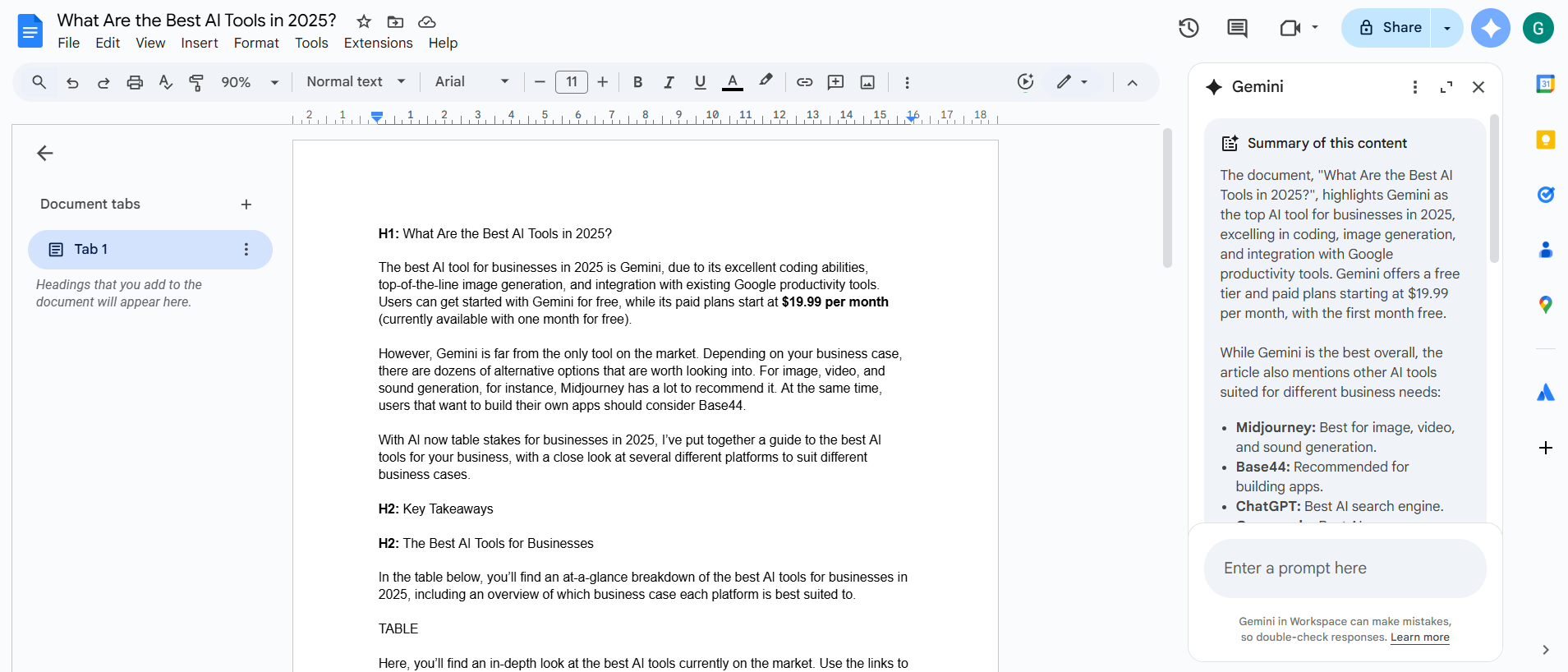
Gemini is primed and ready to receive prompts, instructions, and more, in order to improve the document that I’m currently working on. Source: Tech.co testing
Gemini has impressive image generation capabilities, starting with Nano Banana Pro, an AI image model it offers for refining imagery and making quick edits.
The platform’s second built-in image generation model, Imagen, can spin up hyper-realistic images from written prompts in a matter of seconds. As part of putting together this article, I took Gemini’s image creation for a spin.
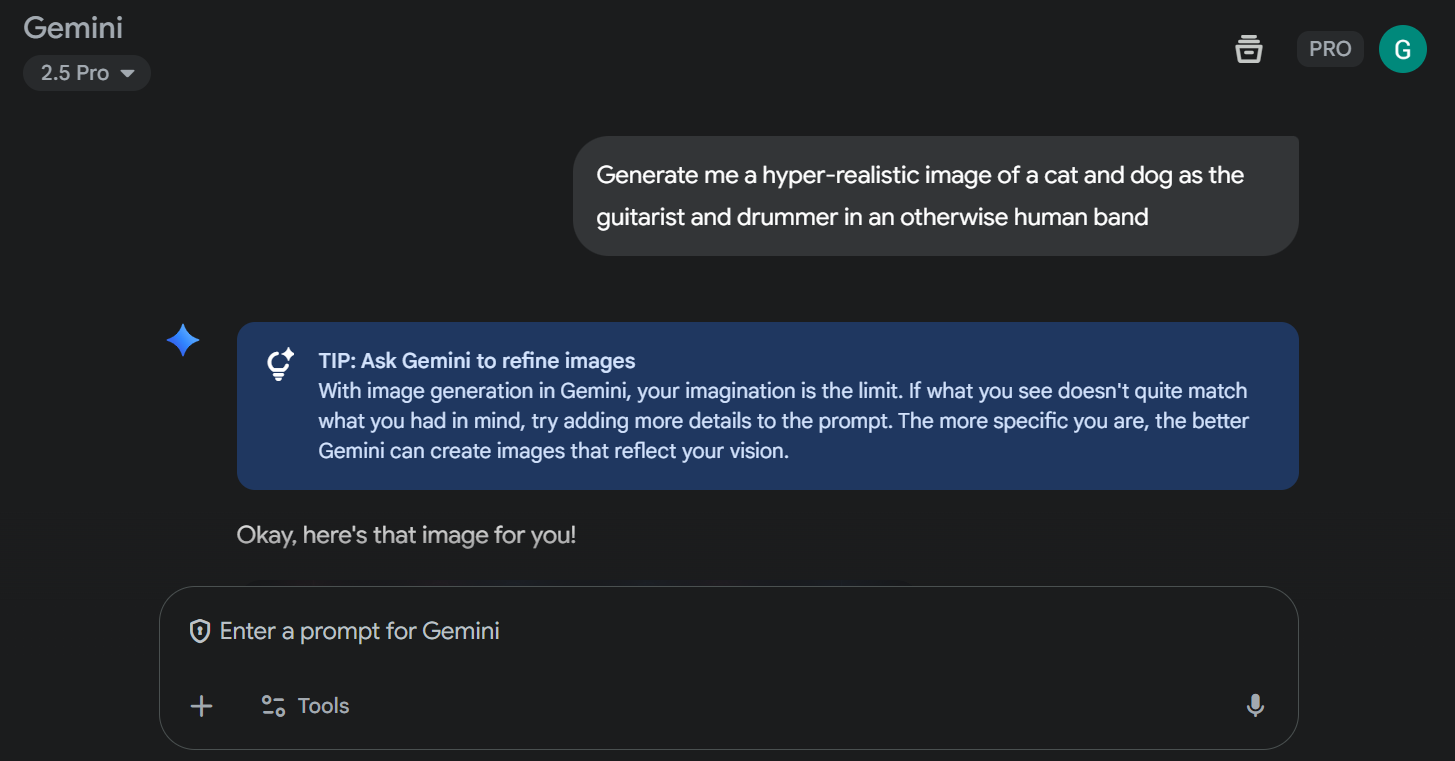


From the prompt above, it took Gemini 12 seconds to generate the following image. Source: Tech.co testing
I decided to test ChatGPT (albeit, the free version) with the same prompt. It took over three minutes for the platform to generate the below image. While the image quality is better, it fundamentally misunderstood a key component of the prompt; namely, the presence of a human band.

The human band of my prompt is conspicuously absent in this effort from ChatGPT. Source: Tech.co testing
Gemini isn’t perfect: downsides include a lack of customer support and the “hallucination” mistakes that are common in any large language model. It also doesn’t offer some of the bells and whistles that ChatGPT has, like the option to build your own chatbot for an extra charge.
That said, it’s constantly improving: Gemini rolled out a Chrome-native browsing assistant in January 2026 and revamped its specialized reasoning mode Gemini 3 Deep Think in February.
How much does Gemini cost?
As with many of its contemporaries, users can get started with Gemini for free with limitations. After that, there’s the Google AI Plus plan, which starts at $7.99 per month, followed by the Google AI Pro plan, for $19.99 per month, and which adds deep research capabilities and access to Flow, the platform’s filmmaking tool.
The next tier up, Google AI Ultra, will set you back to the tune of $249.99 per month — although, you can currently get three months for $124.99 per month. It’s a massive increase, which will get you access to “state-of-the-art” video generation model Veo 3, and Gemini 2.5 Deep Think, Google’s “most advanced reasoning mode.”
Does Gemini have a free plan?
Yes, Gemini has a free plan. It’ll give you access to its 2.5 Flash model, limited access to 2.5 Pro, image generation with an earlier version of Imagen, deep research capabilities, and more.
However, enterprises that are looking for a chatbot to bolster their operations might find the free plan a bit too lightweight for their needs. Depending on the size of your business, we would recommend Google AI Pro, which unlocks some great features at a reasonable price.

Pros
- Powerful LLM
- Regular updates
- Create your own GPTs
- Very scalable
- Large context window
Cons
- Sometimes servers crash
- Phone number required
- No real-time internet access on the free plan
- Free plan available
- Plus: $20/month
- Pro: $200/month
What’s so good about ChatGPT?
About 77% of Americans who use ChatGPT use it as a search engine, relying on it to deliver accurate results to complex and niche questions in a matter of seconds. For this article, I put the capabilities of its free version to the test.
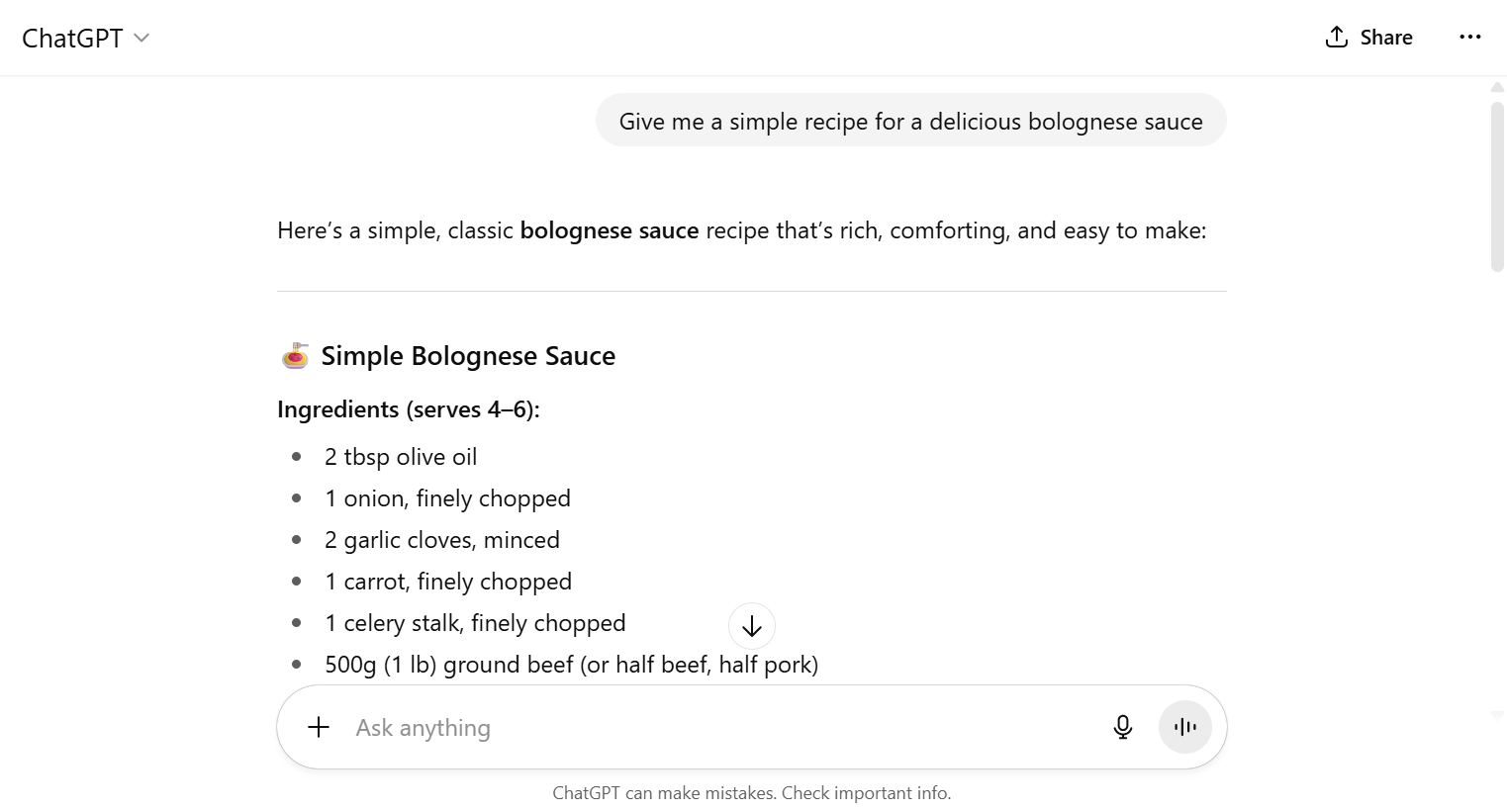

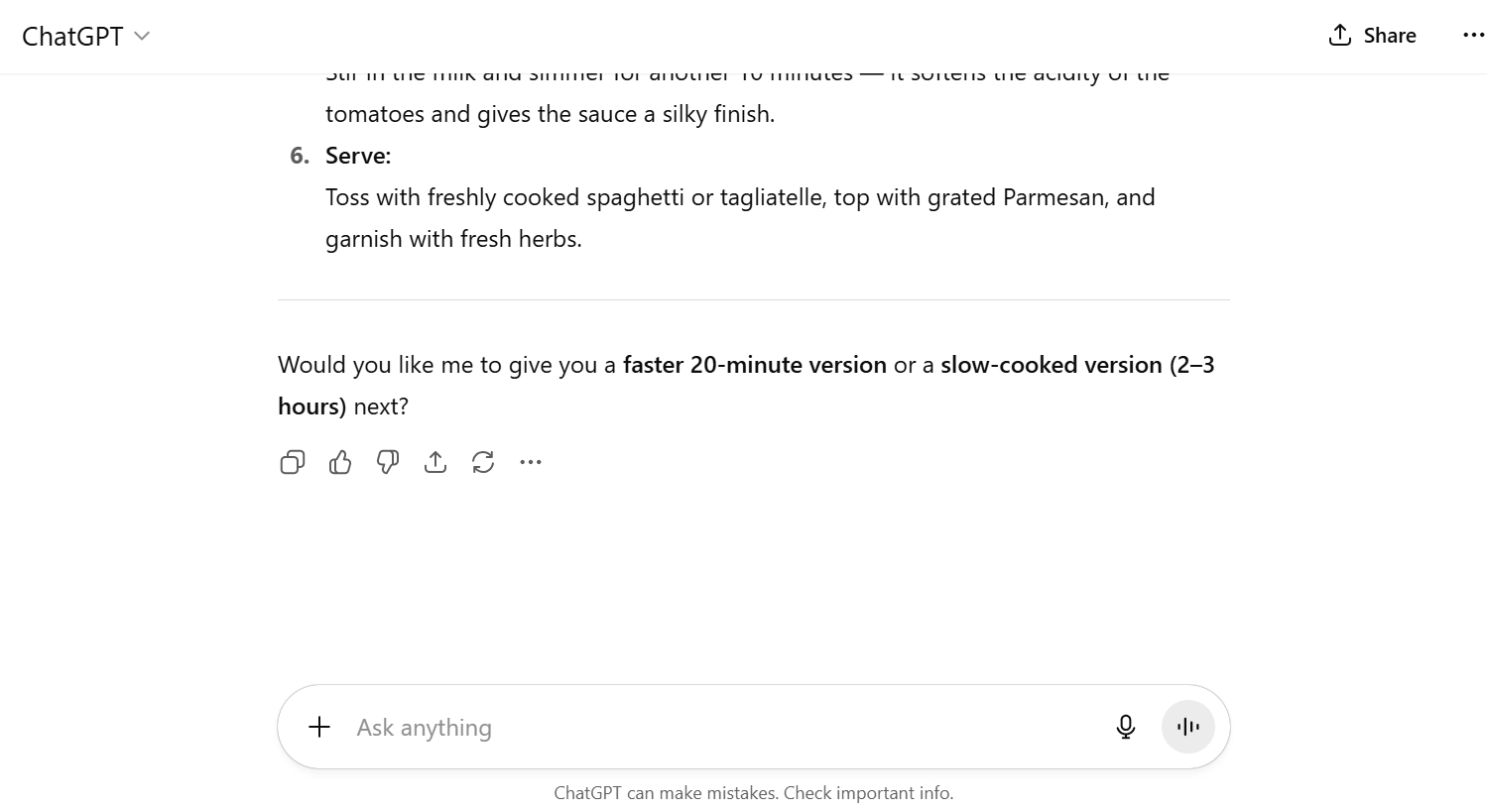
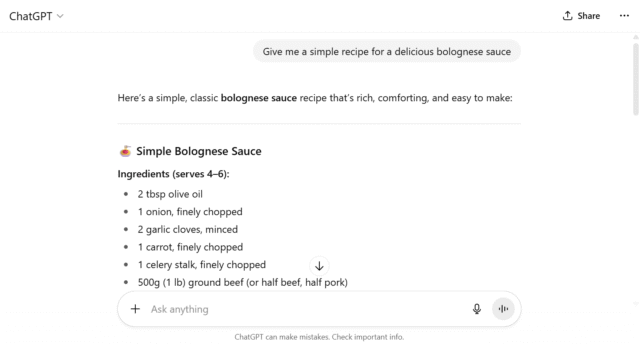


As something of an amateur cook myself, I was reasonably impressed with the bolognese recipe. Source: Tech.co testing
The platform generated the above ingredients list and recipe in under a second — an outstanding turnaround. I thought the suggested prompts were a neat touch as well. I decided to try one out.
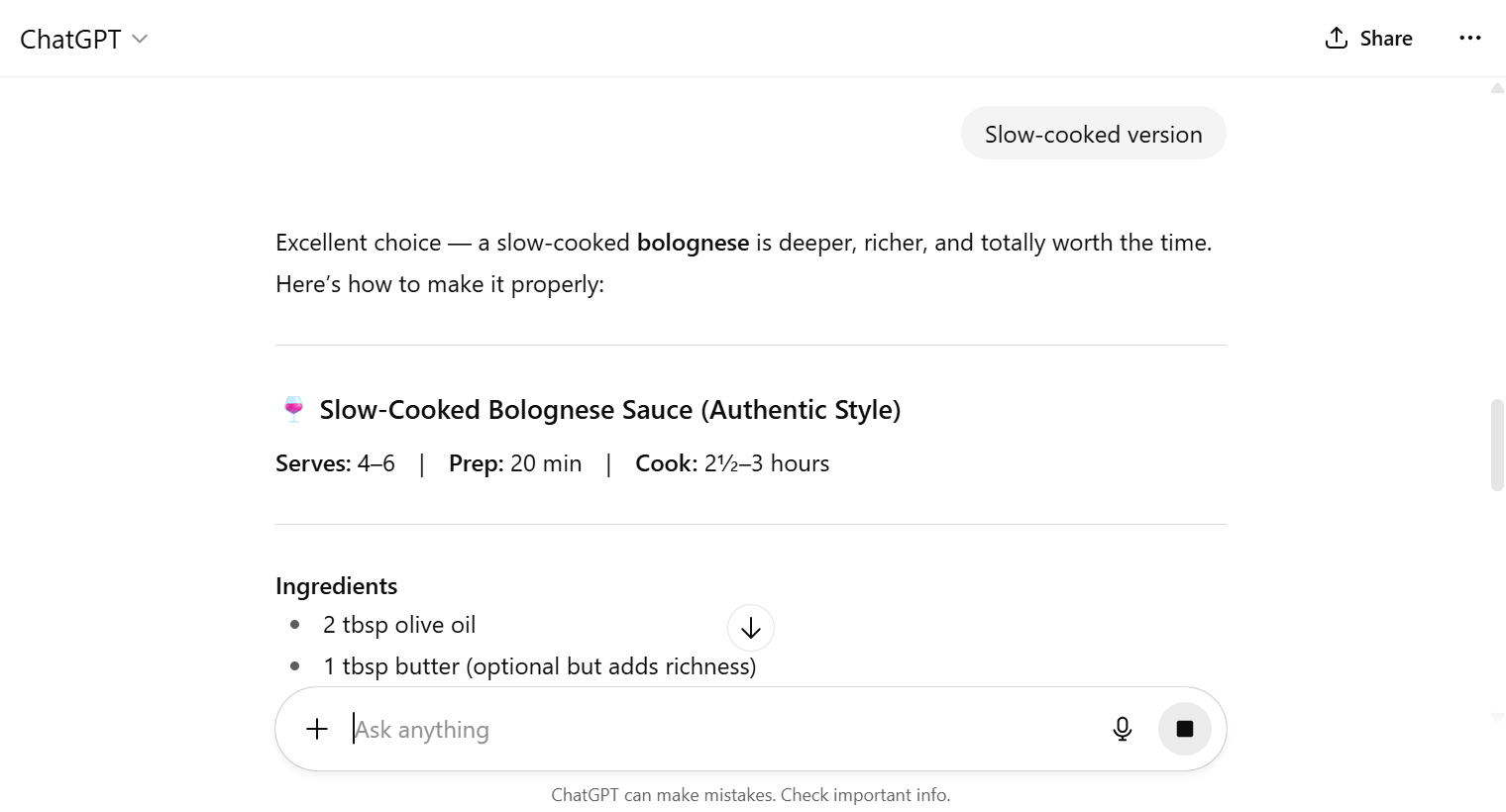
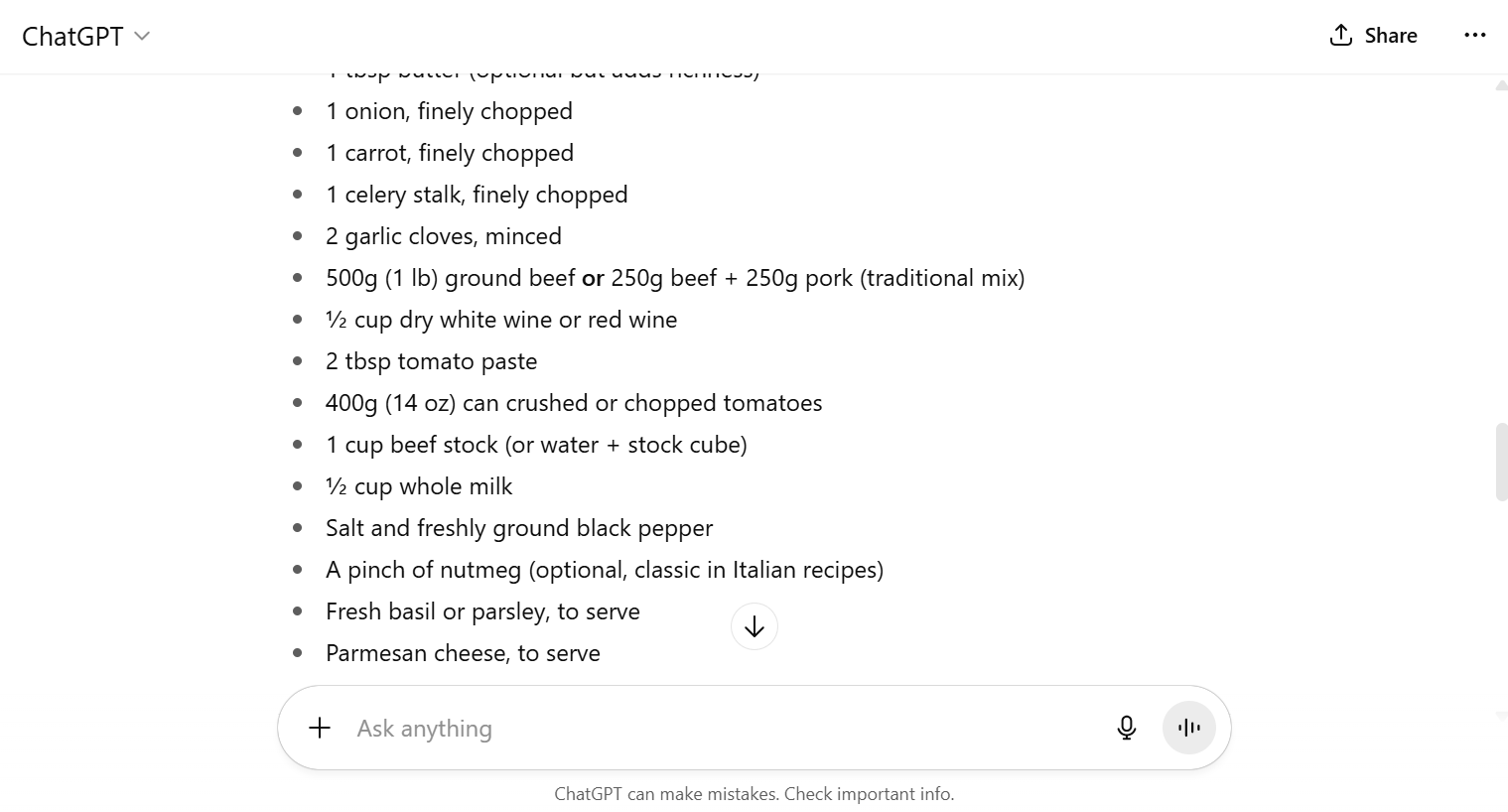

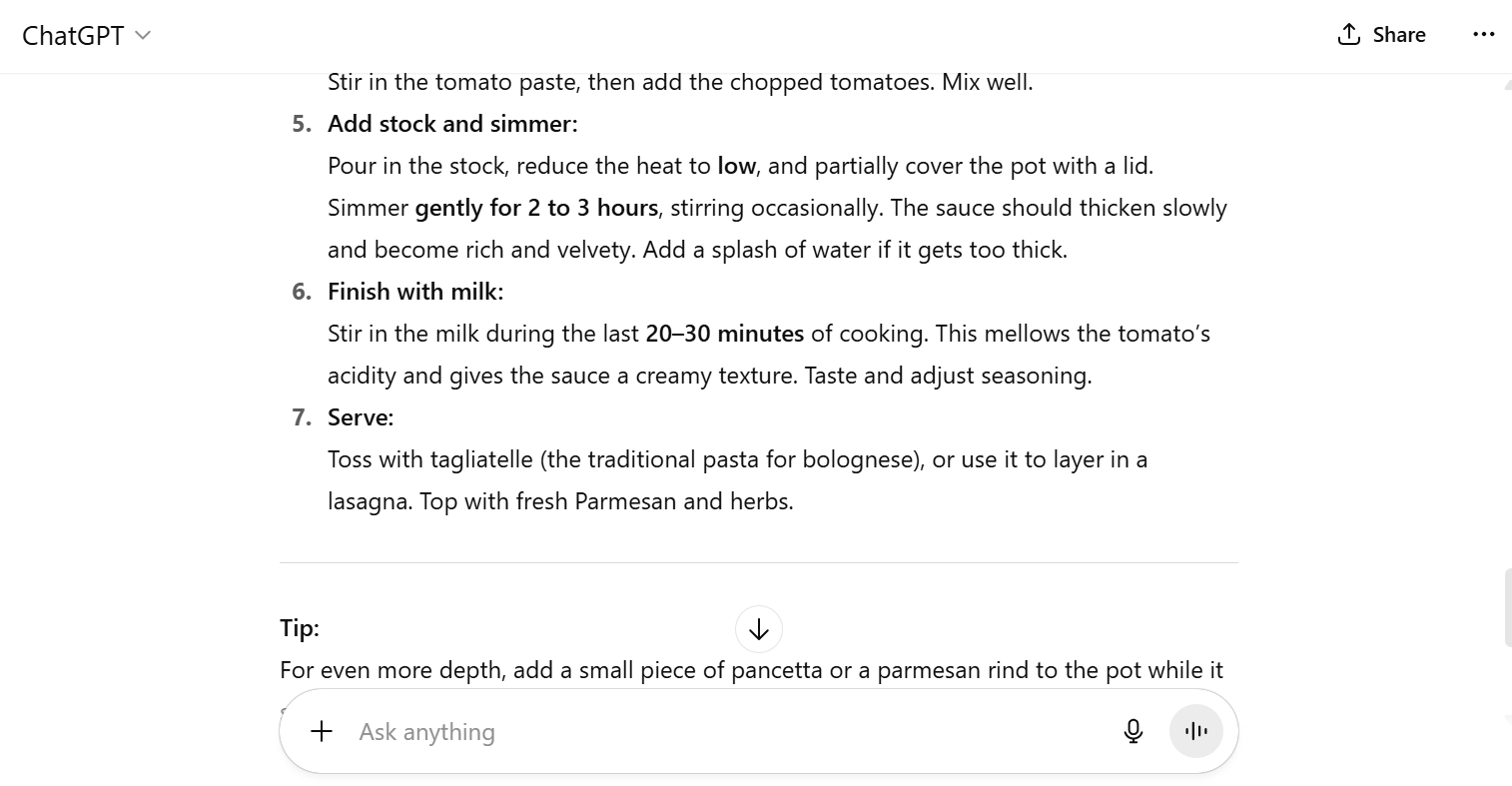
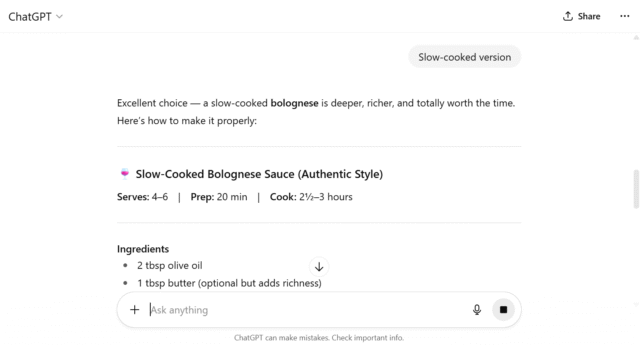
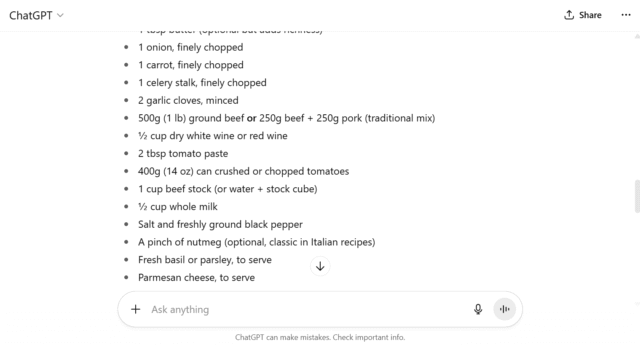

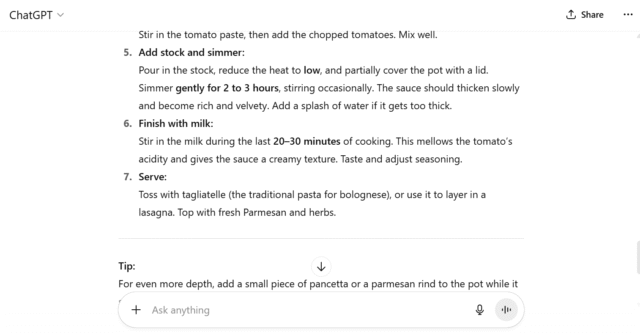
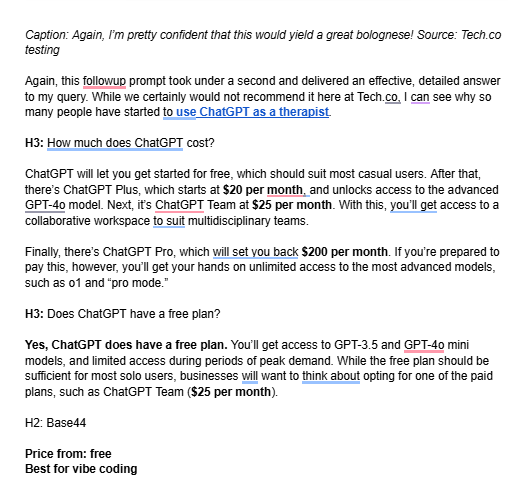
Again, I’m pretty confident that this would yield a great bolognese! Source: Tech.co testing
Again, this follow-up prompt took under a second and delivered an effective, detailed answer to my query. While we certainly would not recommend it here at Tech.co, I can see why so many people have started to use ChatGPT as a therapist.
The platform rolls out updates at an incredible pace. In mid-February alone, ChatGPT tweaked its deep research by redesigning the sidebar entry point and fullscreen report views, updated ChatGPT Voice to improve user instruction response, and reworked their API to offer better contextual understandings.
Downsides to the platform include the possibility that servers will crash — a result of the app’s popularity.
How much does ChatGPT cost?
ChatGPT will let you get started for free, which should suit most casual users. After that, there’s ChatGPT Go for $8 per month, an affordable option that rolled out in early 2026 and increases the still-limited GPT-5.1 access.
Next is ChatGPT Plus, which starts at $20 per month, and unlocks access to the advanced GPT-5.1 model without limitations. Then, it’s ChatGPT Business at $25 per month. With this, you’ll get access to a collaborative workspace to suit multidisciplinary teams.
Finally, there’s ChatGPT Pro, which will set you back $200 per month. If you’re prepared to pay this, however, you’ll get your hands on unlimited access to a wider range of advanced models, such as GPT-4o. You’ll also be able to use the platform’s most advanced model yet, GPT-5.1 Pro, which was released in November 2025.
Does ChatGPT have a free plan?
Yes, ChatGPT does have a free plan. You’ll get access to GPT-3.5, GPT-4o, and GPT-5.1 models, but with different access limitations, including none of the real-time internet access needed to scoop up the latest data.
While the free plan should be sufficient for most solo users, businesses will want to think about opting for one of the paid plans, such as ChatGPT Business ($25 per month).
3. Base44: Best for Vibe Coding
- Price from: Free
Base44 is our top pick when it comes to AI tools for building your own apps with minimal involvement, since it can convert a written prompt into a functioning app in a matter of seconds. It allows for edits, too, so you can continue to iterate and refine your app.

Pros
- Very easy to use, even for beginners
- Affordable starting price
- Integrations with HubSpot, Slack, X, and more
Cons
- Very limited customization options
- No plug-ins or add-ons available
- Free plan available
- Starter: $20/month
- Builder: $40/month
- Pro: $80/month
- Elite: $160/month
What’s so good about Base44?
Base44 generates a full-stack web app from a simple written prompt, meaning that no technical expertise is required. It’s a great solution for both software novices and developers alike, as it allows you to quickly validate a product idea without the need to code.
I tested Base44 as part of the research process for this article, asking it to create a simple flashlight app.
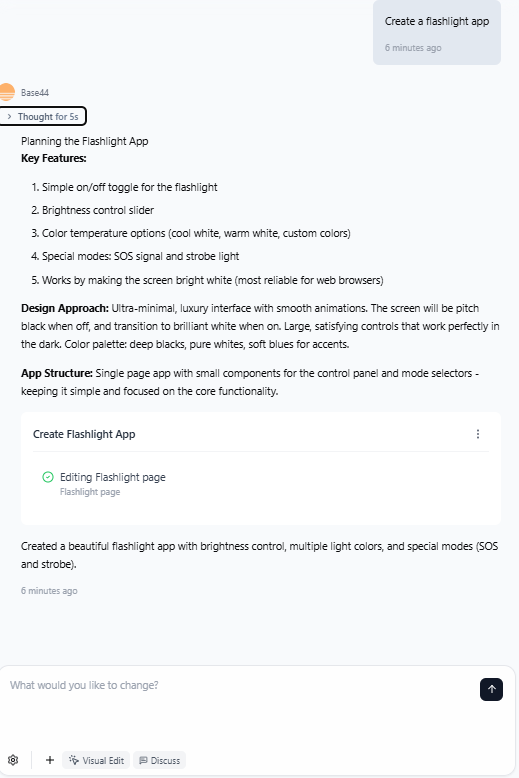

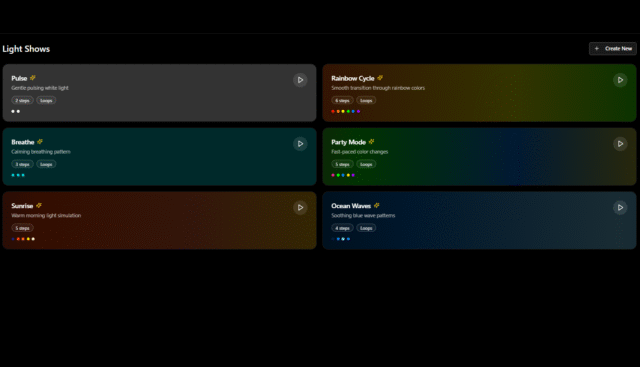
Base44 brought my flashlight app to life in about five seconds. Source: Tech.co testing
Base44’s functionality is impressive, but I did run into some difficulties while trying to refine the finished product, since the platform was unable to add some of the additional lighting modes that I had requested.
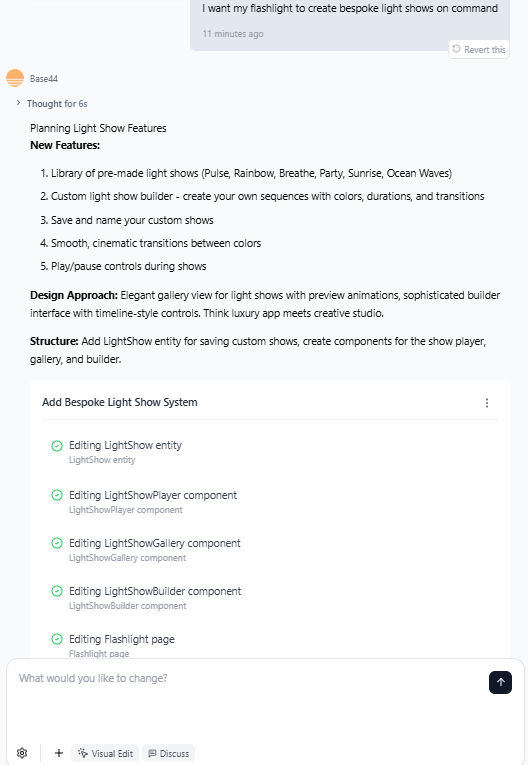
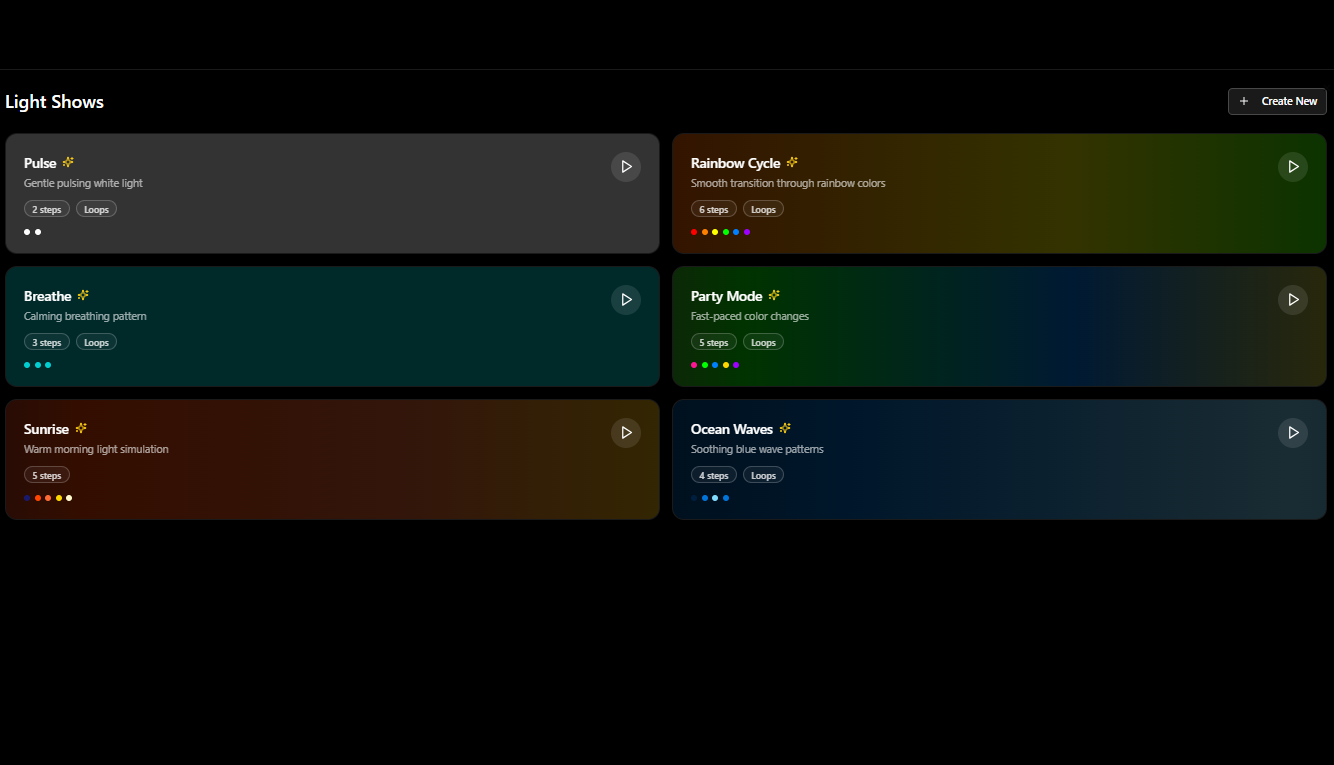
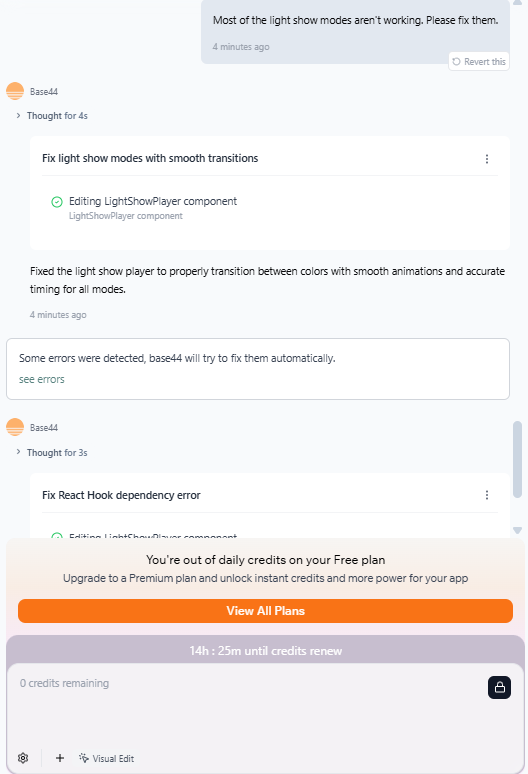
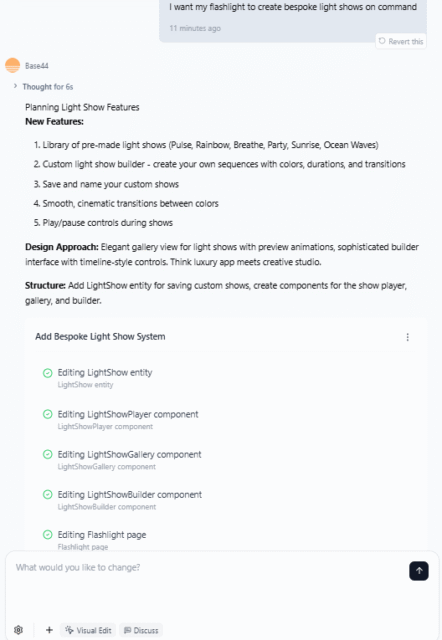
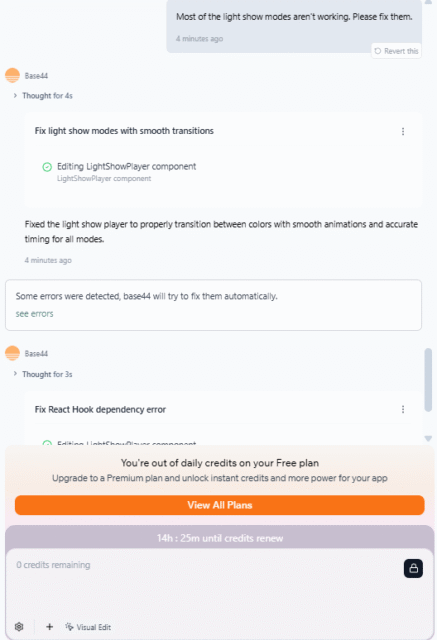
Base44 couldn’t get to grips with my request to fix the additional light modes. Source: Tech.co testing
The platform has built-in hosting, so your app can be available online without the technical deployment process that other vibe coding tools may require.
Updates are steady, too, with the latest February updates including the ability to create and deploy mobile apps, including submitting them to app stores, directly from the interface.
Ultimately, I ran out of free credits before Base44 could resolve the issue that I was experiencing, which was frustrating. Nonetheless, for a free plan, it’s pretty hard to argue with Base44’s ease of use and efficacy.
How much does Base44 cost?
Casual users can use Base44’s free plan. If you’re looking for higher limits or more functionality, opt for one of the vibe coding app’s paid plans. The first one, Starter, is $20 per month, and you’ll get access to 100 message credits and 2,000 integration credits per month.
After that, the Builder plan ($40 per month) unlocks backend functionality, so you can make substantial changes to how your app operates. Next, Pro ($80 per month) has 20,000 integration credits and early access to beta features.
Finally, you have the Elite plan ($160 per month), for users who wish to scale their app and require dedicated support.
Does Base44 have a free plan?
Yes, Base44 does have a free plan. It’s a decent offering, which does limit the amount of follow-up prompts you can use for a particular project, but produces pretty credible work.

4. Grammarly (Superhuman): Best AI Grammar Checker
- Price from: Free
Grammarly is an AI assistant that supports all manner of workday tasks, in addition to checking your grammar and spelling in real-time. It’s accurate, integrates with your chosen programs, and lets you get started for free.
Recently, Grammarly’s parent company rebranded to Superhuman. The firm now has a suite of additional products to offer alongside the grammar-checking assistant.

Pros
- Integrates seamlessly with chosen apps
- Writing improvements suggested in real-time
- Faultless spelling and grammar checker
Cons
- Suggestions can impede creative writing
- Plagiarism checker is not totally reliable
- Can slow down performance
- Free plan available
- Pro: $12/month
- Business: $33/month
- Enterprise: no public pricing
What’s so good about Grammarly?
In addition to basic spelling and grammar checking, Grammarly offers suggestions to improve your writing in real-time, with detailed explanations as to why it made the suggestions in question. I took the free version for a spin.
Grammarly flagged several instances where my writing could be tightened up or changed completely. Source: Tech.co testing
Once I’d downloaded the app, enabling the Grammarly plugin in Google Docs was simple. Within minutes, I was getting suggestions for how to improve my writing, spelling, and grammar.
However, take Grammarly’s suggestions with a little caution — its plagiarism checker is not 100% correct at all times.
Grammarly doesn’t update its core offering as frequently as Base44 or ChatGPT, but it does stay up to date on bug fixes, having rolled out over half a dozen just within the first few months of 2026.
How much does Grammarly cost?
Grammarly the company has rebranded to Superhuman, but Grammarly the product still exists. Now, however, you can only purchase Grammarly as part of a wider package that includes the Superhuman Go assistant and access to newly acquired workplace platform Coda. You get platform access to all three of these with any Grammarly plan.
After Grammarly’s free plan, there are two paid Superhuman plans. The first, Pro, starts at $12 per month and comes with unlimited personalized suggestions, plagiarism and AI content detection, and the ability to generate text with 2,000 available AI prompts.
After that, there’s the Enterprise plan, which has no public pricing, but includes dedicated support, data loss prevention, custom roles and permissions, and more.
Does Grammarly have a free plan?
Yes, Grammarly has a free plan that will capture spelling and grammatical errors, analyze your tone of voice, and generate text with up to 100 AI prompts. It’s a great solution for people who are fairly confident with writing. Users who want to improve should opt for the Pro plan ($12 per month).
5. Wix: Best AI Website Builder
- Price from: Free
Wix is robust, relatively easy to use, and will build great websites at reasonable prices, making it our top pick of the best AI website builders. It has unbeatable built-in AI tools for generating and editing content.

Pros
- Generate web pages, product descriptions, text, and images with Wix AI Website Builder
- Excellent post-setup design functionalities
- Built-in ChatGPT capabilities
- Alternative layouts tool
Cons
- Paid plans are expensive compared with competitors
- Can't switch templates once the page is live
- Learning curve can be steep for first-time users
- Light: $17/month
- Core: $29/month
- Business: $39/month
- Business Elite: $159/month
- 10% off any plan with code TAKE10
- Free plan
What’s so good about Wix?
Wix is a robust AI-enhanced website builder. You’ll be able to get a full site online in just a few short prompts, as well as regenerate or tweak your existing design to get it as close to your vision as possible.

The Wix website editor offers a clear, comprehensive way to design your site. Source: Tech.co testing
AI enhancements include the AI image editor, which allows you to remove backgrounds and other specific components from full images.
There’s also an AI section generator for spinning up whole sections in a matter of seconds, which is perfect if you don’t know where to start from a design standpoint.
Developers will appreciate Wix’s many technical changelog updates, from backend API doc consolidation to the functionality needed to remove a contributor from a specific site (both of which rolled out in February 2026).
The learning curve might be tough at first, but there’s just one big downside worth mentioning: The platform will lock in your template of choice once your site goes live, making it tricky to switch to a new look.
How much does Wix cost?
Wix has a generous free plan, which will allow you to use its suite of AI tools. It also has four paid plans, starting with the Light plan ($17 per month). With this, you’ll get some rudimentary marketing tools, a free domain for one year, and more.
After the Light plan, there’s the Core plan, which starts at $29 per month. This unlocks ecommerce functionality and ups some of your existing limits, such as storage space.
After Core, the next plan up is Business. For $39 per month, you’ll get your hands on 100GB of storage space, more advanced ecommerce tools, 10 site collaborators, and more. Finally, the Business Elite plan ($159 per month), which adds advanced marketing and selling tools, and an advanced developer platform.
Does Wix have a free plan?
Yes, Wix has a free plan that includes templates, design tools, SEO, hosting, and security. It’s why we rated Wix as our all-time favorite free website builder.
6. ClickUp: Best AI Task Manager
- Price from: Free
ClickUp is one of our favorite project management tools. It offers great pricing, ease of use, and some really nifty AI tools — under the ClickUp Brain umbrella — that make it easy to juggle different tasks, projects, and teams.

ClickUp is project management software that combines simple project updates and status alerts with quite sophisticated cross-team collaboration and task-tracking functions. Its cloud-based software can neatly suit small, growing or large businesses – there's even a great free tier you can try, and paid plans are exceptional value.
- Free plan available

- Unlimited plan: $7/user/month
- Business plan: $12/user/month
- Enterprise plan: Contact Sales
What’s so good about ClickUp?
ClickUp is one of our top-rated project management tools. Users will get the benefit of ClickUp Brain, a deeply integrated AI chatbot. It’s like ChatGPT: just ask ClickUp Brain a question about your operation and it crawls your workplace to quickly surface the answer you’re looking for.

ClickUp Brain, which the company refers to as an “AI neural network,” in action. Source: ClickUp
The platform also recently unveiled Brain Max, which it has dubbed “one AI app to rule them all.” This feature works with several different large language models (LLMs), including Gemini, ChatGPT-5, DeepSeek, Claude, and more.
It also works with different programs from across your workspace, including Figma and Dropbox. With this combined intelligence, you can work cross-platform in a truly joined-up and seamless way. According to the ClickUp website, it could save you more than one day per week.
Admittedly, some users report a potential pitfall: the platform’s privacy configurations are complicated, which might lead some employees to leak information by mistake.
How much does ClickUp cost?
ClickUp has four plans in total, one of which is free. After that, there’s the Unlimited plan ($7 per user, per month), the Business plan ($12 per user, per month), and the Enterprise plan, which has no public pricing.
The right plan for you will depend on a few factors, including business use case and size of team, but to get access to ClickUp Brain, you will have to buy it as a separate add-on. At the time of writing, that will cost you $9 per user, per month, for AI Standard and $28 per user, per month, for AI Autopilot.
You will need to pay this in addition to the cost of your ClickUp membership, as ClickUp Brain is not currently available to free users, so your total bill for this AI tool will start at $16 per month.
Does ClickUp have a free plan?
Yes, ClickUp has a free plan, and it’s one of the better free project management tools. However, you will not be able to access ClickUp Brain on the free plan.
Are There Any Other AI Tools Worth Knowing About?
Many more tools out there are worth exploring, and new use cases spring up all the time. Below, I’ve outlined some of our favorites here at Tech.co.
- Midjourney – Midjourney is an AI image generator, which has found particular popularity among artists, designers, and other creative types.
- Beautiful.ai – This program is specifically aimed at upping your slideshow game. It’s a must for employees who frequently lead pitches.
- Otter.ai – An AI platform and plugin that provides real-time transcription of meetings, as well as meeting summaries.
- Consensus – A great resource for students, Consensus is a search engine that pulls information from published scientific research papers.
- Agentforce Vibes – Salesforce’s dedicated vibe coding platform lets you plan, build, debug, test, and deploy Salesforce agents, web and mobile apps, and more.
What To Do Before You Start Using AI Tools at Work
AI is a productivity booster, with our original research showing that 44% of businesses reported “very high” or “high” returns on investment from their AI initiatives in 2024.
But it is not the silver bullet solution that many hoped — poorly thought-out AI deployments are actually costing businesses in AI debt, which refers to the time and cost that it takes to undo the impact of inadequate, AI-generated work.
It’s essential that businesses properly plan out their AI adoption and implementation strategy before they get the checkbook out.
Not only can AI debt have a damaging impact on team morale and company output, but it can also compromise your already vulnerable cybersecurity defenses. And as we’ve discussed in this guide, the costs of a potential data breach are often terminal for a business.
Verdict: What Is the Best AI Tool for Businesses in 2026?
The best AI tool for businesses is Gemini. This Google chatbot has stunning image generation that puts it above the likes of ChatGPT, and integrates seamlessly with the rest of the Google suite of products.
Gemini will let you get started for free, and its first paid plan comes in at a pretty reasonable $19.99 per month.
Gemini might not necessarily be the perfect fit for your business: if you work as a software developer and need to quickly validate products, you might be better served by opting for Base44.
At the same time, if you’re trying to get your writing career off the ground, Grammarly could be a great place to start.
You shouldn’t let that stop you from giving it a try, though: The vast majority of coders are all learning a lot all the time, too.