
Base44 has the best free vibe coding plan for beginners in 2026 because it can generate fully functional apps, including analytics and databases, from a single prompt. The platform’s free plan supports database functionality and analytics, and the interface offers a visual editor so users can see how their app is coming along.
As budgets tighten for small businesses, vibe coding can be a strategic tool to maximize the efficiency of your team and make up for workforce struggles. Free plans provide an easy entry into platforms that are continuously improving.
Key Takeaways
- Base44 has the best free plan overall, with perks including cloud storage, analytics, and a real-time visual editor.
- Windsurf and Cursor have great free plans for coders, with agentic AI that can chat with the user.
- Free vibe coding plans, such as Windsurf and Base44, usually limit the number of prompts a user can make per month.
- Some free plans do all the coding for you, while others just autocomplete code as you write it.
Best Free Vibe Coding Tools: Comparison
Below, we’ve rounded up the best vibe coding platforms with the best free plans:
| Brand | Price | Free plan | Free plan limits | Free trial | Browser-based platform Can you access the platform on a browser without downloading an app? | Edit code Does the platform generate editable code? | |
|---|---|---|---|---|---|---|---|
 |  |  |  |  | |||
| Base44 | Windsurf | Cursor | Bubble | Bolt.new | |||
| $16/month | $15/month | $16/month | $29/month | $18/month | |||
| | | | | | |||
|
|
|
|
| |||
| | | 14 days | 14 days | | |||
| | | | | | |||
| Paid plans only | | | | |
Test Summary: Best Free Vibe Coding Tools
Base44’s ease of use stood out to me the most during testing. Prompting with the AI was simple and straightforward, as all I had to do was explain my ideas in plain English.
I liked the fact that you could also use drag-and-drop functionality if you wanted to make specific changes yourself, rather than going through the AI. It made the platform feel all the more intuitive and user-friendly.
Bolt.new is also a solid option, and I particularly liked how the AI made suggestions as I went along, as to what I could improve on my website.
Cursor, on the other hand, is a great AI companion tool for experienced developers who’d like to enhance their code. I especially liked that you could highlight areas of your code and input it into the AI for improvements.

Best Free Vibe Coding Tools: Test Results
Here’s our list of the vibe coding tools with the most useful free plans, based on our testing.
Why You Should Trust Us
Our vibe coding research involves all of our writers spending hands-on time with the industry’s top providers, enabling us to properly understand how the platforms work and how they can benefit businesses today.
We also conduct in-depth research into each provider to understand its potential across five different categories.
To learn more about our research, visit the bottom of this article.
1. Base44: Why It’s The Best Free Plan for Beginners
- Coding languages supported: React, Python, JavaScript, and more
Base44 offers a lot of functionality that makes it great for beginners: users can generate an entire app from one prompt, with full-stack capability, cloud storage, analytics, and a visual editor that shows how the app works.
Elements that can be generated include most of the basic building blocks that are required for a small app or a prototype, including UI, backend, authentication, database, and logic. Base44 will also integrate directly with GitHub.
It’s also highly compliant, with SOC 2 Type II and ISO 27001 certifications and adherence to strict governance and GDPR standards. This should be reassuring for the 27% of SMB leaders who fear the regulatory implications of vibe coding tools.

Pros
- Very easy to use, even for beginners
- Affordable starting price
- Integrations with HubSpot, Slack, X, and more
Cons
- Very limited customization options
- No plug-ins or add-ons available
- Free plan available

- Starter: $20/month
- Builder: $40/month
- Pro: $80/month
- Elite: $160/month
What’s included in Base44’s free plan?
Base44’s free plain includes 25 messages per month (users can use up to five per day) and 100 integration credits per month. Integration credits are used whenever the platform is asked to take an action that requires integrating with another tool, like another large language model (LLM).
The free plan includes access to all the core functions of the platform. These include:
- Responsive, drag-and-drop visual editor
- Plan Mode – will turn your ideas into a structured plan by asking a few focused questions, ensuring details are clear before building begins
- Data storage – limit is not public knowledge
- Database functionality
- User authentication – this can be incorporated into apps as they’re built
- Privacy – Base44 doesn’t use user-created code to train the AI models that power its apps
To deploy your app with Base44, you can click the Publish button in the top right corner and select either the Web or Mobile app option.
In 2026, Base44 updated its platform to allow direct publishing to mobile app stores. Users can download files that can be submitted through Apple Developer and Google Play developer accounts.
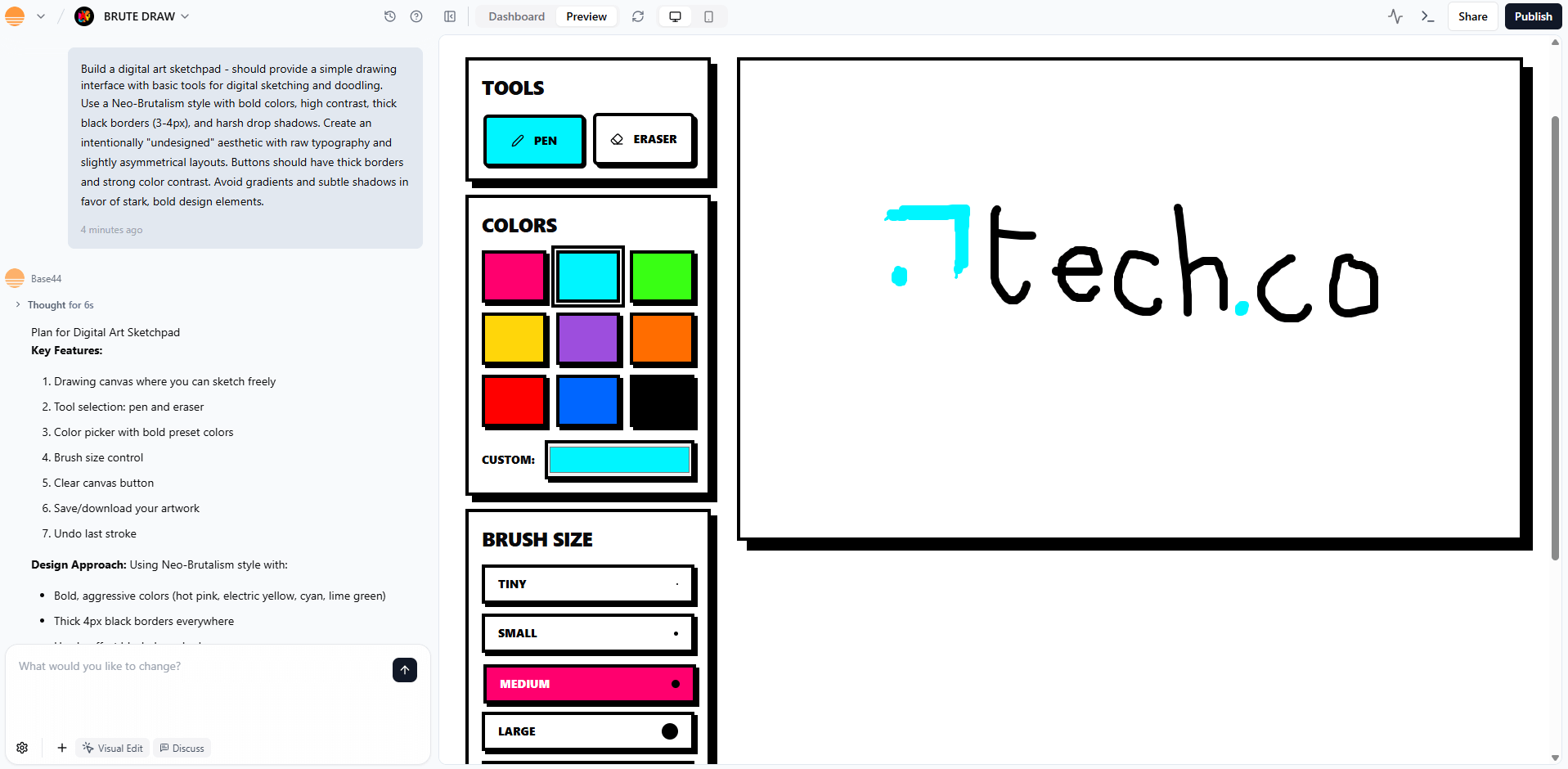
Base44 was able to generate this sketchpad website with a single prompt. Source: Tech.co testing
How much does it cost to upgrade to a Base44 paid plan?
Base44 costs at least $20 per month when billed annually, and you’ll have access to 100 message credits per month, 2,000 integration credits, and an unlimited number of apps. This is compared with 25 message credits and 100 integration credits on the free plan.
More advanced plans cost more, ranging from $40-$160 per month, and include standout features such as GitHub integrations and the option to connect a domain to your projects.
Here are all the paid plan prices:
- Starter: $20 per month
- Builder: $40 per month
- Pro: $80 per month
- Elite: $160 per month

2. Windsurf: Why It’s The Best Free Plan for Agentic AI Tools
- Coding languages supported: JavaScript, Python, and 70+ more
Windsurf is the best free coding tool for agentic AI features, because it offers an assistant that maintains context across your entire codebase. This is helpful for building complex apps, since the agent can write new sections of code when asked. Windsurf does, however, require a little more knowledge than Base44.

Pros
- Automatic codebase analysis
- Image uploads
- Multiple language support
Cons
- Limited free plan
- Slow when working with large files
- Sometimes has server errors
- Free plan available
- Pro: $15/month
- Teams: $30/month
What’s included in Windsurf’s free plan?
Windsurf’s free plan bundles in a two-week free trial of Pro, which is its lowest-priced paid plan. You’ll get these free features:
- Basic access to the proprietary SWE-1 model
- Chatbot – users can choose whether they want the AI to respond to a prompt with a conversational text response (chat) or with new software code (write)
- Drag-and-drop editor
- Unlimited tab completions
- Unlimited inline edits
- Autocomplete
- App previews
- Privacy – Windsurf states it can use user code to train its AI models, which can be a security concern for proprietary projects
Windsurf offers a free plan with a monthly cap of 25 prompt credits and users can only deploy one app per day. This will slow down users’ ability to see their new app in action, since you’ll have to deploy the app to in order to test the final demo. Users can also integrate Windsurf directly with GitHub.
Windsurf users can deploy their project by prompting Cascade AI, the provider’s AI assistant, or by clicking the rocket-shaped Deploy button in the Cascade panel.
In the most recent Windsurf 2026 update, Cascade’s Plan Mode now supports automatic switching back to Code Mode, when you start to implement a plan you have already written.
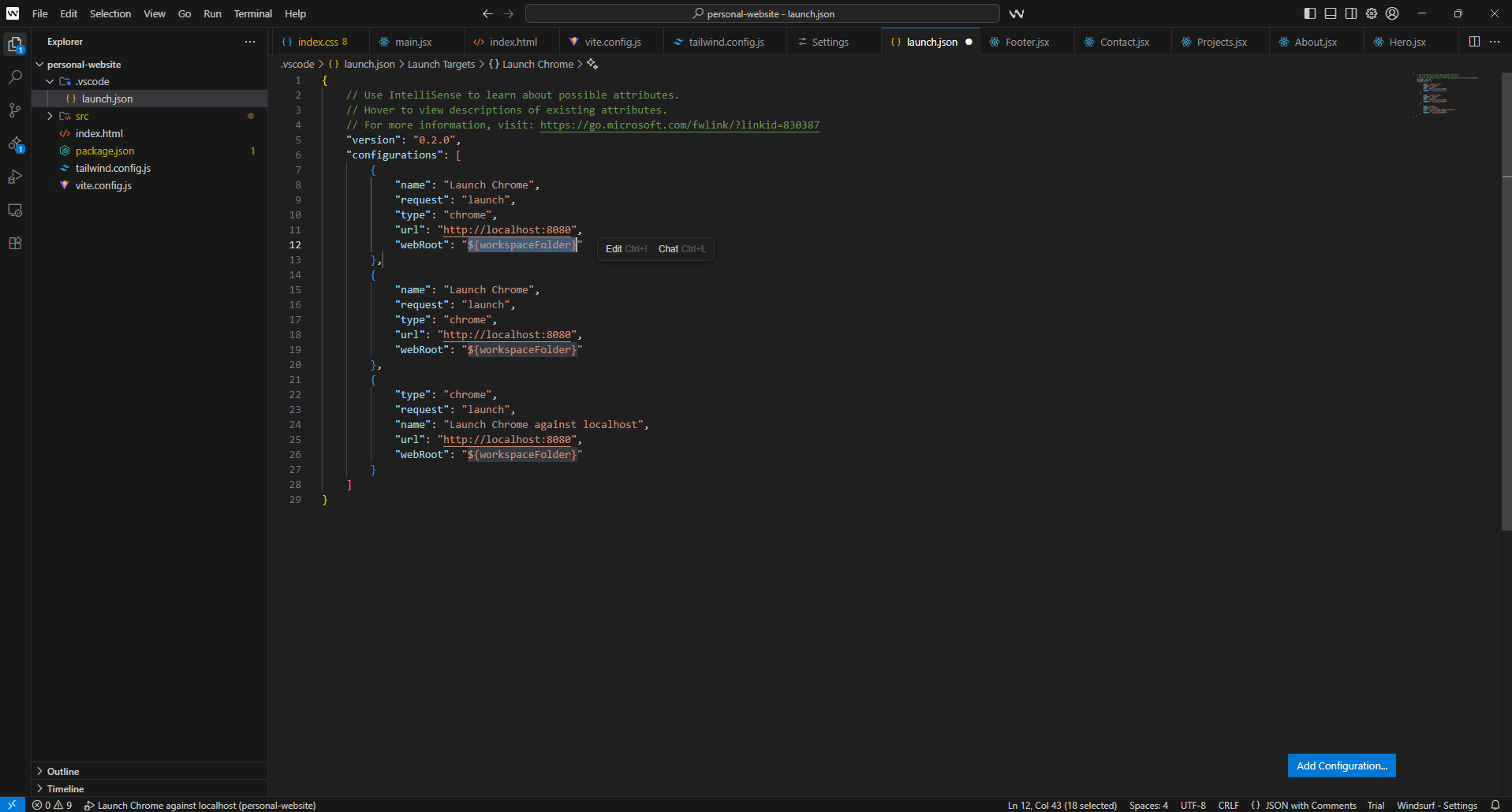
Windsurf gives coders a technical backend. Here it’s used for debugging a new personal website. Source: Tech.co testing
How much does it cost to upgrade to a Windsurf paid plan?
Windsurf costs at least $15 per month for its Pro plan, where you can access features such as 500 prompts credits per user, per month, and add-on credits at $10 for 250.
This is compared with the 25 prompt credits per month on offer with the free plan. Opting for a paid plan will also increase the app deploy limit to five per day.
Overall, Windsurf undercuts Base44 by five dollars to reach the lowest starting cost for any option in this guide. Here are the paid plans in full:
- Pro: $15 per month
- Teams: $30 per month
- Enterprise: Custom
3. Cursor: Why It’s The Best Free Plan for Coders
- Coding languages supported: Python, JavaScript, TypeScript, and more.
Cursor is the best option for someone who already knows how to code and just wants to speed up their workflow. This is because it offers a collaborative AI agent: it won’t write the complete code itself, but it does a first draft of specific components.
In other words, it functions like a helpful assistant, doing some initial work to produce a codebase. As of February 2026, agents can tackle complex, and long-running tasks, as well as work independently as subagents using their own context, and can be configured with custom prompts.

Pros
- Affordable starting price
- Powerful AI coding tools for experts
- Free trial available for paid plan
Cons
- No browser functionality; download required
- Coding knowledge required
- No full-stack app generations
- Free plan available
- Pro: $16/month
- Teams: $32/user/month
- Pro+: $48/month
- Ultra: $160/month
- Enterprise: Custom pricing
What’s included in Cursor’s free plan?
The Cursor free plan comes with a two-week trial of the platform’s Pro plan, making this a handy (if time-limited) way to see what paid vibe coding plans can offer.
Permanent free features include:
- Access to the codebase embedding model
- Tab completion – users can benefit from multi-line autocomplete suggestions when writing their code
- Access to OpenAI, Anthropic, Gemini, and xAI
- Visual editor feature that includes drag-and-drop functionality
- Scoped changes – users can make targeted edits with natural language
- Limited requests (no actual cap is listed)
- Limited tab completions (no cap listed)
- Bugbot – a free add-on that offers limited monthly code reviews and a GitHub integration
- Privacy – Cursor does by default train its AI models on user-created code. However this can be turned off by working in “privacy mode”
The Cursor platform tracks tokens rather than prompts (adding more context to each request will increase your tokens even if it remains a single prompt). However, Cursor won’t say exactly how many tokens are included with each plan — just that users have the option to buy more if they hit the rate limit. As a result, power users may want to avoid these hidden costs.
Cursor is not cloud-based, so you’ll need to download and install the platform in order to try the free plan, rather than just logging into it online.
To deploy your Cursor project, you’ll need to create deployment-ready files using the Cursor terminal, before using the Vercel CLI to deploy your code to a platform such as GitHub.
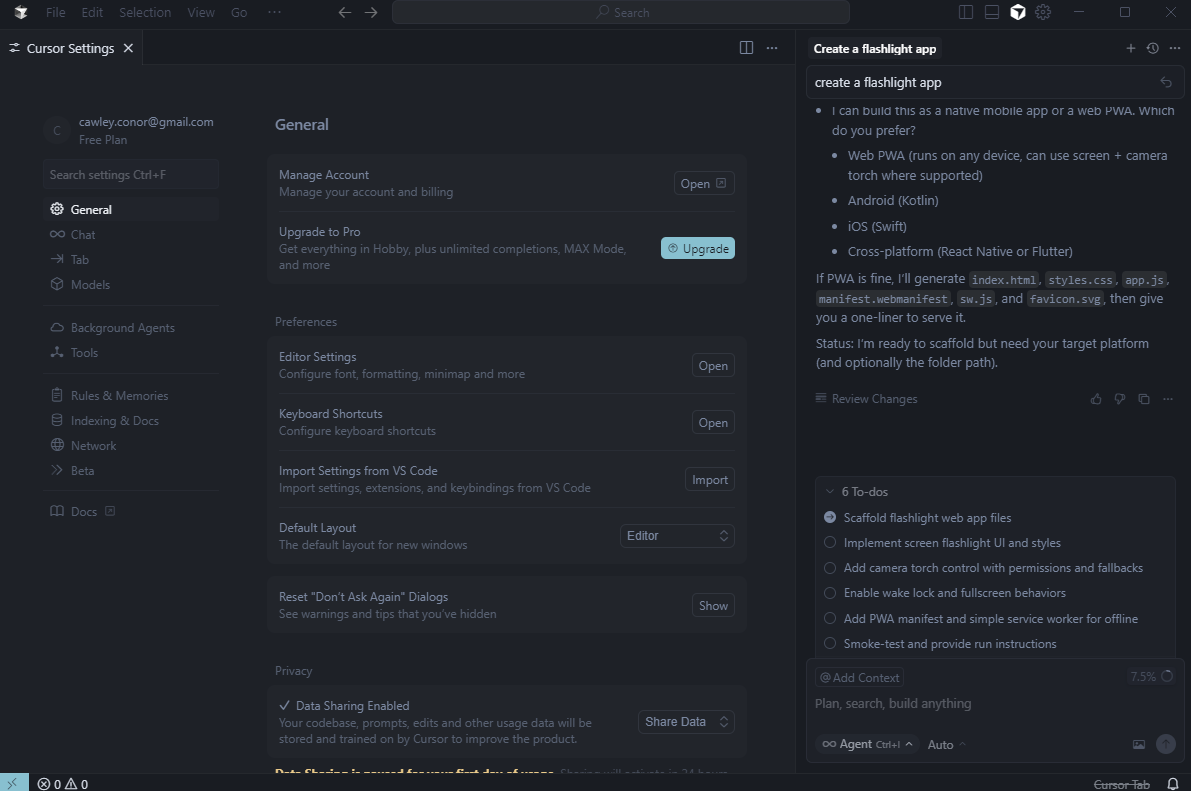
Cursor’s free plan includes many of the same complex settings available with the paid options. Source: Tech.co testing
How much does it cost to upgrade to a Cursor paid plan?
Cursor prices start at $16 per month on the Pro plan, which gives users access to unlimited tab completions and extended limits on Agents. Both are usually limited on the provider’s free plan.
The platform offers multiple individual plans and multiple team-centric plans, so there are a lot of options to choose from.
- Pro: $16 per month
- Teams: $32 per user, per month
- Pro+: $60 per month
- Ultra: $200 per month
- Enterprise: Custom
The free plan’s unspecified limitations on tab completions are lifted for all paid plans and the prompt request limit is raised by an unspecified amount.
4. Bubble: Why It’s The Best Free Plan for No-Coders
- Coding languages supported: JavaScript, HTML, CSS and more
Bubble is a fully prompt-based vibe coding platform. Unlike Windsurf or Cursor, there’s no editable code available in the final output, making this another platform that’s great for beginners and no-code creators.
It’s aimed at creating visual-first apps: CRM tools, custom marketplaces, subscription business apps, or internal analytics tools are all examples of the types of output Bubble supports. Bubble also integrates with GitHub.

Pros
- True no-code platform
- Visual drag-and-drop editor built in
- Massive plug-in marketplace
Cons
- More expensive than competitors
- No coding functionality available
- Unable to export app source code
- Free plan available
- Starter: $29/month
- Growth: $119/month
What’s included in Bubble’s free plan?
Bubble’s free plan includes these features:
- Development version
- Agents – recent updates include improving the ability of an agent to create and edit workflows and expressions
- API connector
- Drag-and-drop editor
- One app editor
- Component library
- Web debugger
- Community forum
- Privacy – Bubble’s privacy policy doesn’t explicitly state whether it uses user-generated code to train its AI models
The free plan is capped at 50,000 workload units per month, a measurement that refers to how often your app creation is used by others.
If the app you create has a lot of elements that users will interact with (like calendars or chats), you’ll rack up workload unit usage. An app used by just a few thousand users will likely be fine but, as you grow, you’ll eventually need to upgrade.
The free plan is also capped at six hours of server logs and your final app will come with Bubble branding on it that you can’t remove.
Bubble users can deploy projects using the Deploy to Live button in the top right corner of the platform. You will need a paid plan to do this.
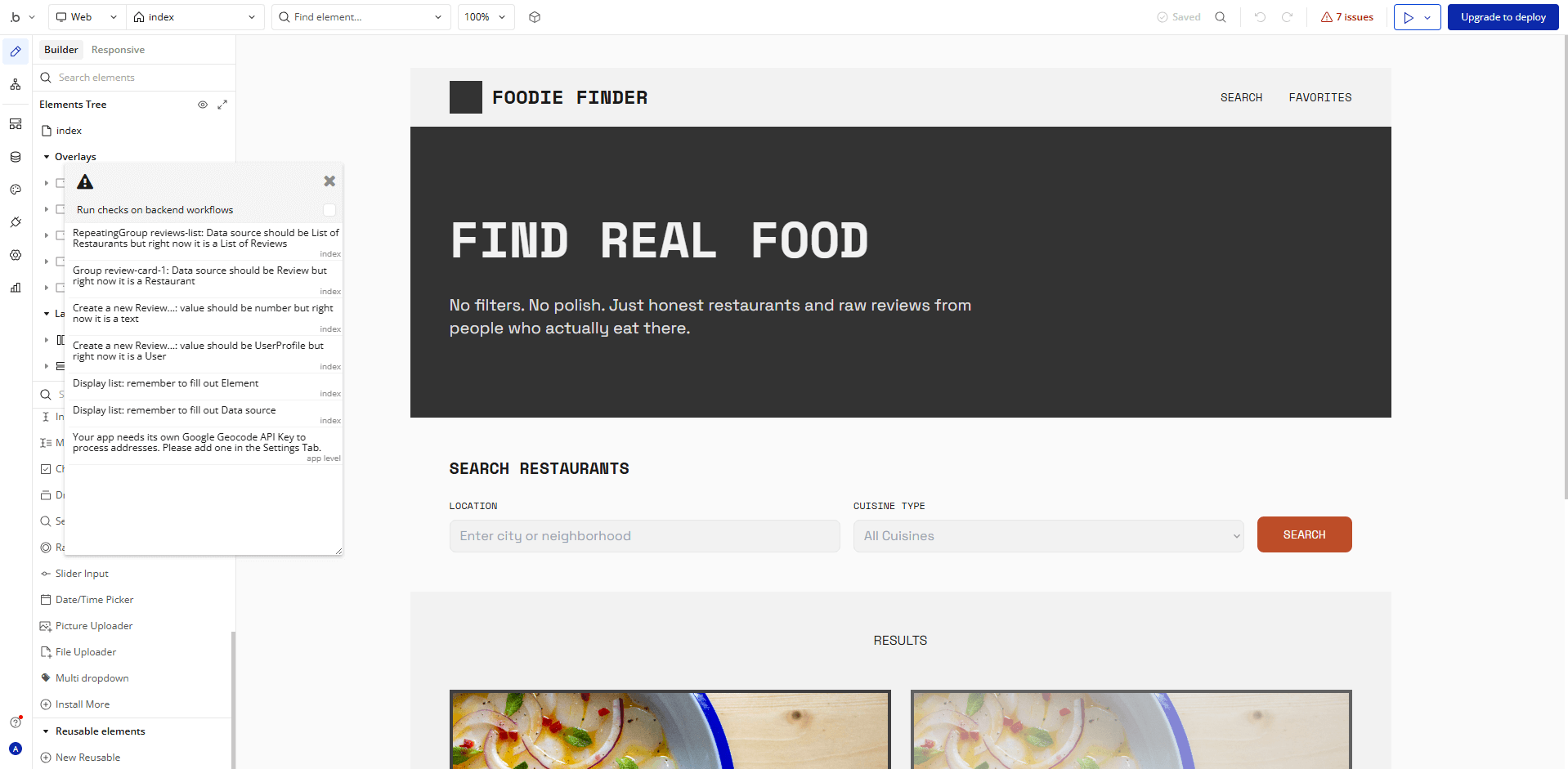
After Bubble generated a food review website, it helpfully flagged seven issues to debug before going live. Source: Tech.co testing
How much does it cost to upgrade to a Bubble paid plan?
Bubble costs $29 per month for its Starter plan, which gives users access to recurring workflows, 175,000 workload units per month, and two days of server logs. On the free plan, you’ll only get six hours of server logs and 50,000 workload units per month.
Here’s how the paid plans line up:
- Starter: $29 per month
- Growth: $119 per month
- Team: $349 per month
- Enterprise: Custom
Bubble’s plans mark an above-average price point for the industry. This is because Bubble deploys your live app entirely itself.
Prices are higher for mobile app development, and increase again for those who need the ability to develop software for both web and mobile.
5. Bolt.new: Why It’s The Best Free Plan for Website Creation
- Coding languages supported: JavaScript, TypeScript, and more
Like Bubble, Bolt.new guides users through the creation of both web and mobile apps, and even includes web hosting support for the final product, making it a great pick for a website.
Unlike Bubble, though, Bolt.new lets users edit code, so they can fix bugs or add the final tweaks themselves. For someone with a little coding experience, this is a great money-saving change that gives them more control over the final draft of a new website.

Pros
- Browser functionality; no download required
- Can generate both web and mobile apps
- Integrates with GitHub, Stripe, Figma, and more
Cons
- Not as customizable as other options
- Requires clear and specific instruction
- Performance limitations on browser
- Free plan available
- Pro: $18/month
- Teams: $30/month
What’s included in Bolt.new’s free plan?
The free plan supports:
- Private and public projects
- Unlimited databases
- Free web hosting
- Browser functionality
- Full-stack tools
- Web hosting
- SEO boosts
- Custom domains
- Privacy – Bolt.new doesn’t use user-created code to train the AI models that power its apps
Users can generate a backend, database, and API endpoints all at once. Users can also connect their Bolt.new projects with GitHub through a dedicated integration.
But, there’s a 400,000 token daily limit, and a 2.5 million token monthly limit, which will take you about a week of hitting the daily limit in order to max out. Since tokens are increased by the complexity and context that your prompts include, you’ll likely hit this limit pretty soon if you’re trying to build a complex app.
Other free plan limitations include Bolt.new branding on created websites, a cap of 10MB on file uploads, and a cap of 333,000 on web requests.
To deploy your project within Bolt.new, you’ll just need to click the Publish button in the top right corner of the platform. As of February 2026, Bolt.new has given users the option to update the URL of your published project.
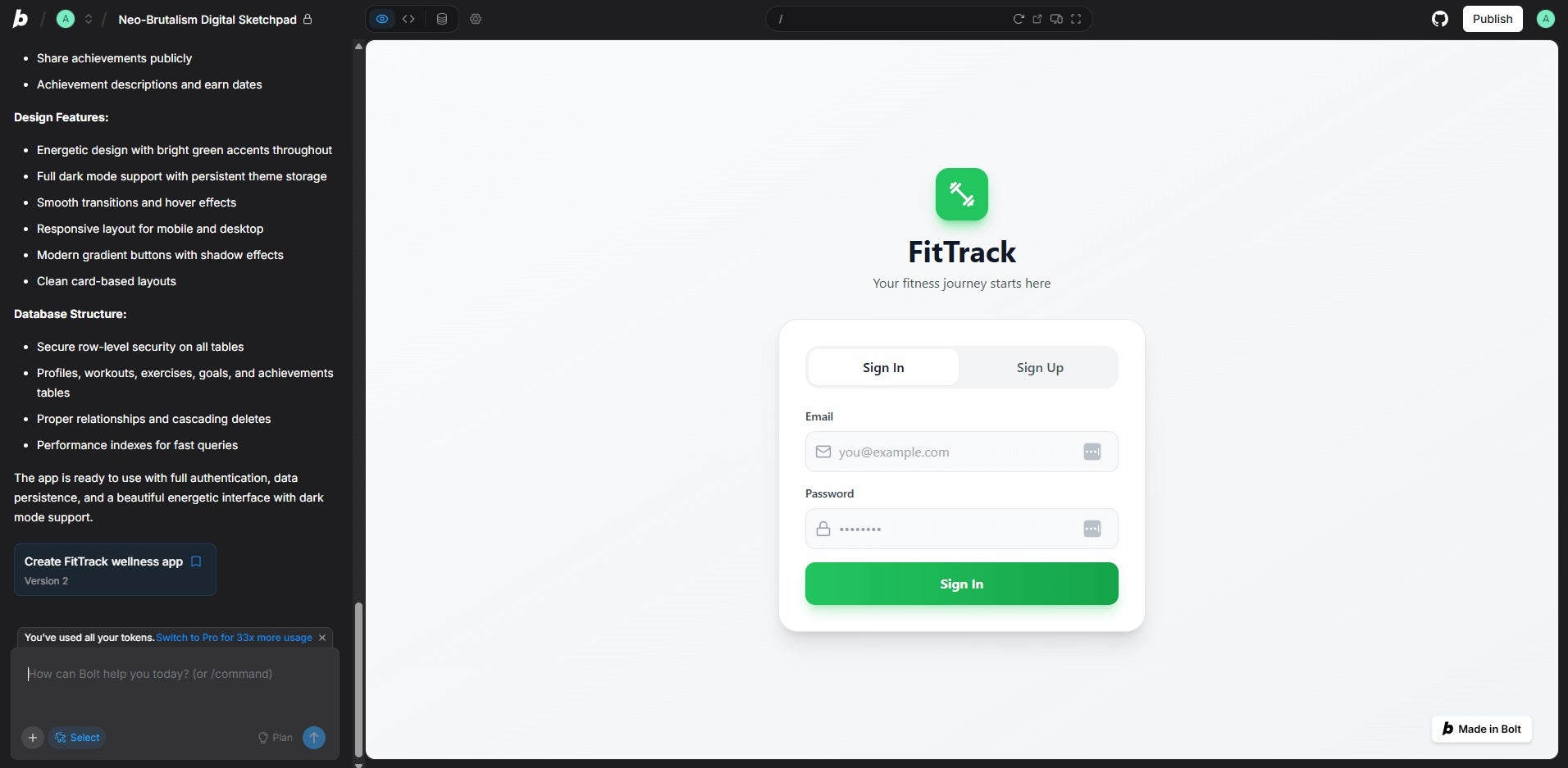
Creating this fitness tracking website with Bolt.new took two prompts and used up the free plan’s tokens. Source: Tech.co testing
How much does it cost to upgrade to a Bolt.new paid plan?
Paid plans start at $18 per month for Pro. The platform has a group plan, too, although you’ll need to pay $27 per month for each user you add.
Both plans come with a 10 million tokens per month limit, and no daily limit, while increasing caps on other restrictions as well. They also include no Bolt.new branding on websites and 100MB file uploads.
- Pro: $18 per month
- Teams: $27 per user, per month
- Enterprise: Custom
Testing Notes: Bolt.new
As a non-coder, I found Bolt.new’s token system difficult to grasp, and I quickly burnt through my daily quota in one prompt.
While this won’t be a problem for coders, it’s an important consideration for beginners looking for a free plan they can make the most out of. I found I was able to manage my credit usage much easier with flat-rate platforms, such as Base44.

Is Vibe Coding Worth Paying For?
You’re better off paying for a vibe coding platform if you find yourself consistently running out of the ability to create prompts on free plans. As these credits or requests are expensive, no platform can afford to offer an endless amount for free.
These limits are expanded dramatically for paid plans, but they won’t go away entirely. In fact, even some paying users complain about these limits, since a particularly complex prompt can use up a million tokens at once, meaning that a paying user for Cursor or Bolt.new might still max out their plan within a day of vibe coding.
If you’re hoping to consistently vibe code, you’ll likely want to consider a paid plan in order to ensure you have the prompts you need. The last thing you want is to be stopped in your tracks halfway through coding an app, because your credits have dried up.
And you don’t need to break the bank to get your hands on a premium vibe coding platform, with Hostinger Horizons starting at just $6.99 per month.
The limitations of free vibe coding to consider
- Prompt limits: Complex prompts and error fixing can wipe your plan limits, meaning free users might have to spend more time learning the basics of how to code, so they can still complete their projects when they’ve used up their prompts for the month.
- Integration limitations: Free plans may not integrate with as many third-party providers as paid plans, limiting the complexity of your project.
- Limited customization: Design options for projects can be limited, which prevents users from creating visually unique and highly custom experiences.
- Security vulnerabilities: AI-generated code may include security vulnerabilities such as logic errors, as vibe coding can miss out key code review processes.
What Are the Alternatives To Vibe Coding for Building Apps?
Free or paid, the fast-paced world of AI-powered coding platforms is always evolving. But what if you want to look beyond low-code or no-coding apps?
If you know how to code (or you’re ready to learn), the Google-owned UI software development kit Flutter is a great open-source tool to start with. Flutter is free to install for common development platforms (Windows, macOS, Linux, ChromeOS), and it has plenty of online documentation to guide you through learning the fundamentals or writing your first app.
If you know what coding language you’ll be using, you can search for a relevant GUI (graphical user interface) library online. These databases hold pre-made resources for visual elements like the forms, widgets, or buttons that app users will need in order to use your app. Relying on these free resources can speed up your app development process significantly.
Alternatively, you could choose to do things the old-fashioned way. Our own data indicates that 21% of SMB leaders would pay upwards of $1,500 for a human website designer even if an AI tool could deliver a comparable result for a fraction of the price.
What to Look for in a Free Vibe Coding App
While trialing a free vibe coding app, try seeing if you can figure out these initial concerns:
- Code completion and AI chat aid: Does the platform retain the context needed to create more code and does it have a “chat” mode that allows it to interact with you? Some platforms struggle with context while others don’t chat at all.
- Integrations: Does the platform work with the third-party tools you’ll need? GitHub integrations are always helpful, as are integrations with other AI models.
- Coding language: Does the platform excel at the coding language you need? Python and JavaScript are the coding languages most frequently used for vibe coders.
- Privacy and security: What measures does the platform take to keep your data private?
Once you’ve chosen your free platform, the next step is getting your prompts right. Read our guide on how to vibe code a website for tips on structuring your request to get the best results.
Alternatively, if you’d like to get started with the basics of coding, pick a language of your choice and start looking into software design principles. Plenty of YouTube channels are aimed at coders and are a good place to start.
Methodology: How We Ranked the Top Free Vibe Coding Tools
For vibe coding platforms, our expert team of writers and editors spent a considerable amount of time with the industry’s top providers, gaining hands-on experience to understand how the platforms operate.
More specifically, we focused on the features and functionalities that are available with particular vibe coding platforms, so we can more effectively compare and contrast what is available. Here are some of the criteria with which we review vibe coding platforms.
To learn more about how Tech.co investigates business software like vibe coding platforms, make sure to check out our research and analysis guide to get a peek at our process.
Verdict: Pick the Right Free Vibe Coding Tool for You
Our pick for the best free AI coding platform for newbies is Base44, which allows for easy prompt-based full-stack app creation, and can even deliver an entire app based off just one prompt.
However, those who know how to code or want to build more experience are better off with Windsurf or Cursor, since these platforms can autocomplete your code as you write it.
Regardless of what you’re looking for in a vibe coding platform, they all offer free plans with an impressive range of features and settings — even if you’ll eventually reach your request limit.
If you click on, sign up to a service through, or make a purchase through the links on our site, or use our quotes tool to receive custom pricing for your business needs, we may earn a referral fee from the supplier(s) of the technology you’re interested in. This helps Tech.co to provide free information and reviews, and carries no additional cost to you. Most importantly, it doesn’t affect our editorial impartiality. Ratings and rankings on Tech.co cannot be bought. Our reviews are based on objective research analysis. Rare exceptions to this will be marked clearly as a ‘sponsored’ table column, or explained by a full advertising disclosure on the page, in place of this one. Click to return to top of page