
The best VoIP provider plan for small businesses is Zoom US & CA Unlimited thanks to its industry-leading call management features, flexible hardware options, and seamless integration with its video conferencing platform. It also lets you make an unlimited number of domestic calls for just $16 per user, per month, making it the best value package for small businesses with high call volumes.
Given the benefits of VoIP technology over landline systems, like lower costs and more advanced features, it’s understandable that small businesses would flock to this technology for their communication needs. Still, there are a lot of different VoIP providers out there, and finding the right one for your particular business may take a bit of research.
That’s why I’ve done the heavy lifting for you and collected the best VoIP providers in the guide below.
Key Takeaways
- Entry-level business VoIP plans start from $15 per user, per month across leading providers including Dialpad and Net2Phone.
- Zoom US & CA Unlimited serves as the top overall choice for small businesses by combining unlimited domestic calling with hardware support for seven IP phone manufacturers at $16 per user, per month.
- Nextiva Core delivers broader third-party software integrations than Zoom, but requires a higher fee of $20 per user, per month.
- Dialpad Standard provides built-in AI call and voicemail transcriptions at $15 per user, per month, making it suitable for legal, financial, and healthcare teams requiring accurate records.
Best VoIP Providers Overview
- Zoom US & CA Unlimited – Best small business plan overall
- Dialpad Standard – Best time-saving AI features
- Net2Phone Essentials – Great for remote and hybrid teams
- RingCentral Core – Best for hospitality and retail businesses
- Nextiva Core – Best for omnichannel experience
- Vonage Mobile – Best staff training features
- Google Voice Premier – Best for Google Workspace users
- Ooma Office – Great for customer support features
Best 8 VoIP Providers for 2026
I have conducted user-testing and extensive research into the VoIP industry — examining the top VoIP providers based on their service, value, customer support, and features offered. The reviews below are based on this independent analysis and testing.
| Price | Best for | Pros | Cons | Overall score An aggregate score of all other metrics | ||||
|---|---|---|---|---|---|---|---|---|
| FEATURED  | BEST OVERALL  |  |  |  |  |  |  |  |
| Phone.com | Zoom Regional Unlimited | Dialpad Standard | Net2Phone Essentials | RingCentral Core | Nextiva Core | Vonage | Google Voice Premier | Ooma Office Essentials |
| $15/user/month | $16/user/month | $15/user/month | $19.99/user/month | $20/user/month | $15/user/month |
| $30/user/month | $19.95/user/month |
| Mid-range alternative | Call management features | Alternative communication channels | Great for remote and hybrid teams | Hospitality and retail businesses | Best for growing teams | Best staff training features | Google Workspace users |
|
|
|
|
|
|
|
|
|
|
|
|
|
|
|
|
|
|
|
| Not yet rated | 4.6 | 3.8 | 3.9 | 3.7 | 3.7 | 3.3 | 2.9 | 2.5 |
Research Summary (2026)
Having seen what these VoIP plans have on offer, it’s really hard to look past Zoom US & CA Unlimited. It’s got a huge range of both inbound and outbound communication features, which makes it a viable option for a broad range of teams, such as customer service and sales departments.
There are also lots of features for keeping in touch with your team, which will come in handy for bigger businesses, and great security options to give you peace of mind.
However, Zoom won’t be to everyone’s tastes. It lacks the sheer volume of integrations that, say, Nextiva boasts on its Core plan, but this will cost you an extra $4 per month compared to Zoom.

1. Zoom US & CA Unlimited – Best Small Business Plan Overall
- Price: $16 per month
Zoom US & CA Unlimited is the best overall VoIP plan for small businesses, based on my extensive research and testing. The platform has no domestic call limit, gives you access to the provider’s AI companion, and offers extensive hardware integrations. What’s more, it boasts excellent security features, so you can rest easy even while conducting business at scale.

Pros
- Unlimited domestic calls
- Unlock unlimited calls to 19 extra countries through a paid add-on
- Gentle learning curve and intuitive interface make it ideal for VoIP beginners
Cons
- Limited number of CRM and helpdesk integrations
- No email support available and you don't get much help with onboarding
- Insufficient analytics tools with a lack of detail in reporting
- US & CA Unlimited: $16/user/month

What to like about Zoom US & CA Unlimited
Despite Zoom US & CA Unlimited’s small price tag, my research found it offered the most competitive call management toolkit out of any other plan I researched.
From standard VoIP capabilities like call queue and call screening to stand-out tools like shared line appearance and multi-level automated menus, the tier offers just about any call management feature your business may need, whether you regularly make sensitive phone calls, or have complex customer support needs.
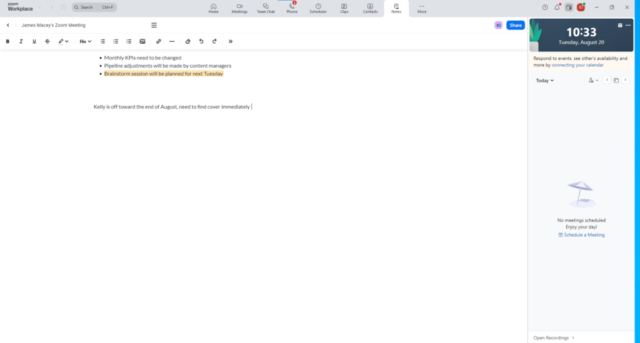
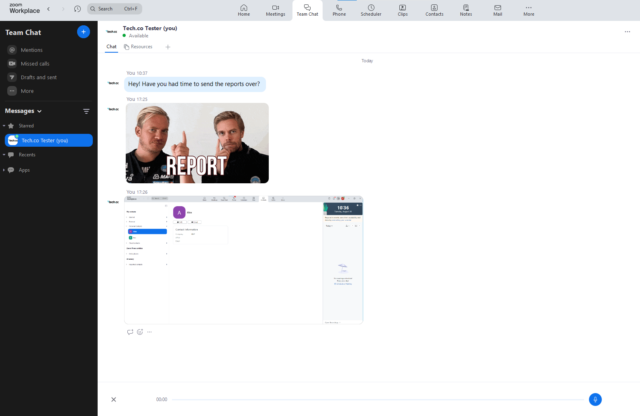
During testing, I was particularly impressed with how easy Zoom was to use. With a recognizable and intuitive interface, it’s an absolute dream to navigate. The platform uses space very well, with a full-width navigation row at the top of the page that clearly delineates between calls, calendar view, home, and more.
What are Zoom US & CA Unlimited’s key features?
- Call queuing, which lets you place callers on hold and route them to available agents. Neither Nextiva Core nor Ooma Office Essentials offer this.
- Flexible hardware integrations. The plan lets you connect with desk phones from seven different IP phone manufacturers. Net2Phone Essentials and Ooma Office Essentials only integrate with two hardphone brands.
- Inbound communication features, including instant messaging, SMS messaging, and video conferencing with its native Zoom Video integration.
- 24/7 live chat and phone support, as well as a knowledge base and user forums if you’d prefer to solve your problem independently. However, there is no onboarding support.
- Slightly limited range of integrations, including Salesforce, Outlook, helpdesk software, and of course, its video platform Zoom.




How much does Zoom US & CA Unlimited cost?
The plan costs $16 per user, per month, and as you can likely guess from the name, provides inclusive outbound calling, so you won’t have to pay too much to make a call.
You can also purchase an add-on that will give you unlimited calls in a further 19 countries, making it a good option for businesses with global customer/client bases. You won’t be able to access this add-on on the Metered plan.
However, if you don’t manage a lot of domestic calls, Zoom also offers a Metered package ($10.50 per month) which lets you make calls on a pay-as-you-go basis, so you just pay for what you need. If you want to unlock limitless international calls, you can also opt for the Pro Plus plan for $18.33 per user, per month.
| Plan | Price | Users | Unlimited calls in US | |
|---|---|---|---|---|
| | | | | |
| US & CA Metered | US & CA Unlimited | Pro Plus | Business Plus | Global Select |
| $10.50/user/month | $16/user/month | $17.43/user/month for first year, then $20.50/user/month | $19.60/user/month for first year, then $24.50/user/month | $22/user/month |
| 1-99 | 1-99 | 1-99 | 1-250 | 1-250 |
| | | | | |

Zoom Phone’s interface on an iPhone, as tested out by Tech.co’s Conor Cawley. Source: Tech.co user testing
You can also purchase Zoom Phone as part of Zoom One, which rolls the provider’s Meetings, Team Chat, Whiteboard, and Zoom Phone products into one single package. You will need to purchase the Business Plus tier ($24.50 per license, per month) or the Enterprise tier (no public pricing – contact sales for a quote) if you’d like Zoom Phone.
Who should use Zoom US & CA Unlimited?
- Smaller teams that manage high call volumes
- Businesses with smaller budgets
- Businesses already using Zoom Video
- Customer service and retail teams
Who shouldn’t use Zoom US & CA Unlimited?
- Sales teams that need advanced outbound call features like predictive and power dialing
- International businesses that regularly make calls overseas
- Businesses looking for onboarding support (Zoom offers none)
2. Dialpad Standard – Best Time-Saving AI Features
- Price: $15 per month, per user
Dialpad Standard is another affordable VoIP plan that’s packed to the brim with useful calling and communication features. At just $15 per user, per month, its price matches Zoom US & CA Unlimited head-to-head. And with some excellent AI-enhanced features in its toolkit, it’s an option well worth considering.

Pros
- Excellent, comprehensive suite of features
- Great array of alternative communication channels
- Excellent security
Cons
- Slim range of software integrations with CRM, helpdesk or PMS
- Lacks some training tools
- No call queue functionality
- Standard: $15/user/month

- Pro: $25/user/month
- Enterprise: Custom
What to like about Dialpad Standard
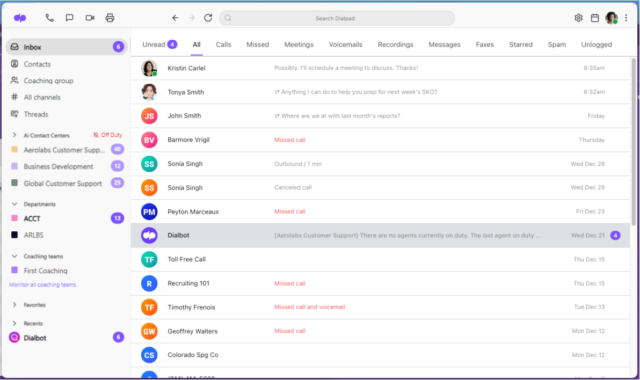
Dialpad Standard has plenty of useful features for teams receiving frequent inbound calls, such as custom greetings, voicemail, a virtual receptionist, voicemail to text, customizable hold music, ring groups, and company hours.
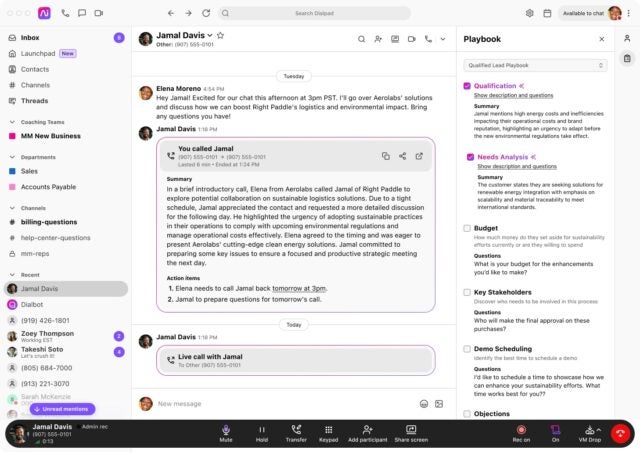
Unlike rival plans like Ooma Office and Vonage Mobile, the VoIP package automatically transcribes voicemails and calls using AI, before sending them to the user so they can send a copy, and refer back to them in the future.
These smart AI features help businesses to quickly locate specific information in recordings and make Dialpad’s Standard plan particularly useful for businesses handling important data like banks and insurance companies, law firms, and healthcare providers.
What are Dialpad Standard’s key features?
- Wide range of inbound and outbound communications features, including unlimited SMS and MMS messages and built-in team messaging.
- Web and chat support is provided, along with a user forum and knowledge base. Onboarding assistance is also available.
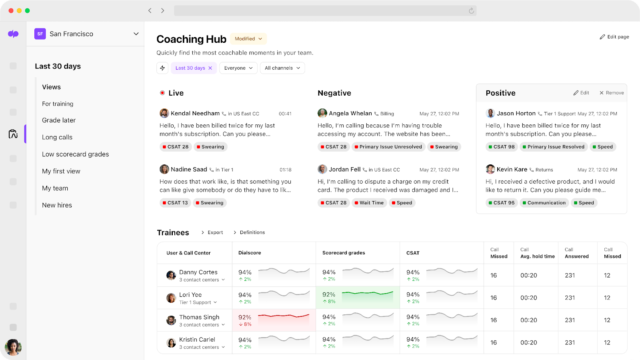
- Excellent AI features, such as real-time transcripts, instant call summaries, voicemail transcription, and real-time analytics and reporting.
- Great security options, including user management, an admin portal, single sign-on, HIPAA/BAA compliance, and locked meeting rooms.


How much does Dialpad Standard cost?
Dialpad’s Standard package costs $15 per user, per month, matching the price of Zoom’s US & CA Unlimited plan eye-to-eye. The plan includes unlimited domestic calling, unlimited AI meetings for up to 10 participants, real-time analytics, and more.
However, if you want to unlock benefits like 24/7 live agent support, CRM integrations, and support for up to 10 office locations, you’ll have to upgrade to Dialpad’s Pro plan for $25 per user, per month.
| Plan | Price | Users | Unlimited calls in US | |
|---|---|---|---|---|
| | | | ||
| Standard | Pro | Enterprise | ||
| $15/user/month | $25/user/month | Custom | ||
| Unlimited | Unlimited | Unlimited | ||
| | | |
Who should use Dialpad Standard?
- Businesses that handle sensitive data, like sales teams and professional services
- Businesses that make high volumes of domestic calls
- Startups that are looking to keep overhead low
Who shouldn’t use Dialpad Standard?
- Growing sales teams that require specific CRM integrations
- Businesses that require 24/7 customer support
3. Net2Phone Essentials – Great for Remote and Hybrid Teams
- Price: $19.99 per month
Net2Phone Essentials is a feature-rich VoIP plan that offers unlimited international calling to Mexico and Canada for just $19.99 per user, per month, making it a great value for businesses that regularly make calls to these locations. This plan offers some of the best unified communication features too, making it a safe bet for remote and hybrid teams.
Net2Phone’s prices increase for teams with fewer than 25 people, however, making it slightly less favorable than Zoom or Dialpad for smaller, budget-conscious businesses.

Pros
- Excellent call management features
- Video conferencing platform built-in for team communication
- Plenty of AI features to save time and improve productivity
Cons
- Video conferencing and AI features very limited in Essentials plan
- Toll-free and international numbers cost extra in all plans
- Training features are highly limited
- Essentials: From $19.99/user/month
- Professional: From $24.99/user/month
- Ultimate: From $29.99/user/month
What to like about Net2Phone Essentials
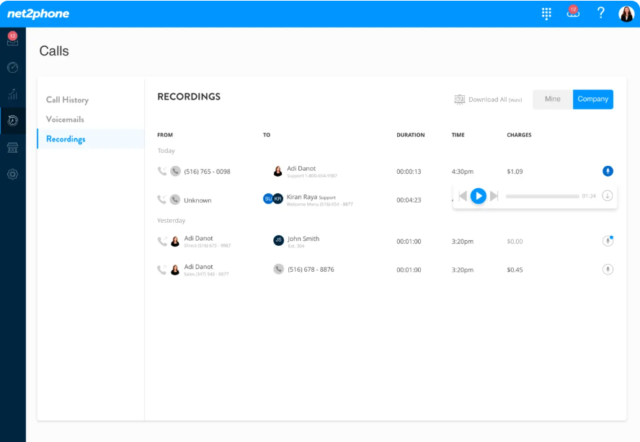
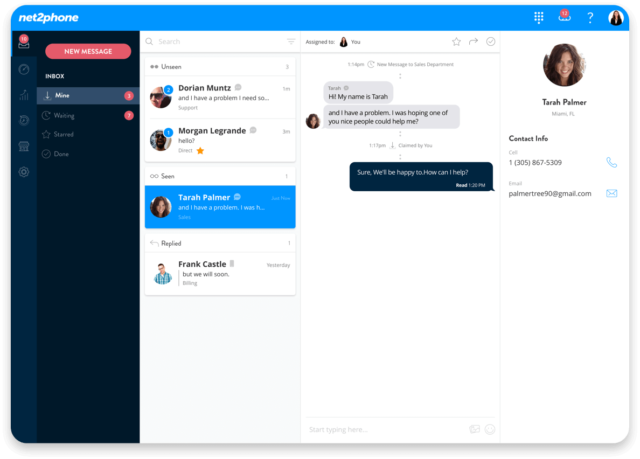
I found that Net2Phone’s Essentials excels at helping small businesses handle calls, offering the widest selection of call management tools out of any provider I researched behind Zoom Phone.
The plan offers all the staples you’d expect including call forwarding, call recording, ring groups, and customizable call routing. Unlike alternative tiers like Dialpad Standard and Ooma Office, the VoIP plan also offers call queue capabilities – allowing businesses to manage incoming calls when agents are busy.
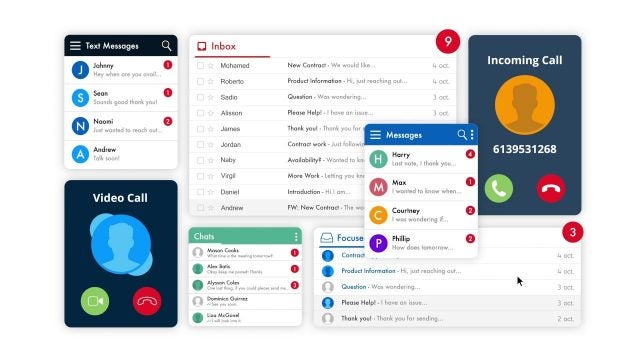
Beyond that, the plan has a great toolkit for enabling remote and hybrid teams to conduct business and stay connected, with instant message tools and SMS and MMS – a perk that rival plans by Google Voice and Vonage don’t offer. This can be used for internal comms, with user-to-user, department, or company-wide messaging.
What are Net2Phone Essentials’ key features?
- Extensive call functionality, including extension-to-extension calling, hold music and messaging, time-based greetings, three-way conferencing calling, group conference calls, easy call transfer, “find me/follow me” call routing, call queuing, and call forwarding, and support for multiple virtual receptionists.
- Voicemail transcription and voicemail-to-email functions.
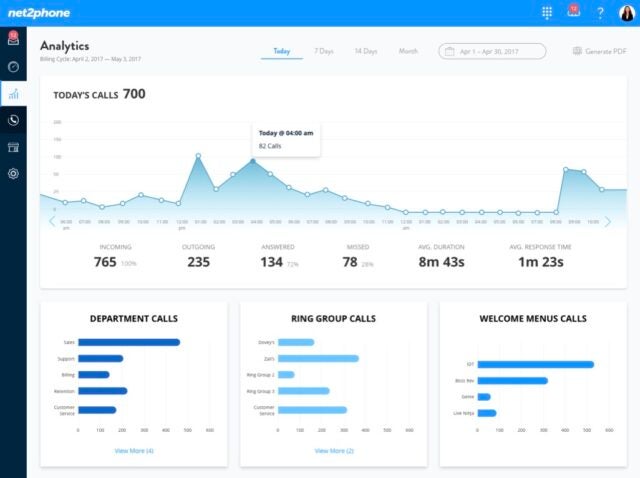
- Boasts strong analytics, with sortable reports by time frame, department, office, and agents, all viewable via centralized dashboards.
- Net2Phone offers 24/7 support on all its plans, as well as an extensive online knowledge base.


How much does Net2Phone Essentials cost?
Net2Phone’s Essentials package costs $19.99 per user, per month for businesses with 25-99 users. Prices increase for smaller businesses, with the plan costing $21.99 per user, per month for teams of 10-24, and $27.99 per user, per month for teams of 1-9.
The VoIP provider also offers a professional package starting from $24.99 per user, per month, with unlimited international calling, and AI features like call transcriptions and summaries.
| Plan | Price | Users | Unlimited calls in US | Team messaging | Video conferencing | Call recording | Analytics | Single sign-on | 24/7 support | |
|---|---|---|---|---|---|---|---|---|---|---|
| | | | ||||||||
| Essentials | Professional | Ultimate | ||||||||
| $19.99/user/month | From $24.99/user/month | $29.99/user/month | ||||||||
| 1–100+ | 1–100+ | 1–100+ | ||||||||
| | | | ||||||||
| | | | ||||||||
| | | | ||||||||
| | | | ||||||||
| | | | ||||||||
| | | | ||||||||
| Phone | Phone | Phone |
Who should use Net2Phone Essentials?
- Businesses that regularly make calls to Canada or Mexico
- Businesses looking to streamline internal communications
Who shouldn’t use Net2Phone Essentials?
- Businesses that make international calls to a variety of countries
- Small businesses looking to keep overheads as low as possible
4. RingCentral Core – Best for Hospitality and Retail Businesses
- Price from: $20 per month
RingCentral serves more than 600,000 businesses for a reason. It’s a great fit for hospitality, retail, healthcare, and customer service teams, thanks to a range of features designed for fielding high volumes of inbound callers.

Pros
- Flexible range of pricing plans, with easy scaling for all businesses
- Largest library of third-party integrations across our research
- All-in-one hub for internal and external communication
Cons
- No automatic downloads for video meeting transcripts
- High starting price makes it prohibitive for smaller businesses
- CRM and helpdesk integrations reserved for more expensive plans
- Core plan: $20/user/month
- Advanced plan: $25/user/month
- Ultra plan: $35/user/month
What to like about RingCentral Core
RingCentral’s Core plan includes unlimited domestic calls, number porting, custom greetings, a virtual receptionist, spam prevention, voicemail-to-text, caller ID, call transcripts, and custom call routing.
The plan also lets you transcribe calls and voicemails using AI, giving it a leg-up over Net2Phone Essentials for businesses that are looking to move away from manual transcription.
What are RingCentral Core’s key features?
- Video conferencing is available for up to 100 participants.
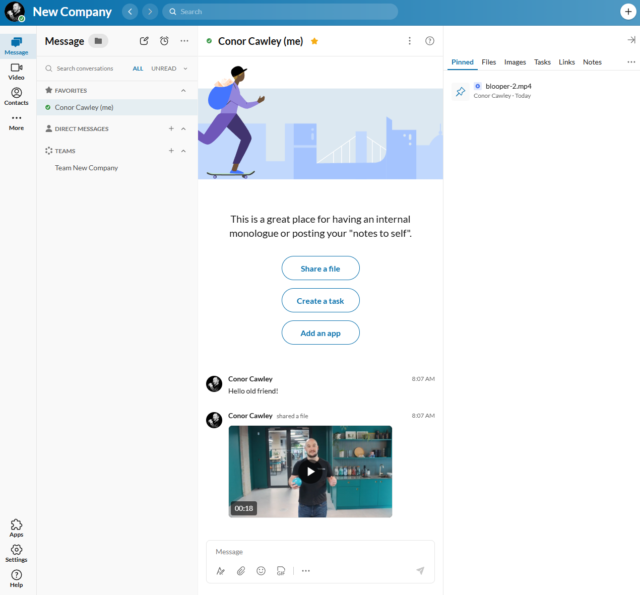
- Great collaboration features like a task manager, online whiteboard, team messaging, and document sharing.
- Integrates with Google Workspace and Microsoft Teams.
- Excellent security features, such as multi-factor authentication (MFA) options for end-users, and extensive compliance certifications.
- RingCentral offers 24/7 phone and live chat support, as well as an extensive FAQs section and training videos that can help you fix your own problems.



How much does RingCentral Core cost?
Overall, RingCentral’s first plan isn’t quite as cheap as Zoom Phone’s $16 per user, per month Unlimited package. However, RingCentral has better collaboration and advanced outbound comms features.
The $25 per user, per month Advanced plan adds automatic call-recording, a Salesforce integration, single sign-on functionality, call queuing, ring groups (which lets multiple phone numbers all ring when one extension is called), call monitoring, call barge, call whisper, and analytics.
You’ll also get access to many more integrations for CRM, email, helpdesk, web conferencing, and both internal and external live chat services.
RingCentral also offers an Advanced and Ultra plan if you’re interested in unlocking extra features. Check out our complete guide to RingCentral pricing for more information.
| Plan | Price | Users | Unlimited calls in US | |
|---|---|---|---|---|
| | | | ||
| Core | Advanced | Ultra | ||
| $20/user/month | $25/user/month | $35/user/month | ||
| 100 lines max (for more, contact sales) | 100 lines max (for more, contact sales) | 100 lines max (for more, contact sales) | ||
| | | |
Who should use RingCentral Core?
- Growing businesses – it’s very scalable
- Businesses that prioritize security
- Businesses looking to get set up quickly
Who shouldn’t use RingCentral Core?
- Businesses with advanced web conferencing requirements
- Businesses on a tight budget with relatively simple calling needs
5. Nextiva Core – Best for Omnichannel Experience
- Price: $15 per month
Nextiva has a straightforward interface and enough inbound call tools to satisfy a small or medium-sized business. The provider has recently pivoted to a full omni-channel customer experience platform, making it an asset to retailers and sales teams that utilize ecommerce and social media channels.
Its starter package, Nextiva Core, will also be a great choice for small professional service businesses due to its powerful client communication and team collaboration tools.

Pros
- Unlimited users on all plans, ideal for large businesses on a budget
- Easy to use and simple set up, which makes it good for beginners
- 24/7 live support + excellent additional support options
- Lots of collaboration features like a team messenger, which is great for hybrid/remote teams
Cons
- Few management features, which means it isn't very scalable
- Poor options for managing sensitive customer info
- Few integrations on the first paid plan, so you won't be able to sync it with your CRM
- Core: $15/user/month
- Engage: $25/user/month
- Power Suite CX: $75/user/month
What to like about Nextiva Core
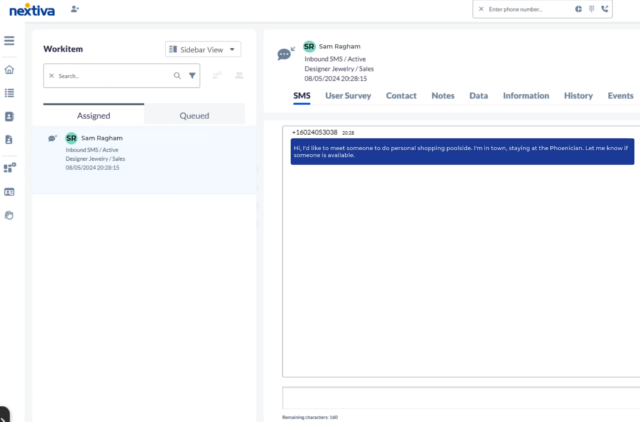
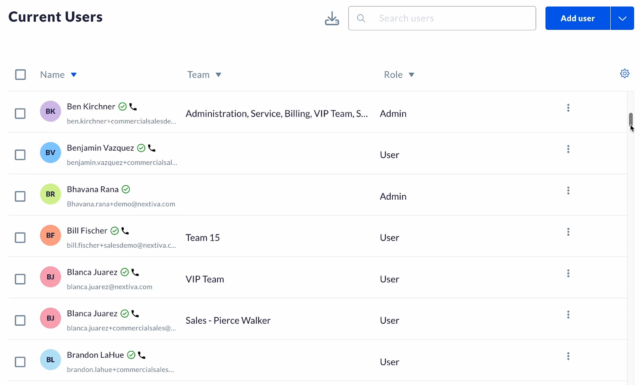
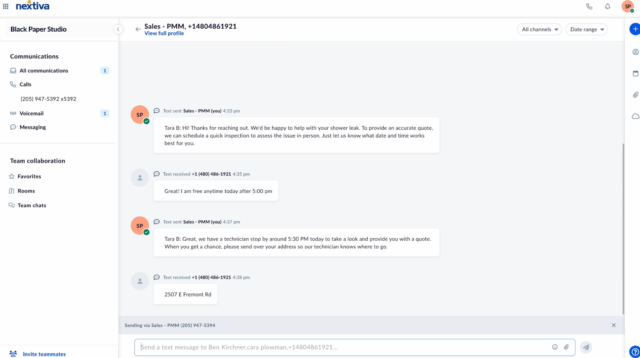
Truth be told, Nextiva is much more than a VoIP solution. Acting more like an omnichannel communications platform, Nextiva Core gives businesses multiple ways to manage customer interactions, including by email, live-chat platforms, SMS, and social media channels like LinkedIn, TikTok, Instagram, and more.
Even if Nextiva Core lacks a feature you need, you’ll probably be able to make it up using one of its many third-party integrations. The plan outshone rivals in my research, by offering the widest selection of external add-ons, from CRM, helpdesk, customer-service live chat options, and beyond.
This army of integrations makes the package extremely flexible, and positions it well for fast-growing businesses whose needs are constantly evolving.
What are Nextiva Core’s key features?
- Nextiva Core offers 24/7 unlimited customer support via phone or live chat. Email support is available, although it is not 24/7. The service also has a large help center to help you fix problems yourself.
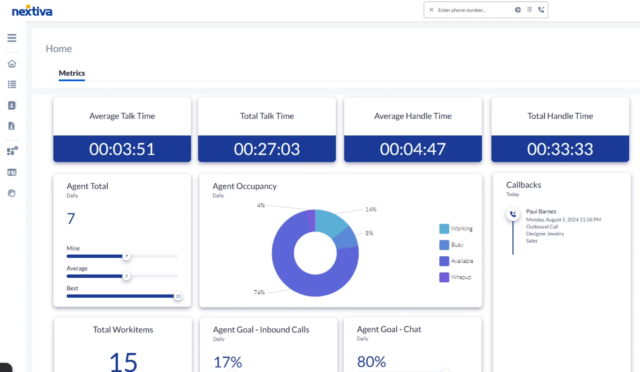
- Nextiva’s desktop app supports voice and video calls, emails, messaging, and sales and service tools, as well as analytics.
- There’s a suite of AI and automation tools that can help improve repetitive tasks such as data collection, and offer real-time predictions and suggestions of what to do based on how your team is performing.


How much does Nextiva Core cost?
Nextiva Core costs $15 per user, per month, and gives users access to unlimited inbound & outbound voice calls, video meetings, business SMS messages, and integrations to social media and messaging apps.
Nextiva also offers two pricier packages with more advanced reporting and CRM features, Engage ($25 per month) and Power Suite CX ($75 per month). The provider’s prices are slightly higher than others on this list, but if you’d benefit from its omnichannel channel features, its plans would easily pay for themselves overtime.
| Plan | Price | Users | SMS/chat | Call recording | Analytics | 24/7 support | Inclusive inbound calling | Inclusive outbound calling | Chatbot | |
|---|---|---|---|---|---|---|---|---|---|---|
| | | | ||||||||
| Core | Engage | Power Suite CX | ||||||||
| $15/user/month | $25/user/month | $75/user/month | ||||||||
| Unlimited | Unlimited | Unlimited | ||||||||
| | | | ||||||||
| Add-on | | | ||||||||
| 5 reports | 10 reports | Unlimited | ||||||||
| Phone, chat + email | Phone, email + chat | Phone, chat + email | ||||||||
| | | | ||||||||
| | | | ||||||||
| | | |
Who should use Nextiva Core?
- Sales teams and professional service businesses
- Businesses with high call volumes
Who shouldn’t use Nextiva Core?
- Businesses that regularly onboard new staff
- Businesses with very small budgets
6. Vonage Mobile – Best Staff Training Features
- Price: $13.99 per user, per month
Vonage is a versatile VoIP provider that offers a range of different scalable packages for small businesses. Its Mobile package can handle high call volumes, and offers a range of useful call management and training tools, all for just $13.99 per user, per month.
The entry-level plan works great through mobile devices and desktops, making it one of the most flexible options for small businesses. However, if you want to integrate Vonage’s software with desk phones, you’ll have to upgrade to one of the provider’s pricier plans instead.

Pros
- Great central hub for collaborating, with team messaging on all plans
- Great training and management features on, perfect for sales and customer service teams
- Lots of big-name integrations means minimal changes for your team
Cons
- Analytics features are quite primitive, making it difficult to get actionable insights
- Lots of features include additional fees, so it's hard to get a good gauge of your final price
- Mobile: $13.99/user/month
- Premium: $20.99/user/month
- Advanced: $27.99/user/month
What to like about Vonage Mobile
Like all the platforms on this list, Vonage Mobile offers a great selection of features for managing inbound and outbound calls, including a neat bandwidth saver that lets businesses maintain strong call quality even with a poor internet connection.
But what really sets it apart is its unrivaled set of features for training staff. You’ll be able to listen in on calls and join existing calls between users and customers/clients. For sales teams, ensuring your on-call manner is constantly improving is important.
What are Vonage Mobile’s key features?
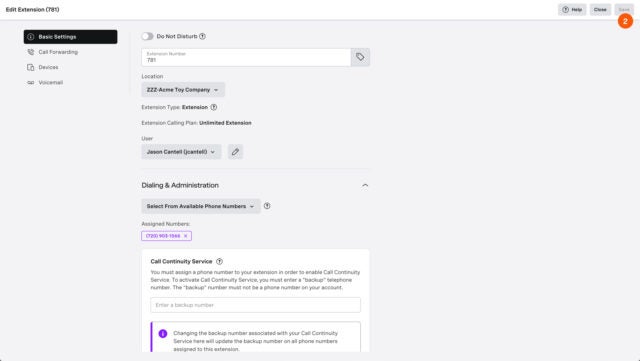
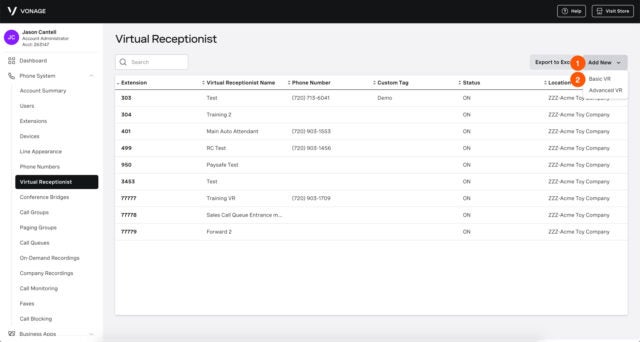
- Wide selection of features for managing incoming calls, including an admin portal, voice mail, spam prevention, voicemail to text, call queue, caller ID, call forwarding, call “flipping,” and more.
- Outbound features include external video calling, SMS support, custom call lists, internet fax, and call conferencing.
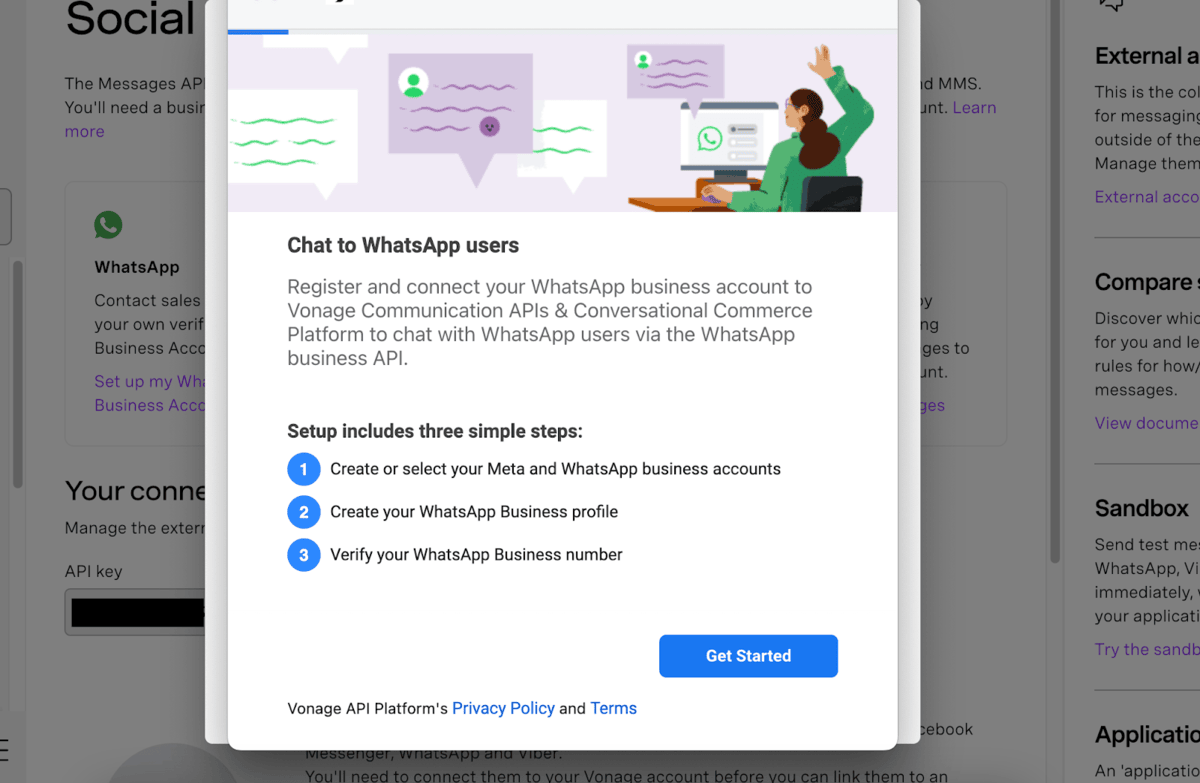
- Available integrations include Microsoft Dynamics, Microsoft Teams, Google Workspace, Office 365, Slack.
- Vonage Phone offers phone and email support but no live chat. In addition, none of it is available 24/7.



How much does Vonage Mobile cost?
Vonage’s cheapest plan, Mobile, gives you unlimited calls and SMS messages, plus all the features listed above and access to the Vonage app center. Right now, there’s a 12-month promotion running that makes the first plan just $13.99 per user, per month, helping it to undercut the price of all the other VoIP plans on this list.
See how the rest of Vonage’s plans compare in the comparison table below:
| Plan | Price | Users | Unlimited calls in US | Video conferencing | Call recording | 24/7 support | Email integration | CRM integration | |
|---|---|---|---|---|---|---|---|---|---|
| | | | |||||||
| Mobile | Premium | Advanced | |||||||
| $13.99/user/month | $20.99/user/month | $27.99/user/month | |||||||
| Unlimited | Unlimited | Unlimited | |||||||
| | | | |||||||
| | | | |||||||
| | | | |||||||
| | | | |||||||
| | | | |||||||
| | | |
Who should use Vonage Mobile?
- Customer service teams, who will appreciate the training features
- Businesses that onboard regularly, and want lots of help
Who shouldn’t use Vonage Mobile?
- Businesses that don’t want to rely on add-ons
- Businesses with advanced video conferencing needs
7. Google Voice Premier – Best for Google Workspace Users
- Price from: $30 per month
Google’s VoIP service stands out for one big reason – great security. This is due to its myriad of compliance certifications, multi-factor authentication, single sign-on, password rules, best-in-class encryption, and user permissions on every plan. Its Premier plan offers its full suite of VoIP features, including unlimited domestic and international location support.
However, the plan isn’t as capable of managing high call volumes, and it barely offers any third-party integrations, which is why I wasn’t able to place Premier higher on this list.

Highlights
- Simple, user-friendly software that's good for beginners
- Stand-out security features to protect data
- Integrates with other Google services seamlessly
Key Features
- Personalized voicemail greetings
- Data encryption
- Call block functions
- Voicemail to text transcription
- Plans from $10 per month
What to like about Google Voice Premier
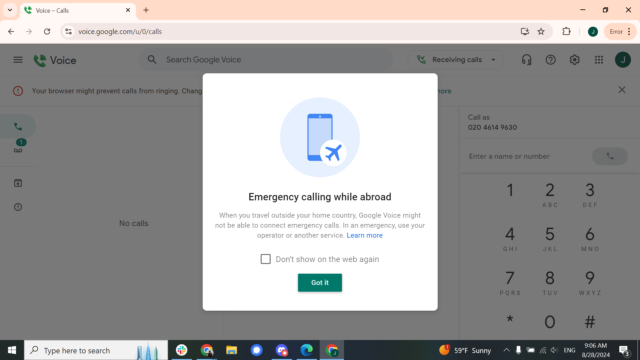
During my latest round of user testing, I took Google Voice for a spin, and as you would expect from a product in the Google suite, I can confirm that it’s a joy to use. The interface is clearly and logically mapped out, and I was able to navigate the platform with ease.
If you’re already accustomed to using Google products, even better. Voice has all the small “moments of delight” that you’ll find elsewhere in the Google Workspace, including a cute selection of images that you can assign as profile pictures. You can even edit these images, if you like.
All Google Voice plans offer voicemail support, voicemail to text, spam prevention, video calling (via Google Meet), SMS for those in the US, analytics, and custom call lists (via Google Contacts).
In terms of the VoIP fundamentals, Google is a little lacking compared to other providers on this list. There are no call queues, custom hold music, caller ID, auto or predictive dialing, call conferencing, call forwarding, call flip, call barge-in, or call whisper. Calls can’t be monitored, and there’s no call-flow designer.
But for existing Google devotees who just want a simple, no-frills platform that’s easy to use, you won’t find a better option than Voice.
What are Google Voice Premier’s key features?
- Excellent security tools, including MFA options, password rules, and data storage in Google’s world-renowned data centers.
- Seamless integration with other products in the Google Workspace. However, lacks many third-party integrations.
- Help and support options include access to a user forum, knowledge base, and 24/7 phone support, but no email or live chat options.


How much does Google Voice Premier cost?
Google’s Premier currently costs $30 per user, per month, making its price point quite a lot steeper than other plans on this list – especially Zoom US & CA Unlimited and Dialpad Standard.
However, unlike these competing plans, Google’s Premier package gives you access to perks like advanced reporting, and support for unlimited domestic and international locations, helping to justify its slightly higher price point.
Google also offers Starter and Standard plans with slightly more stringent user limits, costing $10 per user, per month, and $20 per user, per month respectively.
| Plan | Price | Users | Call recording | 24/7 support | Multi-level auto-attendant | |
|---|---|---|---|---|---|---|
| | | | ||||
| Starter | Standard | Premier | ||||
| $10/user/month | $20/user/month | $30/user/month | ||||
| 1 | Unlimited | Unlimited | ||||
| | Ad-hoc | | ||||
| Add-on | Add-on | Add-on | ||||
| | | |
Who should use Google Voice Premier?
- Businesses that already use Google Workspace
- Businesses that manage highly-sensitive data
Who shouldn’t use Google Voice Premier?
- Businesses with advanced call requirements
- Sales businesses and teams that manage high call volumes
8. Ooma Office Essentials – Great for Customer Support Features
- Price: $19.95 per month
Ooma Office offers a particularly good customer experience and generally gains high customer satisfaction ratings from existing users. Its entry-level Essentials plans offers 24/7 customer support over the phone or via live chat, although not over email. It also offers an online forum, where experienced users can help you diagnose and fix problems yourself.

Pros
- Easy to use interface for simple ingoing and outgoing calls
- Seamless integration with Google Calendar
- Automatic and voicemail screening available in all pricing plans
Cons
- Third-party integrations only available on more expensive plans
- White noise interference with voicemail audio quality
- Can only invite users to video meeting with external link
- Essentials: $19/user/month
- Pro: $24/user/month
- Pro Plus: $29/user/month
What to like about Ooma Office Essentials
Ooma Office Essentials is easy to use, and particularly easy to connect with my Google Calendar, answering calls was simple thanks to the clearly laid out interface.
However, an issue that arose from the Google Calendar integration. Namely, the Meetings tab features both “Join” and “Meet” buttons, which route users to either Ooma’s native video calling or Google Meet, respectively. It might take users a couple of false starts to ascertain which call-to-action (CTA) directs users to which platform.
Ooma Office Essential’s security protocols really disappointed us in my testing, too. The service doesn’t display its compliance certificates so it’s unsure how strictly they comply with data security standards. Therefore, if your business handles sensitive data, I’d recommend Google Business Premier or Zoom US & CA Unlimited as they both offer much more advanced security protocols than Ooma.
It also offers a mobile app for Android and iOS, which can be helpful if your teams are working from home without a full desk phone. Despite its selling points, the service does lack some features that other VoIP providers on this list offer, however. For example, no Ooma plans include custom call lists, auto or predictive dialing, call transcripts, call monitoring, or task management. In other words, it won’t be great for sales teams.
However, the platform does boast excellent customer support, only missing out on top marks due to a lack of email support. All in all, only RingCentral scored higher for customer support.
What are Ooma Office Essentials’ key features?
- Integrates with CRM platforms including Salesforce, Microsoft Dynamics, Zendesk, Microsoft 365, G-Suite, and ServiceNow.
- Inbound and outbound features include virtual receptionist, virtual fax, ring groups, call park, hold music, transfer music, virtual extensions, and more.
- Help and support options include 24/7 live chat and phone support, as well as a comprehensive knowledge base for solving problems yourself and email support, although it is not 24/7.
- Compatible with native and third-party deskphones, including Yealink, Mitel, Polycom, and Grandstream models.
Who should use Ooma Office Essentials?
- Customer service and retail businesses fielding lots of inbound calls
- Remote or hybrid businesses
Who shouldn’t use Ooma Office Essentials?
- Organizations handling highly sensitive data about their customers and clients
- Businesses looking to create custom call lists
Overall costs
While many VoIP providers seem to offer similar pricing structures, each provider has little quirks in its pricing system which you might miss at first glance.
For example, most providers offer prices on a per user, per month basis. You also won’t get as many features on the cheapest plans as you do with the more expensive plans
You can also check out our guide to the cheapest VoIP providers to discover the best cost-effective solutions available to your business.
Upgrade and growth costs
Your business isn’t standing still, and you’ll (hopefully) need to start adding new team members as it grows. Again, you need to think here about which platforms will scale the best with your existing business. What’s more, you’ll likely need to add more complex features.
RingCentral is a good fit for businesses that will need to expand their feature set as they grow, as its four pricing plans each offer many core features in comparison to similar competitor plans.
Customer support
If your business relies on its phones, any problem could be catastrophic to your bottom line.
Fortunately, most of the providers I’ve listed offer 24/7 support. RingCentral scored highest for support options overall (5/5) across all the VoIP providers I tested, while three more services tied for second place (4.5/5): Dialpad, Ooma, and Nextiva.
I would always recommend choosing a provider which offers 24/7 support where possible.
Devices
It is worth considering what sort of hardware your business currently uses for its phone calls. If you rely on desk phones, you might find that your service isn’t as flexible as it would be if you used software-only services.
Softphones, or even VoIP services that work through laptops or tablets, are a great way to help your staff remain mobile while working.
You might also have existing analog desk phones and might be worried about whether they’ll work with your new VoIP system. You can get adapters that will let them connect with your new system, but it’s unlikely to be perfect. Instead, you can take a look at some new VoIP phones, or your provider might even lease you some.

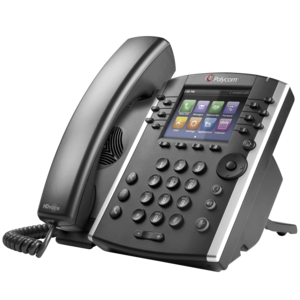


Check out our guide to the best VoIP desk phones for more.
Methodology: How We Rate VoIP Providers
We take our hands-on testing and impartial analysis seriously, so you can have complete confidence that we're giving you the clearest, most useful recommendations.
After conducting an initial exploration to identify the most relevant, popular, and established business phone platforms on the market, we selected 10 top VoIP systems and took a deeper dive into their plans to find out more about the features and functionality on offer.
Based on years of market research, product testing, and user needs analysis, we've established a VoIP system research methodology that scores each product in six core categories of investigation, which are broken down into 44 further subcategories.
With this framework we cover everything, from internal communication tools and security options to niche training features, and it ensures we can accurately assess each product's value for its price and suitability for different types of businesses.
Our main research categories for VoIP phone systems are:
- Call management features: The presence and quality of call handling features, including basic features such as call forwarding and voicemail, as well as more advanced features like auto-attendant and interactive voice response (IVR).
- Communication channels: Features designed to support communication other than calling, including integrations with websites and social media platforms.
- Training features: The presence and quality of features designed to support onboarding and training, like call barge, call whisper, and performance dashboards.
- Customer support: The assistance and resources provided by the VoIP service provider to customers, including online resources, knowledge bases, and access to customer support representatives and AI chatbots.
- Security options: The measures and features implemented by the VoIP service to ensure the confidentiality, integrity, and protection of voice communications and data.
- Pricing factors: The pricing structure associated with the VoIP service, including factors such as monthly subscription fees, domestic and international call rates, setup fees, hardware costs, and extra costs, like add-on features or services.
When it comes to calculating a product's final score, not all testing areas are weighted evenly, as we know some aspects matter more to our readers than others, which are merely “nice to have.” After hundreds of hours, our process is complete, and the results should ensure you can find the best solution for your needs.
Learn more about our research testing process.
Verdict: What Is the Best VoIP Provider?
If you’re looking for a high-performing, low-risk option, Zoom US & CA Unlimited is the best VoIP package I researched, with unlimited calls to a variety of countries, flexible user controls, and excellent call management features all for as little as $16 per user, per month.
Dialpad Standard is another affordable option, with a raft of time-saving AI tools and great internal communication tools, while RingCentral will be a great fit for call-focused businesses like retailers and sales teams.
If you click on, sign up to a service through, or make a purchase through the links on our site, or use our quotes tool to receive custom pricing for your business needs, we may earn a referral fee from the supplier(s) of the technology you’re interested in. This helps Tech.co to provide free information and reviews, and carries no additional cost to you. Most importantly, it doesn’t affect our editorial impartiality. Ratings and rankings on Tech.co cannot be bought. Our reviews are based on objective research analysis. Rare exceptions to this will be marked clearly as a ‘sponsored’ table column, or explained by a full advertising disclosure on the page, in place of this one. Click to return to top of page