

We may receive a commission from our partners if you click on a link to review or purchase a product or service. Click to Learn More
Wrike pricing starts with the Team plan, which costs $10 per user, per month for between 2 and 15 users. For between 5 and 200 users, you can go with the Business plan, which costs $25 per user, per month. On top of all that, Wrike offers a brilliant free tier that our testers credit as one of the best free project management software available.
If you’re part of a large business or team, Wrike also offers two enterprise-level plans with custom pricing that allow for unlimited users and offers more automations, better reporting, and more robust security protocols to secure company data.
In this guide, you’ll learn about all the Wrike pricing plans, including what they offer, who they’re best for, and what kind of alternatives are available if this project management software just isn’t the best fit.
|
Price (annually)
The amount you'll pay per month, when billed annually
|
Users
|
Projects/boards
|
Automations
|
Gantt chart
|
Resource management
|
Time tracking
|
||
|---|---|---|---|---|---|---|---|---|
|
TRY IT FOR FREE

|
|
|
|
|
||||
|
Unlimited |
2–15 |
5–200 |
5–Unlimited |
5–Unlimited |
||||
|
Unlimited |
Unlimited |
Unlimited |
Unlimited |
Unlimited |
||||
|
N/A |
50/user/month |
200/user/month |
1,000/user/month |
1,500/user/month |
||||
|
|
|
|
|
|
||||
|
|
|
|
|
|
||||
|
|
|
|
|
|
Wrike Pricing Plans
Similar to the rest of the project management software industry, Wrike offers five pricing tiers: one free option and four different paid options for businesses and enterprises.
Choosing the Wrike pricing plan that’s right for your team depends on what you want to use Wrike for, as well as how many people will need access to project management software — if you don’t work this out, you’ll incur unnecessary project management costs.
Hidden costs and fees
In terms of added costs, Wrike charges an extra fee for its Wrike Integrate and Wrike Sync add-ons, which are only available for the Business plan and above. Integrate allows users to automate processes by connecting to a series of cloud and on-premises apps.
With Sync, meanwhile, users can create two-way syncs between their accounts and programs like Jira. Wrike does not publicly disclose its pricing for these add-ons, but users can try them for free as part of a plan free trial.
Wrike

In Short
-
Pros
- Free trial available, offering all plan levels for 2 weeks
- No-nonsense, robust task management features
- Excellent security options, including single sign-on and two-factor authentication at higher levels
- Huge range of integrations, including Google Drive, Slack, and more
-
Cons
- Steep learning curve initially, owing to wide range of functionality
- Limited collaboration tools
- Pricier than most competitors
30 Second Facts
-
 Free plan available
-
Team: $10/user/month
-
Business: $24.80/user/month
-
Enterprise: Contact Sales
-
Pinnacle: Contact Sales
-
14-day free trial
Images
Wrike free plan
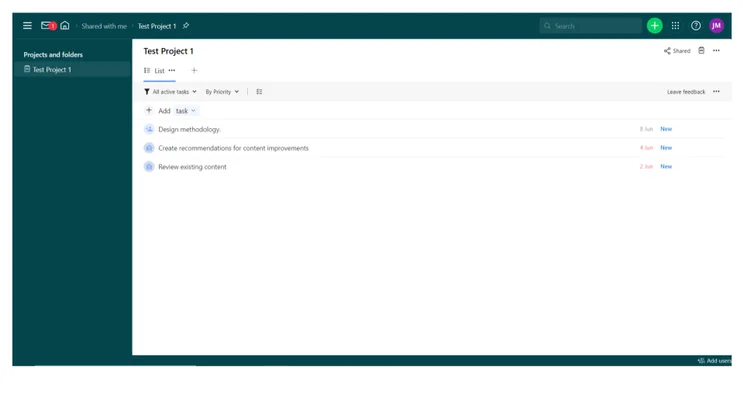
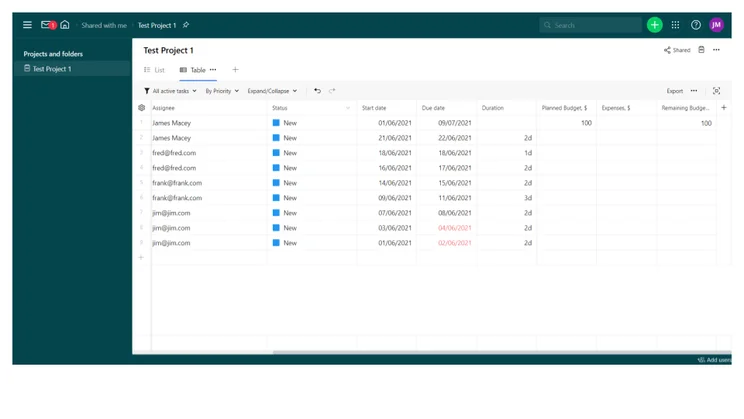
As its name suggests, Wrike Free has no cost for unlimited users. This is an ideal tier for teams that are still finding their feet. Wrike Free is a basic service that features a board view, a chart view, and simple task management.
You also get custom work views, including Kanban boards, email integration, and 2GB of storage space.
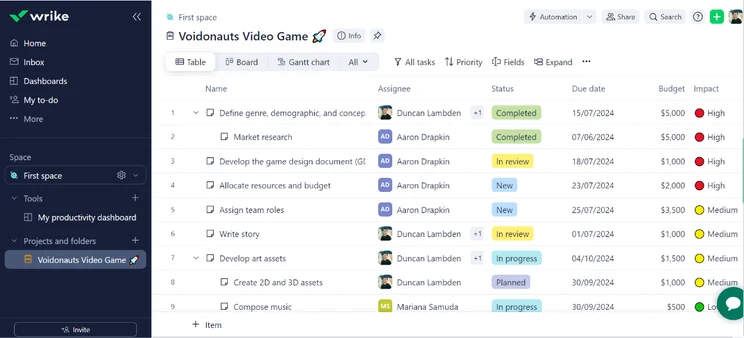
Table view in Wrike. Image: Tech.co’s testing process
Wrike Team plan
Team is priced at $10 per user, per month (billed annually). With a maximum user limit of 15, it’s ideal for growing teams that are expecting new starters.
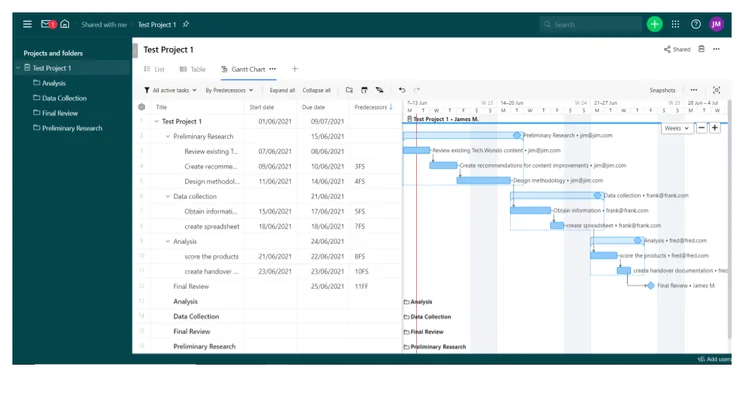
Team offers unlimited projects, subtasks, custom fields, and request forms. There are Gantt charts at this level for those who want to use this method to manage their projects and scheduling.
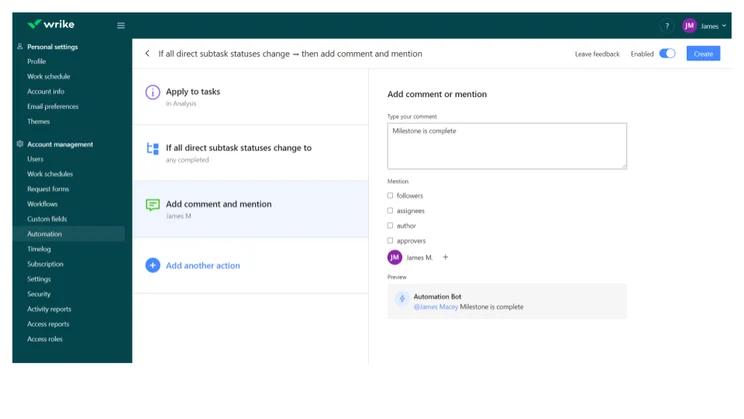
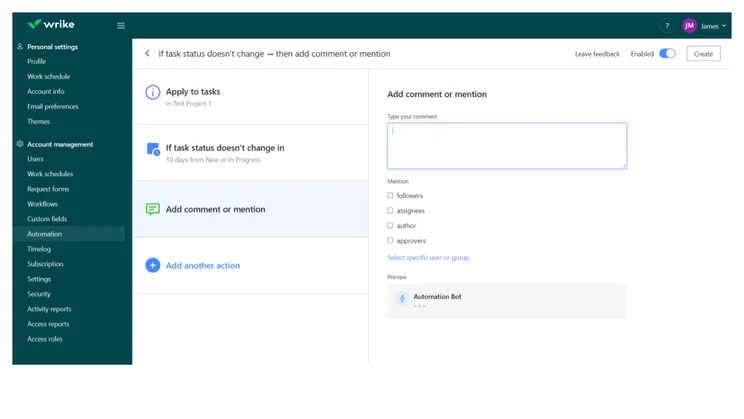
Wrike also adds shareable dashboards, more integrations (including MS Project and Excel), and 2GB of storage per user. This is the first Wrike pricing plan with automations, and each user in your team will be able to create 50 per month.
The plan supports 20 free collaborators, meaning you can invite non-team members such as contractors, clients, or colleagues from other company departments. Team is also a great plan for integrations and will connect seamlessly with DropBox, OneDrive, Google Drive, and Slack.
Wrike Business plan
Wrike Business is great for mid-sized teams or several smaller teams collaborating across a business. Business starts at $25 per user, per month (billed annually), and has a user limit of 200, as well as a storage limit of 5GB per user.
The Business plan adds project portfolio management, time tracking, shared real-time reports, report templates, analytics graphs, calendars, and project folders. You can also create request forms. The Business tier is also where Wrike adds task and project approval.
Administration becomes important at this level, with the ability to create user groups and assign permissions. Salesforce integration is also included with Wrike Business if your team is using the popular customer relationship management platform.
Business and the higher tiers also support a wide range of Wrike’s specialized add-ons, which offer key features for an extra cost. There’s Wrike Integrate, for creating custom integrations with more than 400 cloud-based and on-premises apps; and Wrike Sync, for setting up two-way syncs between your Wrike account and 22 different integrated systems, including Jira and GitHub.
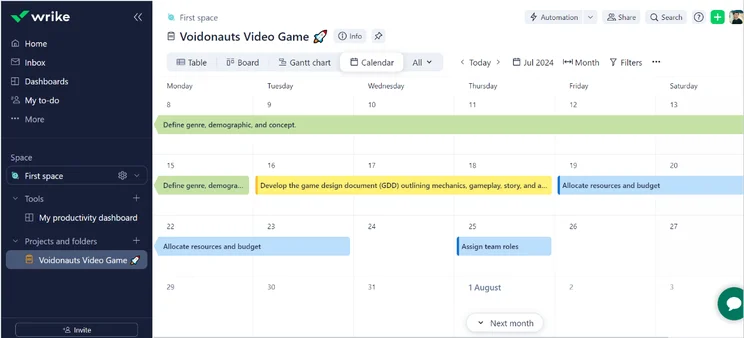
Calendar view in Wrike. Image: Tech.co’s testing process

Wrike Pinnacle costs
Pinnacle has no public pricing, so you’ll need a custom quote from a sales rep (there’s also a 14-day free trial). This tier adds SAML 2.0 single sign-on support, user audit reports, admin permissions, and two-factor authentication.
IT departments can enforce password policies, and the plan supports 10GB of storage space per user.
Wrike Apex plan
The Apex plan is specifically geared toward large teams with complex needs.
As well as everything on the Pinnacle plan, Apex users get advanced analytics and data visualizations, the ability to assign job roles, dedicated budgeting tools and billable hours, 1,500 automations per user, per month, and 15GB of storage per user, which is 5GB more than the Enterprise plan.
What Is Wrike Good at, and Who Is it Best For?
On our last round of testing, Wrike excelled when it came to complex task management. This makes Wrike a good choice for teams that have complex, multi-faceted tasks to complete.
Wrike scores of 4.7/5 for task management and 3.6/5 for project and workflow creation, making it a good project management program for gaining visibility and clarity over what needs doing and what’s already done.
Pros
- Plenty of data visualization tools for displaying project data
- Multiple ways to view tasks, including a spreadsheet view with formulas
- A dedicated resource management feature and a workaround budget management feature
- Integration with Salesforce, Microsoft Teams, and Slack
Cons
- Lacks onboarding assistance, phone, live chat, or 24/7 support
- Many of Wrike’s best features are gated behind expensive plans
- ClickUp has a superior free plan
- monday AI Work Platform offers more integrations
Wrike Alternatives
Alternatives to Wrike include monday AI Work Platform and ClickUp.
monday AI Work Platform
monday AI Wowkr Platform combines a generous feature catalog with an intuitive, easy-to-use interface and powerful AI tools.
With lots of automation built in and a fundamentally customizable platform, monday is superior to Wrike when it comes to project and workflow creation features.
It’s also easier to use than Wrike, with a better range of collaboration features than Wrike, plus 24/7 support on all of its plans.
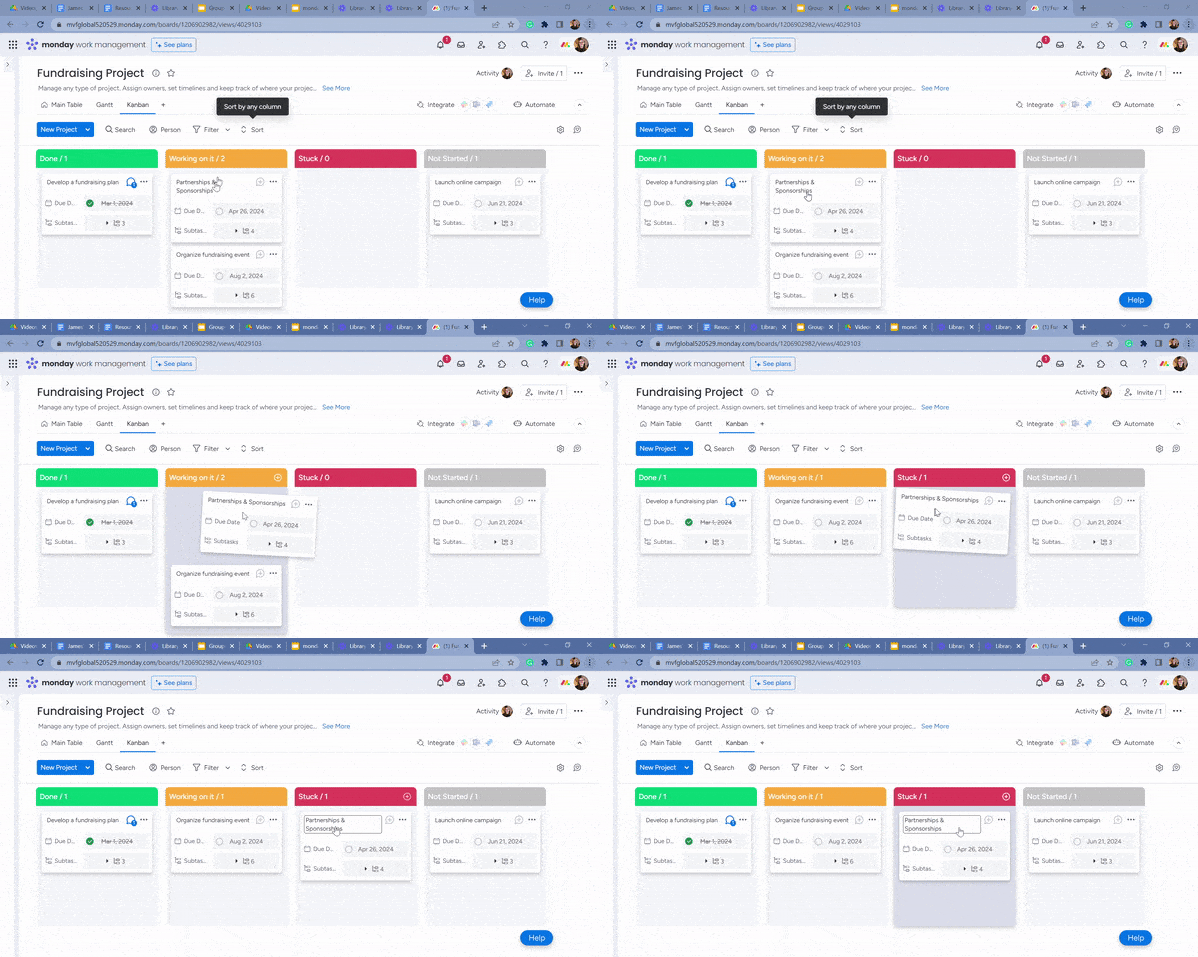
monday work management’s Kanban board. Source: Tech.co’s testing process
ClickUp
Affordability and functionality are priorities for ClickUp, which is the second-best project management tool we’ve tested.
While it is less easy to use than Wrike, ClickUp has a better range of task management options and superior customer support, including 24/7 live support.
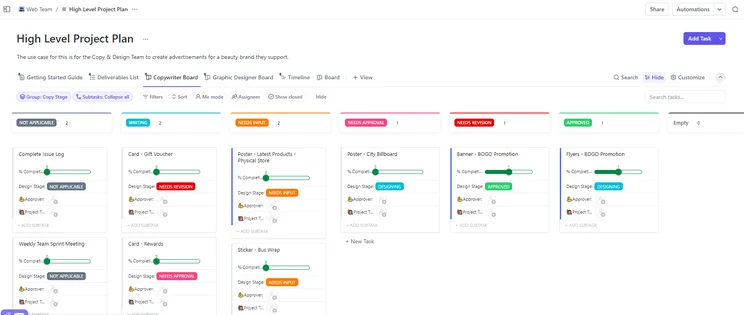
ClickUp high-level task management. Source: Tech.co’s testing process
|
Price from
All prices listed as per user, per month (billed annually)
|
Free plan
|
Verdict
|
|||||||
|---|---|---|---|---|---|---|---|---|---|
|
Best Overall
 |
Best for Building Automations
 |
Best for Task Management and Collaboration
 |
FEATURED: Best for Spreadsheet Fans
 |
 |
|
 |
 |
 |
 |
|
monday work management |
Teamwork |
ClickUp |
Smartsheet |
Asana |
Wrike |
Trello |
Jira |
Zoho Projects |
Basecamp |
|
$9/user/month |
$9.99/user/month |
$7/user/month |
$9/user/month |
$10.99/user/month |
$10/user/month |
$5/user/month |
$7.91/user/month (300 users) |
$4/user/month |
$25/month |
|
|
|
|
|
|
|
10 users |
|
|
|
|
Incredibly easy to use, great for small businesses, and our top-performing provider on test — and there’s a generous free trial period |
A great user experience all round, with an easy-to-use automation builder and great budget tracking capabilities |
Powerful, feature-rich software suitable for teams of all sizes, with an impressive free tier for individuals and a great value plans for teams |
A great tool for spreadsheet-natives, which can take your Excel-based task planning to the next level |
A simple task-list-based project management platform with an acceptable free tier |
A very capable yet pricey service with a huge number of useful integrations, plus a free tier option to try |
A fairly-priced, stripped-down option, best for small teams who need a central location for basic task management |
A great value piece of software that’s ideal for tech, software development, and engineering teams |
A solid project management solution with an attractive free tier for small teams and a very affordable premium plan |
A very basic, relatively limited software that’s a lot simpler than its competitors |
Wrike has a wide range of features and a number of pricing tiers to suit a variety of teams. It’s a great platform for managing complex tasks, and even though its paid plans start at $10 per user, per month, you’ll definitely get a return on investment in terms of team efficiency and on-time project delivery.
Wrike’s free tier is pretty basic, however, especially when compared to ClickUp’s more fully-featured free plan. But if you need advanced, enterprise-grade features or have a large team working on a multi-faceted project, Wrike is one of the best options out there.
Wrike Pricing FAQs
While Wrike is a solid option for project management, our research found that Jira and monday work management were the best options available. Jira offers an unmatched feature catalog that allows for unparalleled customization, while monday work management boasts an incredibly easy-to-use platform that is intuitive and modern-looking.
Wrike is project management software designed to track progress, provide analytics, and organize your workflow throughout the business.
Wrike offers a free forever plan that allows unlimited users and 2 GB of storage. However, the project management software also provides a 2-week free trial of its other plans, so you can see what you might get if you opt for a paid plan.
If you click on, sign up to a service through, or make a purchase through the links on our site, or use our quotes tool to receive custom pricing for your business needs, we may earn a referral fee from the supplier(s) of the technology you’re interested in. This helps Tech.co to provide free information and reviews, and carries no additional cost to you. Most importantly, it doesn’t affect our editorial impartiality. Ratings and rankings on Tech.co cannot be bought. Our reviews are based on objective research analysis. Rare exceptions to this will be marked clearly as a ‘sponsored’ table column, or explained by a full advertising disclosure on the page, in place of this one. Click to return to top of page


