

We may receive a commission from our partners if you click on a link to review or purchase a product or service. Click to Learn More
Project management automation uses software and AI to eliminate manual tasks, intelligent-route workflows, and flag project blockers automatically.
Top time-saving project management automations include task status changes, task reminders, and calendar integrations.
When properly deployed, your AI project management software and other automation tools will tackle simple but time-consuming tasks without getting in the way of the complex and frequently shifting priorities that require a human touch.
7 Key Project Management Automations to Streamline Workflows
- New project status
- Task reminders
- Task status changes
- Out-of-house work management
- Calendar integrations
- Reoccurring administrative work
- No-code custom workflows
I’ll use monday’s AI Work Platform as an example throughout this section.
- Project management automation saves time and reduces manual effort, but its real value comes from AI handling intelligent execution.
- AI-powered automations learn from how your team works, delivering smarter reminders, better scheduling, and faster routing than fixed logic alone.
- Start with high-impact, low-effort automations like status changes and task reminders, then build toward more complex workflows using a platform like monday.com’s AI Work Platform.
- Recurring administrative work, contractor task management, and calendar integrations are among the areas where automation delivers the most immediate and measurable results.
- When templates fall short, no-code app builders like monday vibe let any team member build custom, AI-powered workflows tailored to how their business actually operates, without writing a single line of code.
1. New project status
New project status automation automatically updates a parent project’s status to “Done” once all underlying sub-tasks are marked complete.
Increasingly, AI can help flag when subtasks are falling behind to prevent bottlenecks.
How to set up a new project status automation
- Visit monday’s automation center by clicking the “automations” button near the upper right-hand area of the interface.
- Search and find an automation template called “When all subitems of an item have the status of something, change the item’s status to something.”
- Edit the “something” fields to match your desired status, i.e. “Done.”
- Publish and use.
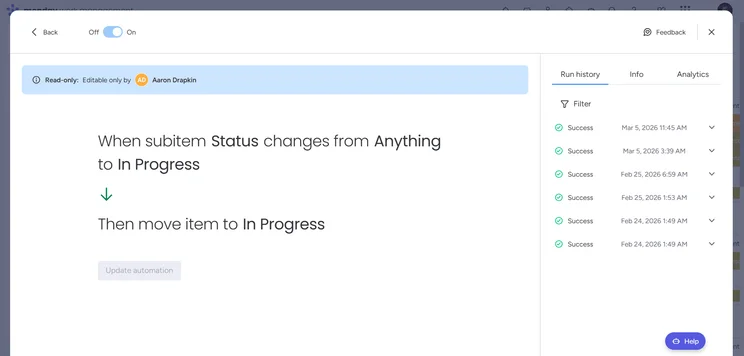
Automations can be edited from within monday.com’s AI Work Platform by choosing options from a dropdown menu for each field. Source: Tech.co testing
- Triggers: The automation process begins when a trigger is activated, such as clicking a task status or reaching a deadline.
- Actions: The action is the product of the automation, from moving a task to auto-generating a report.
- Conditions: This is any additional logic your automation incorporates, like only activating when a specific employee has been assigned to the relevant task.
2. Task reminders
Automated send notifications at specific intervals to ensure critical deadlines aren’t missed. AI learns your team’s working patterns to send smarter nudges at the right time, rather than on a fixed schedule.
How to set up a task reminder automation
- Find the “When date arrives, notify someone” template within monday’s automation center.
- Customize the four fields to reflect your date and required action.
- Publish and use.
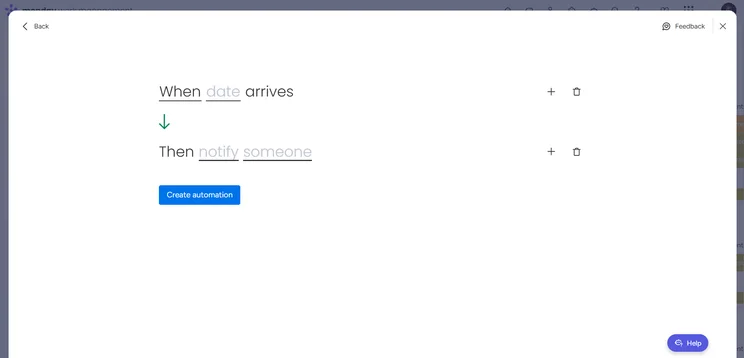
monday.com’s AI Work Platform offers an automation template that sends a reminder on a set date. Source: Tech.co testing
3. Task status changes
Automated status changes keep pipelines moving by instantly shifting tasks between stages based on user actions.
Task status automations trigger item movements across workspace boards whenever a status state changes.
How to set up a task status change automation
- Find the “When status changes to something, move item to Group” template.
- Modify the “something” field to refer to the status that you’d like to connect with your group.
- Publish and use.
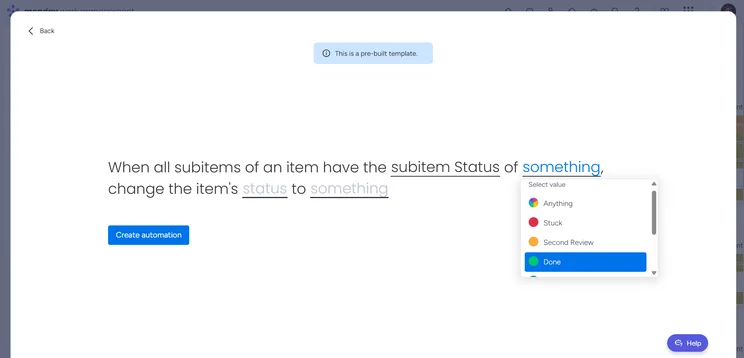
Users can build an automation that sends an item to a specific group as soon as its status has been marked “Done.” Source: Tech.co testing
4. Out-of-house work management
Out-of-house work management automations route, categorize, and flag contractor deliverables as soon as files or statuses are uploaded.
You can craft an automation that applies only to out-of-house contractors, ensuring that when they upload a project, it’s automatically moved to a board for review and follow-up.
How to set up an out-of-house automation
- Create a group for out-of-house items titled something like “Ready for In-House Review.”
- Create a status for out-of-house items titled something like “Uploaded.”
- Create a new automation that follows this format: “When Status changes to Uploaded, move item to Ready for In-House Review.”
- Publish.
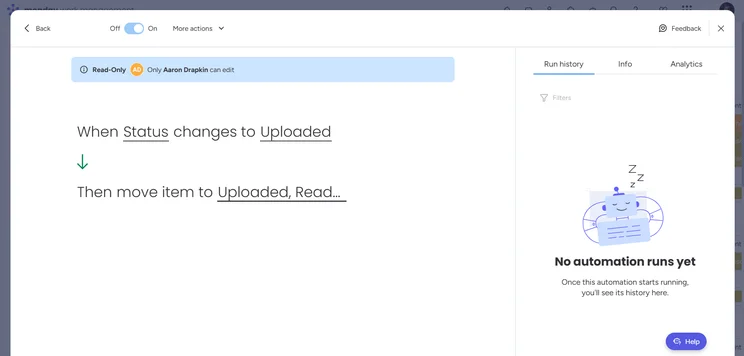
Tech.co uses a custom automation within monday.com’s AI Work Platform to move an out-of-house item to the correct group. Source: Tech.co testing
- Don’t connect multiple automations to the same trigger: Trigger overlap can confuse automations. Instead, maintain a priority of order. A should lead to B, which leads to C, rather than A leading to both B and C.
- Don’t forget oversight: Automations can make mistakes, particularly complex AI tools, so check their work.
5. Calendar integrations
Automations connect your project management software with other business software, with common examples including calendar application like Google Calendar or Outlook.
Automations can create a calendar meeting or block out a chunk of time in which to complete a specific task. AI analyzes workloads and deadlines to suggest optimal meeting times and protect deep work blocks across your team.
How to set up a calendar integration automation
- Find the “Integrations” page in monday’s automation center.
- Search for “Google Calendar” or “Outlook Calendar.”
- Select the automation that best fits your needs.
- To create meetings automatically, set the action of the automation to “create an event in Google Calendar” or something similar.
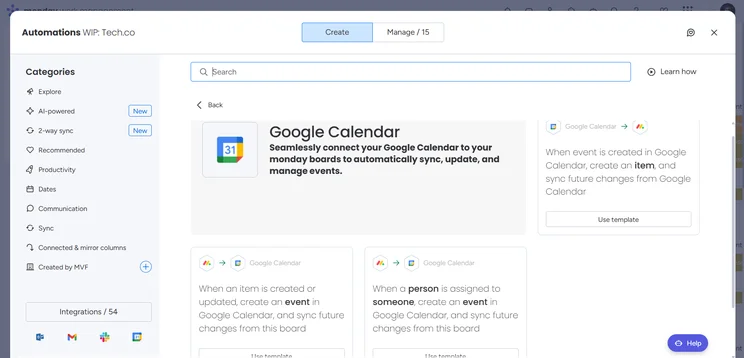
monday.com’s AI Work Platform has a selection of automations for Google Calendar. Source: Tech.co testing
6. Recurring administrative work reminders
AI-powered automations learn which reminders drive action and which get ignored, so your workflows get smarter over time.
Anyone involved in HR processes will benefit from automations that trigger team-wide reminders to prepare for annual compliance audits or performance reviews, for example.
How to set up a reoccurring admin reminder automation
- The exact instructions will vary, depending on the action you need to automate. Try searching the “Communication” section of the automation center.
- Consider templates such as “When status changes to something, notify someone,” “When date arrives, notify someone,” or ”Every time period, if status is something, notify in channel.”
- Modify and use.
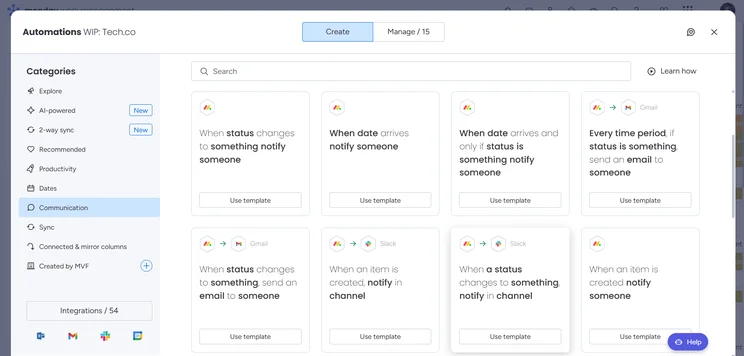
monday.com’s AI Work Platform includes a communication section with a range of administrative apps. Source: Tech.co testing
7. No-code custom workflows
Consider crafting custom-made no-code workflow automations unique to your business, such as a custom approval process or a specialized data report generator.
The monday vibe no-code builder allows users to build their own apps, boards, and tools. Examples include an automation for handling a checklist of mandatory onboarding tasks.
According to monday.com’s earnings report, monday vibe became the fastest product in the company’s history to reach $1 million in annual recurring revenue (ARR).
How to use vibe
- Find vibe in the top menu bar of your interface, on the right next to your profile.
- Enter your own prompt or choose a preset prompt template.
- Click the “+ Connect your data” button if you’d like to pick which board to build your app onto.
- For more app template options, visit the template center and click the “vibe” section.
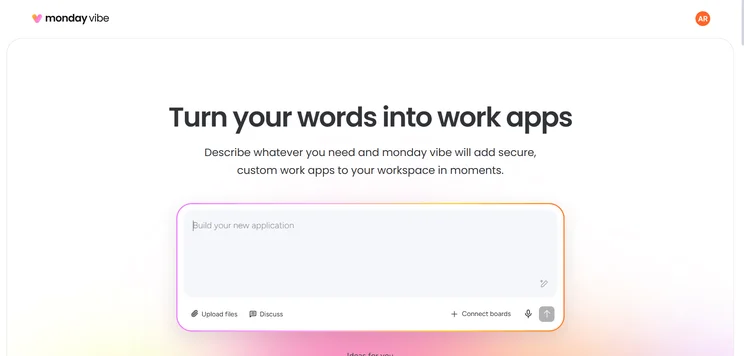
The vibe app interface should be easy to use for anyone familiar with generative AI tools like ChatGPT. Source: Tech.co testing
What Are the Benefits of Effective Project Management Automation?
- Less manual effort: Automating routine project updates reduces manual data entry and minimizes administrative overhead across teams.
- More workload visibility: AI-powered reminders and status tracking can catch next-step actions that might otherwise be forgotten.
- Stronger collaboration: Entire teams can be automatically informed of project updates, so everyone stays in the loop.
- More consistency: Automations run on “if this, then that” logic to ensure repeatable, dependable work that AI can refine over time based on how your team operates.
- Higher employee satisfaction: Workers hate busy work, so any tools that seamlessly avoid drudgery will be appreciated.
- Increased velocity: Automated tasks can move from one stage to the next instantly, speeding up workspace rhythms.
How Much Do AI Work Management Platforms Cost?
monday AI Work Management has five available pricing plans:
- Free — Free
- Basic — $9 per seat, per month
- Standard — $12 per seat, per month
- Pro — $19 per seat, per month
- Enterprise — Custom pricing
For more information, read our monday AI Work Management pricing guide.
Process automation in project management can streamline your team’s workflow, and with AI now embedded across the best platforms, the impact goes far beyond simple reminders and status changes.
We recommend starting with the automations that will give you the biggest wins for the least effort, like using item status changes to move tasks through each stage faster.
From there, monday.com’s AI Work Platform gives teams a powerful starting point with AI-powered automations built in that can meaningfully transform how project management gets done.
FAQs
Yes, and this is where monday.com’s AI Work Platform becomes especially powerful. By connecting with monday service, teams can bridge the gap between support ticketing and project execution. When a ticket is logged on the service side, an automation can instantly create a corresponding task on the project management side, assigning it to the right team and slotting it into the relevant workflow. This means IT, support, and project teams are working from the same source of truth, with no manual handoff required and no request falling through the cracks.
monday agents work alongside your existing automations, handling execution tasks that would otherwise require manual input. Where traditional automations follow fixed rules, agents apply judgment, making them well-suited to dynamic workflows where conditions shift frequently.
You’ll have to check the exact field that you fill out when building an automation in monday. You’ll see either “subitem status” or “item status” as an option. As long as you pick the relevant one, your final automation should have the right logic.
Avoid applying two or more automations to the exact same trigger. Instead, you’ll want to stack automations so that the priority of order is clear. This is called a triage workflow.


