IBM: Coders Are Safe From AI Takeover, But HR Roles Are Not

IBM is using AI to hire more jobs than it replaces, but continues phasing out "repetitive, white-collar" roles.

IBM is appearing to buck the AI takeover trend by using the technology to hire more roles than it replaces – with specialized roles like programmers receiving the biggest boost.

This goes directly against a previous announcement from the tech powerhouse that it was planning to replace 8,000 jobs that could be performed by artificial intelligence.

But this doesn’t mean that all jobs are safe. While IBM is committed to expanding its team as a whole, company CEO Arvind Krishna announced that it will continue to phase out “repetitive white-collar” jobs like back-office HR roles.

IBM is Using AI to Expand its Overall Hiring Efforts

Despite previously announcing that it would use AI to replace around 30% of roles in May, global technology company IBM has revealed it will actually use the smart technology to recruit more jobs than it replaces.

The news was announced at Fortune’s CEO Initiative conference, where IBM CEO Arvind Krishna claimed he would be making a distinct effort to hire more programmers while harnessing AI to boost their productivity by 30%.

But while software engineering and sales roles are safe for now – with Krishna claiming that he won’t get rid of a single programmer – IBM continues to wind down jobs that that are able to easily replaced by AI.

“The first thing you can automate is a repetitive, white-collar job.” – IBM CEO Arvind Krishna

Krishna admitted the company has been phasing out several hundred roles that could be replaced by AI throughout the last three to four years. These largely include repetitive white-collar jobs like back-office HR positions, according to the Chief Executive.

No jobs have been explicitly lost due to AI yet, though, as the company chose to leave these positions unfilled when vacancies arose. Jobs that are partially able to be replaced by AI automation also remain safe for now, as Krishna claims the technology is only able to handle 10% to 20% of “lower level tasks” involved with these roles.

IBM Contradicts Itself Over Hiring Plans

IBM’s pledge to retain talent should help to quell AI anxiety among workers. However, using the technology to benefit personnel hasn’t always been part of its party line.

In May, IBM announced it would be implementing a hiring pause across the company and replacing up to 8,000 jobs with artificial intelligence. This included plans to supersede 30% of non-consumer-facing roles within the next five years, including roles in finance, accounting, and HR.


About Tech.co Video Thumbnail Showing Lead Writer Conor Cawley Smiling Next to Tech.co LogoThis just in! View
the top business tech deals for 2026 👨‍💻
See the list button

While these repetitive white-collar roles are still vulnerable to being phased out, IBM’s latest announcements represent a new direction the company is taking in using AI to augment people’s jobs instead of replacing them entirely.

IBM is no stranger to layoffs though, with the Armonk based company making headlines in January for cutting 3,900 jobs across its global offices after missing its annual cash targets.

AI: Workplace Companion or Competitor?

IBM’s decision to enhance current roles  with AI chimes with wider research about rapidly advancing technology reshaping far more jobs than it ousts.

A new study by Forrester predicted that AI is 4.5 more likely to augment a job rather than stamping it out altogether, by unlocking valuable opportunities to reskill and retrain in relevant or different fields.

Jobs that require human intelligence and creative thought like writers, editors, and coders are likely to benefit from the most from AI tools, as their unique set of skills are harder to replicate.

However, just like the HR staffers gradually being phased out of IBM’s offices, Forrester’s research found that white-collar workers in legal, science, and administrative positions are the most likely to suffer from future job insecurity.

The study also revealed that 2.4 million US jobs are suspected to be replaced by AI completely by 2030. If you fear you may become a statistic, we’d recommend expanding your skillset and upskilling in AI. You can read our guide to the best free AI training courses here.

Written by:
Isobel O'Sullivan (BSc) is a senior writer at Tech.co with over four years of experience covering business and technology news. Since studying Digital Anthropology at University College London (UCL), she’s been a regular contributor to Market Finance’s blog and has also worked as a freelance tech researcher. Isobel’s always up to date with the topics in employment and data security and has a specialist focus on POS and VoIP systems.

13 Remote Jobs You Can Do That Don’t Need Any Qualifications

We tell you what skills you need, and the salaries you can expect, from these entry-level jobs that let you work from home.

In 2024, many companies have been calling their workers back to the office, making remote work seem less achievable for many of us.

However, there are still plenty of companies which do offer WFH jobs, and rest assured that remote work is far from dead.

Better still, there are many excellent remote jobs that don’t require any qualifications. We explain what they are, the skills you’ll need, and the salaries you can expect.

1. Data Entry

Data entry jobs are fairly common, and usually don’t rely on the employee being in the physical office location.

As the name suggests, the role consists of inputting data into a database from another source. Typically, it’s from one electronic source to another, although some roles may send employees paper documents to take information from.


About Tech.co Video Thumbnail Showing Lead Writer Conor Cawley Smiling Next to Tech.co LogoThis just in! View
the top business tech deals for 2026 👨‍💻
See the list button

Ideal skills: You’ll need to be computer literate, and ideally have a good eye for detail. The job can also be very monotonous, so you’ll need to be able to deal with repetitive tasks without issue.

Salary: $32k – $42k (Glassdoor)

2. Language Tutor

When you woke up this morning, a job in teaching may not have been on your mind, but there are some teaching roles that don’t require any experience. Don’t expect to walk into a school and start teaching a class without a dedicated qualification, but there are plenty of online teaching jobs available.

One of the most common entry level roles in teaching is teaching languages. Typically these will be one on one, and the students can be children or adults. Some online platforms require a bachelor’s degree, but not all.

Ideal skills: You’ll need to have a perfect grasp of the language you’re teaching, and be a good communicator too. You’ll also need to keep in mind timezone differences, as your students are likely to be outside the US.

Salary: $37k – $58k (Glassdoor)

3. Customer Service Representative

There are plenty of remote jobs in customer service – any company that offers a product or service will need customer service representatives to respond to questions, take orders, arrange bookings, deal with complaints, and more.

This could be via phone, email, or online chat, but all of this can be done from your home.

Ideal skills: You’ll need good communication skills, and ideally be a fast typer if you’re dealing with online messages. If you’re fielding calls over the phone, make sure you have a quiet work environment in your home.

Salary: $37k – $58k (Glassdoor)

4. Virtual Assistant

As the name suggests, a virtual assistant is an office assistant who works outside of the office. This can be a permanent role, but can also be a done in a freelance position, as well as working for multiple clients at once.

Virtual assistants will typically help out with day to day tasks, such as calendar scheduling, managing emails, booking travel appointments, and so on, but it can be a very varied role, depending on the industry.

Ideal skills: Good communication, time management and the ability to problem solve and juggle multiple tasks are all beneficial to being a virtual assistant.

Salary: $36k – $55k (Glassdoor)

Read our guide to avoiding remote job scams

5. Community Manager

A community manager is responsible for being the face of an organization – usually over social media, or online forums. They are expected to liaise with customers and the community on a daily basis, and answer questions, create content and, in some cases moderate content too.

The actual specifics of the role depend on the company you work for, and you’ll find that most community managers come from the community themselves, and therefore have a genuine passion for what they’re talking about. It goes a long way if you are truly interested in the topic.

Ideal skills: For this role you’ll need excellent communication skills, as well as the ability to find answers quickly to questions that are asked.

Salary: $53k – $89k (Glassdoor)

For many remote jobs, a video meeting tool like Zoom or Microsoft Teams will be massively beneficial. 

6. Sales Representative

Sales can be a good remote job to get into if you want your work to be recognised and rewarded financially. Bonuses are commonplace for sales reps who perform well, and can significantly complement the base salary.

Sales roles are likely to be phone based, and usually involve tight targets with high expectations. If you can thrive in a pressured environment, and can handle rejection from potential customers, a remote sales job may suit you.

Ideal skills: You’ll need to have excellent people skills, the ability to talk positively about the product or service you’re selling, and be target oriented.

Salary: $70k – $127k (Glassdoor)

7. Translator

If you know two or more languages, then a job in translation could be an ideal fit. There are many remote translation roles available, and they cover a huge spectrum of industries, including anything from translating medical information, to checking advert copy for foreign markets.

Some translation roles may also entail other skills – for example, if a company is looking for bilingual support for its customer service department, you’ll need to be a good communicator, too.

Ideal skills: It goes without saying that you’ll need to be fluent in at least two languages. It may also help to be aware of cultural nuances, and if you’re translating documents, fast typing skills are a must.

Salary: $44k – $73k (Glassdoor)

8. Content Writer

If you’ve got a knack for writing compelling copy, then a remote content writer role could be your next job. Roles can be either freelance or permanent, and the sky’s the limit as to what you could find yourself writing about, whether it’s recipes or online guides.

Applicants with actual experience in this field tend to be more desirable, but if you haven’t got any, pick some topics that interest you personally, write about them, and put them on a personal blog, to show you can write well.

Ideal skills: Excellent writing skills of course, as well as the ability to write at speed. Many writing roles pay by the piece, so the more you can produce, the more you’ll get paid.

Salary: $41k – $72k (Glassdoor)

9. Proofreader

Proofreaders are often responsible for the final stage of a written work before it gets published, making it a vital role for many publishers.

A proofreader will read a text, noting typing errors and grammatical errors, and because the job is mainly reading, it’s an ideal role for those looking to work remotely.

Ideal skills: You’ll need to have a keen eye for detail, be proficient in the language of the copy, and know your colons from your commas.

Salary: $40k – $65k (Glassdoor)

We found eight companies that are currently advertising hundreds of remote work roles.

10. Transcriptionist

While it’s true that some companies have turned to software to transcribe audio these days, there is still a need for transcriptionists out there.

In the role you may be tasked with transcribing TV shows, films, podcasts, and more. The role tends to be freelance, giving you the chance to work for several companies at the same time.

Ideal skills: Fast typing, good attention to detail, ability to focus for long periods.

Salary: $42k – $66k (Glassdoor)

11. Fitness Instructor

The pandemic upended a lot of roles, but no more so than those that had traditionally been done in-person. Many fitness instructors were forced to move online and do their job over Zoom, but rather than proving an issue, it actually meant they were able to vastly expand their customer base, globally.

Now, fitness classes online are nothing new, and there’s a whole industry built around it (Peloton’s business model relies on it). It can be a good remote job if you take your own fitness seriously and want to see others succeed.

While accredited fitness instructors are sure to gain a higher salary and more clients, you could work towards these qualifications as you go.

Ideal skills: Ability to teach others at different levels of skill, understanding of biology and the human body, experience of training and keeping fit.

Salary: $43k – $74k (Glassdoor)

12. Tech Support Specialist

No matter how tech savvy we may think we are, there’s always a point in time when we need help, and thankfully, there are plenty of tech support experts out there to offer guidance.

It’s a job that can easily be done from home, and tech support staff can either work for one organization, or represent several at once, fielding calls on numerous matters as they come in. The roles tend to involve helping customers resolve their IT issues, usually with the aid of scripts or detailed documents.

Not all roles are phone-based either. Text-based chat platforms mean that some tech support roles don’t actually involve speaking to people at all, if you’d rather type than talk.

Ideal skills: Patience, good phone manner, computer literate.

Salary: $42k – $66k (Glassdoor)

13. AI Prompt Engineer

Of all the jobs on this list, this one is the new hotness. A prompt engineer essentially gives instructions to an AI platform, such as ChatGPT, to get it to produce anything from copy, to program code, to images.

As the field is still relatively new, it’s a great time to get in, and, providing you’re comfortable with AI and know how to create killer prompts, it can be quite lucrative.

If you’re new to AI, you can always take advantage of free online courses to brush up your skills.

Ideal skills: Good understanding of AI platforms, computer literate.

Salary:  As this is a relatively new role, an accurate range is hard to calculate, but some roles in this field advertise salaries up to $300k.

Written by:
Isobel O'Sullivan (BSc) is a senior writer at Tech.co with over four years of experience covering business and technology news. Since studying Digital Anthropology at University College London (UCL), she’s been a regular contributor to Market Finance’s blog and has also worked as a freelance tech researcher. Isobel’s always up to date with the topics in employment and data security and has a specialist focus on POS and VoIP systems.

What To Expect From the National Emergency Phone Test (and How To Block It)

If your phone alarms later today, here's why it's happening - and how to stop it.

Electronic devices across the US, including most cell phones, are set to alarm today as part of a nationwide test of the government’s Emergency Alert System (EAS) and Wireless Emergency Alerts (WEA) capabilities. Here’s what you really need to know about the tests, including what time to expect them.

The EAS and WEA are federal alert protocols designed to be able to quickly send out information to the public in the event of a national emergency. Today’s tests are being carried out by FEMA, the Federal Emergency Management Agency, in conjunction with the FCC with a scheduled start time of 2.20pm ET.

Both sets of alerts will be sent out at the same time. The EAS portion will send out emergency messaging to TVs and radio stations, while the WEA will be responsible for the cell phone test side of things. Now, let’s take a look at when you can expect to see the emergency alerts broadcast across the country.

What Time is Today’s Emergency Cell Phone Test?

Later today, the government is testing its federal emergency alert systems and sending out notifications to TVs, radio stations, and cell phones. The start time is being synchronized to 2.20pm ET, which means you can expect to see the alerts at the following times around the country:

  • 2:20pm Eastern Time / Atlantic Standard Time (Puerto Pico)
  • 1:20pm Central Time
  • 12:20pm Mountain Time
  • 11:20am Pacific Time
  • 10:20am Alaska Time (covering most of Alaska)
  • 8:20am Hawaiian Time

In a press release announcing the tests, FEMA noted that today’s alerts will mark the seventh round of testing of the Emergency Alert Systems (TVs and radios) and the third nationwide test of Wireless Emergency Alerts — although only the second intended to go out to all cell phones across the country.


About Tech.co Video Thumbnail Showing Lead Writer Conor Cawley Smiling Next to Tech.co LogoThis just in! View
the top business tech deals for 2026 👨‍💻
See the list button

What To Expect in Today’s Cell Phone Test

According to the FEMA press release, today’s cell phone tests will see devices receive a “unique code and vibration” at the designated time, along with a message that automatically displays in either English or Spanish, depending on your handset’s language settings.

The alert message will read: “THIS IS A TEST of the National Wireless Emergency Alert System. No action is needed.”

The cell phone test window is approximately 30 minutes from the synchronized start time of 2:20pm ET, so all messages should have been sent out by 2:50pm ET. For TVs and radios, a similar message will be broadcast for one minute

How To Block the October 4th Cell Phone Test

There are plenty of reasons why you might not want to get an emergency alert on your phone today. Fortunately, it couldn’t be easier to block.

The method is simple: just turn off your phone or put it on airplane for 30 minutes around the test time. This is the only way you can block the emergency alert , as the WEA system overrides any individual “emergency notification” settings you might be able to turn off on your device.

FEMA confirms: “If a phone is off before the test alert is sent and not turned back on until after the WEA Test expires (approximately 30 minutes), the phone should not get the test message.”

One group being specifically urged to turn off their phones today is domestic abuse victims. The National Network to End Domestic Violence is advising that anyone who has a hidden phone in such circumstances turn off their device for the day, as the national alerts could alert the abuser of the phone’s existence.

Written by:
Isobel O'Sullivan (BSc) is a senior writer at Tech.co with over four years of experience covering business and technology news. Since studying Digital Anthropology at University College London (UCL), she’s been a regular contributor to Market Finance’s blog and has also worked as a freelance tech researcher. Isobel’s always up to date with the topics in employment and data security and has a specialist focus on POS and VoIP systems.

4 Essential ChatGPT Skills You Can Learn in Just 5 Minutes

Get started with some useful ChatGPT skills in the time it takes to make a cup of coffee, from coding to prompts.

2023 has undoubtedly been the year of ChatGPT, and it is already transforming our work and personal lives. However, its rise has been so meteoric, its easy to feel left behind.

There’s so much that ChatGPT can do, knowing where to start can be daunting. We’ve rounded up four quick and easy skills that will take just minutes to learn, and start you on your path to ChatGPT mastery today.

All you need is five minutes time, and you’ll soon be creating prompts, coding, and even perfecting your resume.

Installing and Using Plugins

Plugins are extensions are a great way to add extra functionality to ChatGPT, essentially giving the tool access to your favorite programs and apps. There are a huge array of plugins available already, and they’re growing daily.

Before we start, there’s some good news and bad news about plugins. First the good news – they’re mostly free! Now the bad news – you need the premium version of ChatGPT, ChatGPT Plus, to run them. This will set you back $20 a month, but the functionality that plugins adds could well make this worthwhile.


About Tech.co Video Thumbnail Showing Lead Writer Conor Cawley Smiling Next to Tech.co LogoThis just in! View
the top business tech deals for 2026 👨‍💻
See the list button

Installing a ChatGPT plugin couldn’t be easier:

  • Open ChatGPT in your browser, and log in
  • Navigate to the Plugin section by hovering over the GPT-4 icon and clicking ‘plugins’
  • Click the arrow next to the GPT-4 button, then go to the Plugin Store
  • Search for the app or program you want to add ChatGPT to
  • Click ‘Install’

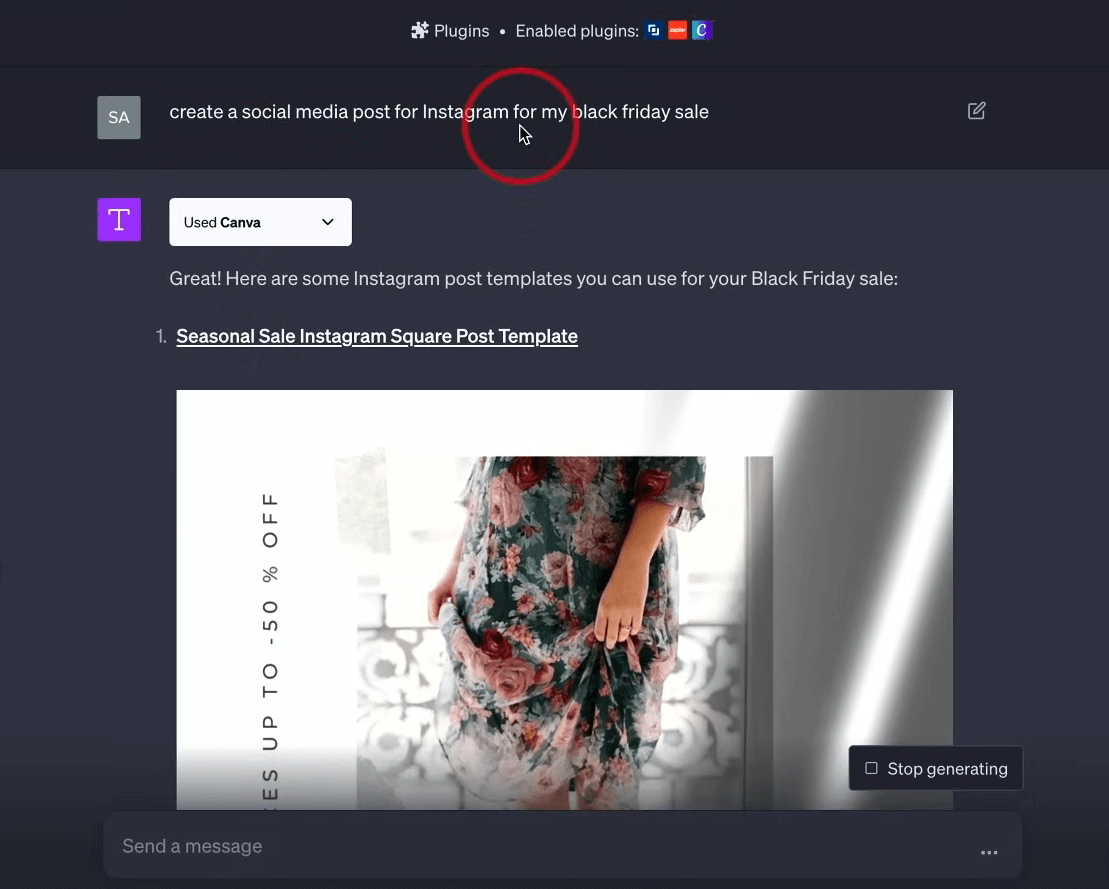
To use the plugin, simply enter your query in ChatGPT as usual, but make sure to use the name of the program you’ve added the plugin for. For example – “Give me a summary of The plot of The Sopranos from Wikipedia”. It can be a bit fiddly with some apps, so you may need to play around to find the right prompt.

As for what ChatGPT plugins to use, that’s up to you, but here are some useful ones, and their functions:

  • SpeechKi – This plugin converts text to audio, and offers a variety of voices.
  • Wikipedia – A handy way to access and summarize Wikipedia’s extensive database.
  • OpenTable – Book tables at restaurants through ChatGPT.
  • Chatwith PDF – A plugin that allows users to interrogate a PDF and ask questions about its contents.

Want to see what other plugins are available? Check out our dedicated ChatGPT plugins guide.

Creating Excellent Prompts That Get Results

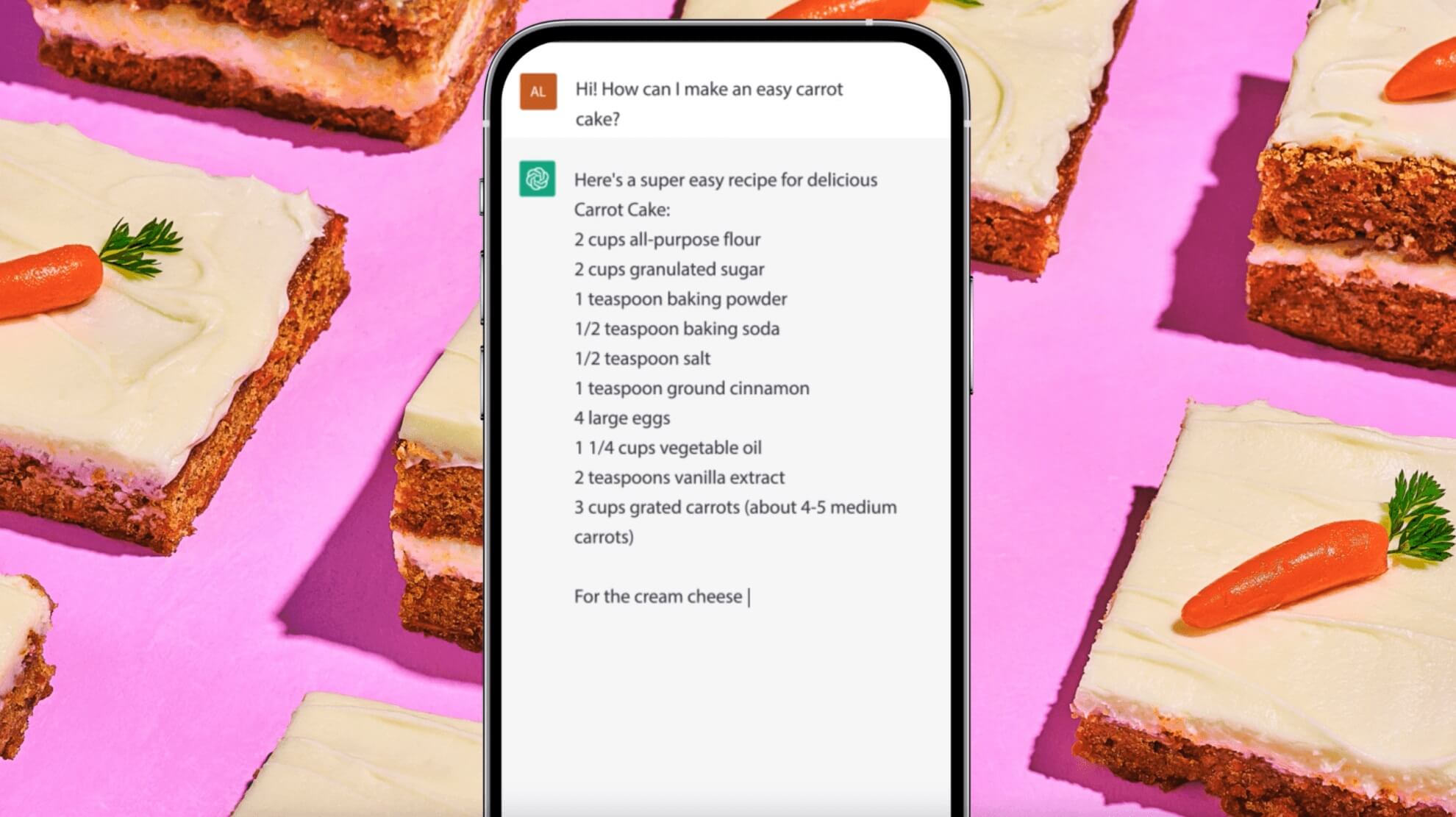
You have likely heard about AI prompts, and might be wondering what they actually are. The answer is that they are, in essence, instructions for the AI. A prompt could be something as simple as ‘Give me a recipe for onion soup’.

Prompts are the crux of ChatGPT queries, and can be the difference between an answer that is total nonsense, and a full, well detailed response. This is part of the reason that ‘Prompt Engineer’ roles are currently commanding high salaries in the workforce.

To get started with creating good prompts, there’s a few pointers that you should follow:

  • Keep your own language objective. Avoid loaded language and influencing the tool too much.
  • Give strict parameters for your query. ChatGPT works best when it’s given clear instructions that aren’t too vague. It’s best to give a word count too, so you don’t end up with answers that are too short or too long.
  • Tell ChatGPT what you DON’T want. It’s a great way to ensure that the tool excludes results that you’re just not interested in.
  • Give ChatGPT examples of what you’re looking for. For example, if you’re creating some text, tell it what style you’d like it in, or if you’d like it to emulate a specific author.
  • Give ChatGPT a role to play. Sometimes you’ll get better results if you ask ChatGPT to give them in the style of a specific person, such as a professor or expert in the field.
  • Be polite. This might sound odd, but there has been evidence to suggest that using kind language, and peppering your requests with ‘please’ and ‘thank you’ yields better results. It has to be worth a shot, right?

Follow these steps and you’ll soon be the master of ChatGPT prompts. If you’re looking for some inspiration, check out our premade prompts to save you time at work.

Coding Without the Need for Technical Skills

Up until recently, coding required a lot of skill and dedication. It still does for more advanced tasks, but almost overnight, basic programming has been made available to the masses thanks to AI. In fact, you can create your own program in less than thirty seconds, with zero programming knowledge, and we’re about to show you how.

Open up ChatGPT, and write ‘Create a basic calculator program in HTML’, and hit enter. What you’ll get is a ream of code that doesn’t mean much to you, but is actually a complete program for a calculator.

Use the handy copy button at the top to copy all the code, and then paste it into Notepad. This is a fairly unsophisticated way of creating a program, but we’re going for speed at the moment – we’ll get to the more advanced stuff in a minute.

Once you’ve pasted your code into Notepad, save it as Calc.html, and make sure that the file type is saved as ‘All Types’. Now that’s done, find the Calc file where it was originally saved. It should look like your browser icon. Open it up, and bam, there’s a full calculator, that you made. Try it – it works!

Image of a basic calculator, created in ChatGPT

Now you know you can do it, it’s time to get a bit more serious. Using HTML is quick and dirty, but a better way is with a dedicated programming application. Python is a good start, and as it’s open source, it’s free to download. With this, you’ll be able to create and execute code like traditional programs. Just make sure to ask ChatGPT to spit out the code in the Python language (so literally you should ask “Create a working calculator in Python code”).

Make sure to copy the code and save it as a .py file, and then you’ll be able to run it from your computer.

A calculator program isn’t going to blow minds, but it’s a great start. Have a play around with your prompts. Maybe ask ChatGPT to design a program that tells a joke whenever you click a button, or create a simple game of Solitaire. The more you play around with it, the more you’ll learn, and remember that if there’s anything you don’t understand, you can simply ask ChatGPT for clarification.

Updating Your Resume

Now you’ve got some AI skills under your belt, maybe it’s time to update your resume? Employers are eager to hire AI-literate people right now, and showing that you know your way around ChatGPT or other AI platforms could be enough to bump you to the top of the pile.

There are two ways to approach polishing your resume with ChatGPT. Now you know how to use plugins, you could use a dedicated tool, such as Resume Copilot, to guide you through the process. Simply follow the steps higher up the page on installing plugins to get started.

If you’d rather have more control, you can just ask ChatGPT to help you without a plugin. A good starting point is to give ChatGPT a broad overview of your skills and achievements. You can even copy and paste these from an older resume if it’s quicker.

Introduce yourself to ChatGPT, with a prompt such as “I want to create a new resume to appeal to employers in the [specific] sector. My job experience is [add experience], and my skills are [add skills]. My hobbies outside of work include [add interests]. Produce this in a traditional resume format.”

This will give you a good starting point, which you can ask ChatGPT to tweak for you. If you are going after a certain job title, you can ask the tool to rewrite the resume to focus more on the skills needed.

An example prompt for this would be “Rewrite the above resume to make it more relevant to a [specific role] role.”

From here it’s all about refinement. Keep playing with your resume and requests until you’re happy with the way it looks. You can also use ChatGPT to generate a cover letter in a similar way.

Paste the job description in ChatGPT, and use a prompt such as ‘Write a cover letter for me for the following job role, that highlights my relevant skills in these areas and makes me more appealing to the employer.’

One bit of advice from us – unless you specifically opt out, your data on ChatGPT shouldn’t be considered private, so don’t add anything you’re not happy to share publicly. Consider leaving off your name and address details, and add them to your resume later.

Expanding Your AI Skills

The skills above are a great entry into the world of ChatGPT, but they only scratch the surface of the sorts of things that the platform, and AI in general, are capable of.

If you think diving into the world of AI learning is an expensive business, then fear not – many institutes and companies are offering free AI training courses, including the likes of Harvard, Microsoft and Google. There’s a lot to learn, and the only investment you need to make is your time.

Courses available range from ‘The Fundamentals of ChatGPT’ to ‘The Ethics of AI’, and offer a great way to learn about AI and get in on the ground floor.


Written by:
Isobel O'Sullivan (BSc) is a senior writer at Tech.co with over four years of experience covering business and technology news. Since studying Digital Anthropology at University College London (UCL), she’s been a regular contributor to Market Finance’s blog and has also worked as a freelance tech researcher. Isobel’s always up to date with the topics in employment and data security and has a specialist focus on POS and VoIP systems.

4-Day Work Week Is “More Stressful” Claims Company After Trial

A UK tech company hasn't found the 4-day workweek as beneficial as many of their counterparts who've made the switch.

A tech company trialing a 4-day working week has ended up scrapping it completely after some of its staff reported that it became too stressful.

Krystal, a London-based company, reverted back to a five-day week after they found the speed and quality of their employees’ work took a turn for the worse, as did their mental health.

Other 4-day week trials have gone much better, however, with a number of companies reporting a positive change in staff well-being and productivity levels.

When a 4-Day Week Goes Wrong

Internet services company Krystal switched to a 4-day week in June of this year after hearing about the research and trials being conducted by various companies and organizations. However, at Krystal, it didn’t go quite to plan.

In an email seen by The Times, CEO Simon Blackler said that “while team members did have the benefit of an extra day off”, they determined that “the extra recovery time did not increase output by the 20 percent necessary to replace that which had been lost.”

Blackler said that members of his team tried “admirably” to stay on top of their workloads and ensure that a normal service was maintained, but found that this led to a more stressful four days at work overall.

The trial, albeit unsuccessful, still presented an opportunity for reflection – Blackler confirmed that the company has shortened its working day so staff finish at 5 p.m. rather than 6 p.m.

What About The Other 4-Day Week Trials?

Although Krystal’s experience with the 4-day workweek shouldn’t be ignored, they are a little bit of an outlier. Recent 4-day week trials involving thousands of employees have returned overwhelmingly positive feedback.

The world’s largest 4-day workweek trial took place in the United Kingdom in 2022 and involved 2,900 workers across 61 companies.

Research organization Autonomy revealed in February 2023 that out of those 61 companies, 56 (92%) planned on continuing on with reduced hours, while 18 confirmed that they’d made the policy a permanent change at the time of publishing.


About Tech.co Video Thumbnail Showing Lead Writer Conor Cawley Smiling Next to Tech.co LogoThis just in! View
the top business tech deals for 2026 👨‍💻
See the list button

60% of workers who participated in the trial said it was easier to balance care responsibilities with their work during a 4-day week, while 62% said it was simply easier to combine their work with their social life thanks to the reduced hours. 39% of employees said they were less stressed while 71% reported reduced burnout levels.

Revenue remained almost constant over the trial period, rising by 1.4%. However, compared to similar periods in previous years, there was a 35% increase on average across participating companies. Staff retention also improved, with the number of staff leaving dropping by 57%.

A separate study in Canada also saw the 4-day switch declared a resounding success. After the trial concluded, all 41 companies that took part confirmed that they’d be willing to keep the reduction to their staff’s work hours as a permanent measure.

It’s not hard to understand why, too – revenues increased by an average of 15% over the course of the trial, while mental health improved by 17% and life satisfaction increased by 17%. Work-life balance increased by a larger margin of 35%.

A global study involving 33 organizations and almost 1,000 employees found similarly positive results, with revenue rising and businesses finding it easier to recruit talented employees. Once again, employees felt less burnt out, stressed, and fatigued.

So while there are – and always will be – cases of companies like Krystal not faring so well after reducing hours, most large-scale 4-day workweek trials conducted in recent times have returned overwhelmingly positive results.

Written by:
Isobel O'Sullivan (BSc) is a senior writer at Tech.co with over four years of experience covering business and technology news. Since studying Digital Anthropology at University College London (UCL), she’s been a regular contributor to Market Finance’s blog and has also worked as a freelance tech researcher. Isobel’s always up to date with the topics in employment and data security and has a specialist focus on POS and VoIP systems.

Meta Considering Charging for Ad-Free Instagram and Facebook

Sources claim that Meta is about to charge for an ad-free social media experience, in response to new EU regulations.

Sources report that Meta is exploring a paid-for, ad-free option for Instagram and Facebook users, with an expected charge of between 10 to 17 Euros.

The move, which is expected to impact European users, would see the social media platform charge a premium for the experience of not being advertised to.

The paid-for tier could be a response to new EU regulations, which would ban personalized adverts without consent, which could hugely impact Meta’s adverting revenue.

Meta Could Charge Up to €17 Per Month

Meta is considering charging European users of its social media platforms up to €17 per month for the privilege of an ad-free experience, according to the Wall Street Journal.

The move would affect Instagram and Facebook users who don’t want to be advertised to, although free users would remain unaffected.


About Tech.co Video Thumbnail Showing Lead Writer Conor Cawley Smiling Next to Tech.co LogoThis just in! View
the top business tech deals for 2026 👨‍💻
See the list button

According to sources, the social media platform has been kicking around several potential price points, of between €10 to €17, but the current preference is at the lower end of this, which would be on a par with other ad-free services, such as YouTube and X/Twitter.

New European Regulations on Adverts

The move from Meta is likely spurred by new EU regulations, which state that users cannot be targeted for personalized adverts without their consent.

To say that that adverts are big business for Meta is something of an under statement. Last year, Facebook alone netted the company a huge $114 billion in ad revenue, and it’s projected to hit $127 billion by 2027.

However, with targeted adverts now requiring consent, they’re a lot less attractive to advertisers, and as such it appears that Meta is exploring other revenue streams.

Will Facebook and Instagram Charges Come to US?

Right now, it’s important to remember that this paid-for tier isn’t confirmed by Meta itself, although all the signs are there that it is coming.

If, as suspected, this is Meta’s response to new EU regulations, it’s unlikely that US residents will be charged for Instagram and Facebook anytime soon.

However, if Meta sees enough take-up in the EU, there’s every chance it could extend the paid-for tier to the US. Other companies, such as X/Twitter and YouTube, offer ‘premium’ subscriptions, and there will always be a market for those looking for an ad-free experience.


Written by:
Isobel O'Sullivan (BSc) is a senior writer at Tech.co with over four years of experience covering business and technology news. Since studying Digital Anthropology at University College London (UCL), she’s been a regular contributor to Market Finance’s blog and has also worked as a freelance tech researcher. Isobel’s always up to date with the topics in employment and data security and has a specialist focus on POS and VoIP systems.

Elon Musk Is Being Sued by X, a Social Media Company

An advertising agency called X Social Media says it has suffered "a loss in revenue that correlates with X Corp.'s rebrand."

Multi-billionaire tech mogul and supposed free speech warrior Elon Musk is being sued by X Social Media, a Florida-based social media agency that goes by a very similar name.

X Social Media say they’ve lost revenue since Musk decided to rename Twitter ‘X’, claiming the tech giant violated Florida state law relating to brand name trademarks.

The news comes amid another rough week for Musk, who is imminently about to be sued for defamation and already has a litany of other lawsuits to deal with as well.

X Trademarks The Spot

This week, social media advertising agency X Social Media LLC filed a lawsuit alleging that X Corp. (the company formally known as Twitter), broke common law in the state of Florida arising from “unfair competition and trademark and service mark infringement” when it rebranded as ‘X’.

The lawsuit explains that Musk’s decision to rename Twitter ‘X’ “quickly caused reverse confusion and led consumers to believe that X Social Media’s advertising services are being offered by or are associated with X Corp” the filing continues.”

“As ‘X’ is a social media platform, consumers naturally conflate ‘X SocialMedia’ as an X Corp.’s social media platform,” the filing contends, pointing to the fact that media outlets covering the Twitter rebrand “used the X SocialMedia Mark in its entirety in headlines while referencing X Corp”.

X Social Media, which was founded in 2015, has continuously used the name “X SocialMedia” since 2016.

Does X SocialMedia Claimant Have a Point?

As letters go, “X” is pretty popular in the world of marketing and branding – it won’t surprise you to know that X Social Media and X Corp. aren’t the only two organizations that use the letter X in their names and logos.

It’s quite hard, then, for companies to lay a claim to a single letter in this way, especially considering its long track record of being used by various different entities – at least compared to names like “Microsoft”, which are a lot simpler to claim.

Xerox, Xtrade, the X Games – and even Elon Musk’s very own SpaceX – all utilize the letter X centrally in their branding. Microsoft has registered a trademark for an X for their Xbox products, while Meta owned one several years ago for its “Mixer” streaming app logo, which shut down in 2020.


About Tech.co Video Thumbnail Showing Lead Writer Conor Cawley Smiling Next to Tech.co LogoThis just in! View
the top business tech deals for 2026 👨‍💻
See the list button

Twitter isn’t a gaming product so the risk of confusion with a product like Xbox is reasonably low. However, X Social Media LLC plans to argue that the same cannot be said for themselves – and considering they’re also a social media-focused company, that makes some sense.

Elon Musk: The Lawsuits Just Keep on Coming

The ‘X’ trademark lawsuit Musk is now facing isn’t the only legal battle he’s got on his plate.

The news broke this week that a man accused of being involved in a brawl between two competing extremist groups is suing Musk for replying to various media reports that suggested he was an undercover police officer posing as a neo-nazi, amplifying the false claims further.

Musk is already locked in a battle with more than 2,000 former Twitter staff who were laid off in the past twelve months, many of whom claim they weren’t paid any severance pay at all. There’s reportedly hope this will be settled by December of this year.

Other recent legal troubles include a recently-incurred $350,000 fine for not handing over Donald Trump’s Twitter data quickly enough, and Musk himself suing the Center for Countering Digital Hate for allegedly scraping data from the platform in an unlawful manner.

Along with stunts like erecting an enormous, neon X sign without permission, these lawsuits have ensured that the carousel of chaos Twitter has morphed into over the past year keeps on turning.

Written by:
Isobel O'Sullivan (BSc) is a senior writer at Tech.co with over four years of experience covering business and technology news. Since studying Digital Anthropology at University College London (UCL), she’s been a regular contributor to Market Finance’s blog and has also worked as a freelance tech researcher. Isobel’s always up to date with the topics in employment and data security and has a specialist focus on POS and VoIP systems.

7 Things You Should Never Share with ChatGPT

ChatGPT is a great tool, but you shouldn't trust it with your sensitive and private data. We tell you what to never share.

ChatGPT, and other AI chatbots, are arguably the most useful time saving tool since the invention of the computer – but there are certain details that you should never share with them, unless you’re happy for your private data to be potentially shared with the world.

Chatbots train on your data, so anything that you put into them could well be used to influence the next request they receive from a user. While most queries are unlikely to cause issues, sharing certain information could leave you exposed to fraud, or even jeopardize your job.

We explain some of the biggest things you should never share with ChatGPT and similar platforms, and how you can stop ChatGPT from training on your data.

Key Takeaways

  • AI chatbots, including ChatGPT, train on the data you provide, and use this to inform future responses for other users
  • When using an AI chatbot, it’s unwise to share personal, financial or company data
  • Some companies, including Apple and Samsung, have actually banned the use of ChatGPT in some instances to protect company data
  • So-called ‘private chats’ with AI chatbots may also be shared with other users or used in training
  • Opting out of providing training data for AI chatbots isn’t always easy, or possible

1. Sensitive Company Data

If you haven’t opted out of ChatGPT storing your data, then anything you put into the platform is considered fair game, and could be used to train the LLM, as well as be to train its AI.

That also means information that might not strictly be yours, but the company you work for. There have already been examples of private company data being surfaced via ChatGPT, with one of the high profile examples being Samsung, who clamped down on use of the chatbot this year.


About Tech.co Video Thumbnail Showing Lead Writer Conor Cawley Smiling Next to Tech.co LogoThis just in! View
the top business tech deals for 2026 👨‍💻
See the list button

In an internal memo, the company warned staff against using ChatGPT, after a security leak was traced back to an employee sharing sensitive company code on the platform.

Samsung aren’t alone either – plenty of other companies, including Apple, have banned ChatGPT for certain employees and departments.

Being responsible for exposing your company’s sensitive data could see you having a very awkward chat with HR, or even worse, fired.

2. Creative Works and Intellectual Property

Written the next great American novel and want ChatGPT to give it an edit? Stop. Never share your original creative work with chatbots, unless you’re happy to have them potentially shared with all other users.

In fact, even copyrighted woks aren’t safe. Chatbots like ChatGPT are currently embroiled in a number of legal cases from the likes of Sarah Silverman and George R. R. Martin, accusing them of training their large language models (LLMs) on their published writings.

Your next great idea could well be surfaced in a stranger’s ChatGPT results, so we’d suggest keeping it to yourself.

3. Financial Information

Just like you wouldn’t leave your banking or social security number on a public forum online, you shouldn’t be entering them into ChatGPT either.

It’s fine to ask the platform for finance tips, to help you budget, or even tax guidance, but never put in your sensitive financial information. Doing so could well see your private bank details out in the wild, particularly as recent studies have deemed agents like ChatGPT as vulnerable to hacking.

It’s also extremely important to be vigilant of fake AI chatbot platforms which may be designed to trick you into sharing such data.

4. Personal Data

Your name, your address, your telephone number, even the name of your first pet…all big no nos when it comes to ChatGPT.

Anything personal such as this can be exploited to impersonate you, which fraudsters could use to infiltrate private accounts, or carry out impersonation scams – none of which is good news for you.

So, resist the temptation to put your life story into ChatGPT, or to upload images of yourself or of other people, and if you are determined to have it write your autobiography for you, think carefully about what you’re sharing.

5. Medical data

It might be tempting to turn to ChatGPT for some free medical advice. Googling symptoms is a guilty pleasure of many of us, and with a chatbot, you can not only find out what that strange bulge on your neck might be, but also what action you should take.

However, before you start uploading your entire medical history to the platform, ask if you’d really want it to fall into the wrong hands, or if you want OpenAI to train its chatbot on your personal medical information.

ChatGPT also isn’t compliant with US medical privacy laws, because that’s not what it was built to handle.

Privacy issues aside, it might also give you potentially harmful, or even deadly, advice.

6. Usernames and Passwords

There’s only one place you should be writing down passwords, and that’s on the app or site that needs them. Best practice states that storing unencrypted passwords elsewhere could leave you vulnerable.

So, if you don’t want your passwords to become publicly available, we’d suggest resisting the temptation to get ChatGPT to record all your passwords in one place to make them easier to find, or perhaps asking it to suggest stronger passwords for you.

If you’re struggling to remember your passwords (and lets face it, we all are), then a password manager is a great tool that takes the pain out of juggling multiple passwords at once.

If you want to test your existing passwords, there are plenty of free, secure tools that can do this for you.

7. ChatGPT Chats

So okay, we’ll admit this one is a slight oxymoron, and it would be very difficult to use ChatGPT without actually talking to it, but it does a great job of demonstrating the danger of entering absolutely anything into ChatGPT.

Yes, even your own ChatGPT requests could be shared with others, and it has happened in the past.

There have even been instances recently where a bug meant that ChatGPT users were seeing chats that other users had carried out with the chatbot.

There has also been evidence that Google’s Bard chatbot has been indexing chats with users, making them easy for anyone to find online.

In both cases, the companies promised to rectify the issues, but it illustrates how quickly the tech is progressing, and that nothing, not even the requests you put into the platform, can be considered private. Keep this in mind whenever you’re conversing with a chatbot — avoid illegal or harmful requests that could get you in trouble.

How Do I Turn off ChatGPT Data Training?

We’d suggest not sharing any sensitive data with chatbots such as ChatGPT full stop, but if you want to use these tools and not have them utilize your data for training, it is possible to turn off this setting.

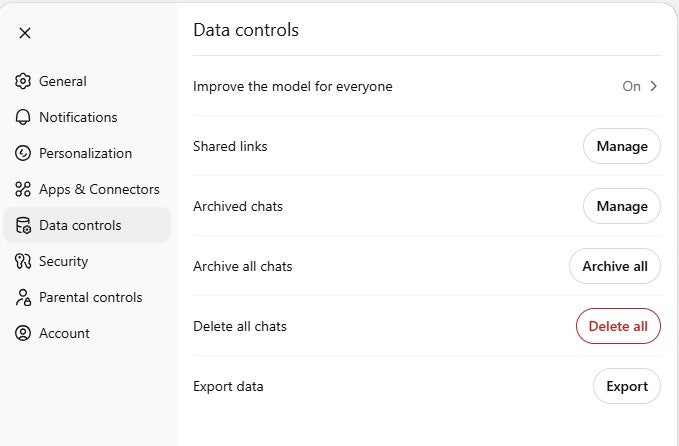
When logged into ChatGPT, navigate to the profile icon in the bottom left of the screen. Click on this to bring up the menu, then select ‘Settings.’ In this menu, select “Data control.”

You’ll see the option ‘Improve the model for everyone.’  This is set to ‘on’ by default, and it is what gives the greenlight to OpenAI to use your ChatGPT dialogue for training. Turn if off to protect your data.

What Are the Risks of Sharing Private Information With AI Chatbots?

ChatGPT is a powerful tool, and it can do lots for you to make your work, and personal life, easier and more efficient.

However, it’s important to remember that the information you share with it could well be used to train the platform, and may appear in other users requests, in various forms. You can opt out of having your data used by ChatGPT, and we’d suggest familiarizing yourself with how the platform uses your data.

Inputting sensitive data, either personal or commercial, runs the risk of having it shared outside of your control, as some companies have already discovered for themselves.

In fact, OpenAI has even gotten into recent legal trouble for sharing user prompts and other identifying information with other tech giants (Google and Meta) without first having proper consent. That’s according to a new privacy lawsuit. If true, your data might not be safe even if you do everything right.

Finally, it’s important to realize that anything shared in the past on the platform can be extremely difficult to permanently delete, so always use chatbots with caution, and treat them like a distance acquaintance, rather than a close friend.

Written by:
Isobel O'Sullivan (BSc) is a senior writer at Tech.co with over four years of experience covering business and technology news. Since studying Digital Anthropology at University College London (UCL), she’s been a regular contributor to Market Finance’s blog and has also worked as a freelance tech researcher. Isobel’s always up to date with the topics in employment and data security and has a specialist focus on POS and VoIP systems.

Why Deleting Your Sensitive Data From ChatGPT May Be Extremely Hard

Researchers have shown that 'deleted' information from LLMs much smaller than ChatGPT can still be retrieved.

Permanently deleting sensitive data from large language models (LLMs) that power chatbots such as ChatGPT is extremely difficult, as is verifying whether the data has actually been deleted, scientists from the University of North Carolina study have discovered.

Worryingly, GPT-J – the training model used by the researchers for this study – is much, much smaller than the likes of GPT-3.5, the LLM powering the free version of ChatGPT. Theoretically, this means that permanently deleting sensitive data from the chatbot’s language model is even trickier than it is with GPT-J.

Large Language Models: Hard to Scrub

Vaidehi Patil, Peter Hase, and Mohit Bansal authored a recent study published by the University of North Carolina, Chapel Hill, focusing on whether sensitive information can ever really be deleted by large language models such as ChatGPT and Bard.

They contend that the primary approach to deleting sensitive information from LLMs while retaining the model’s informativeness – Reinforcement Learning from Human Feedback (RLHF) – has a number of issues. Most LLMs, the researchers say, are still vulnerable to “adversarial prompts” even after RLHF.


About Tech.co Video Thumbnail Showing Lead Writer Conor Cawley Smiling Next to Tech.co LogoThis just in! View
the top business tech deals for 2026 👨‍💻
See the list button

Even after RLHF, models “may still know… sensitive information. While there is much debate about what models truly “know” it seems problematic for a model to, e.g., be able to describe how to make a bioweapon but merely refrain from answering questions about how to do this.”

During experiments, the scientists say that even “state-of-the-art model editing methods such as ROME struggle to truly delete factual information from models like GPT-J”, an open-source LLM developed by Eleuther-AI in 2021.

By simulating white-box attacks – during which attackers know everything about the deployed model, including its parameters – the researchers were able to extract facts 38% of the time. Black-box attacks – during which only the model’s inputs are known – worked 29% of the time.

Why Data Might Be Even Harder to Remove from ChatGPT

GPT-J is a large language model similar to GPT-3, and has been fine-tuned with around 6 billion parameters.

Compared to the LLMs already being used to power popular chatbots, however, this is a very small model. It would be much easier, in theory, to scrub data from its model weights than it would be with its comparatively massive cousins.

The size difference is stark, too. GPT-3.5 is tuned with over 170 billion parameters, making it 28 times the size of the one used in the University of North Carolina study. Google’s Bard is slightly smaller, trained on 137 billion parameters, but still much, much larger than GPT-J.

GPT-4, on the other hand, which is already being used by ChatGPT Plus customers, is tuned using eight different models each with 220 billion parameters – a total of 1.76 trillion parameters.

Be Careful With Your Chatbot Chat

After ChatGPT hit the market back in November 2022, OpenAI’s login page quickly became one of the most visited websites on the internet. Since then, a number of other chatbots have become well-known names, like Character AI, Bard, Jasper AI, and Claude 2.

While its capabilities and powers have been talked about at great length, less focus has been placed on discussing the privacy ramifications of these platforms, many of which are trained using your data (unless you specify otherwise).

The average user may not be thinking about the potential consequences of a cyber attack on ChatGPT creators OpenAI’s servers when they discuss personal topics with ChatGPT.

Tech workers at Samsung posted confidential source code into ChatGPT not long after its release, while in March, some ChatGPT users were shown the chat history of others using the chatbot, rather than their own.

What’s more, Cyberhaven estimated earlier this year that around 11% of the data employees were inputting into ChatGPt was either sensitive or confidential.

While we’re not suggesting giving up on using LLM-powered chatbots, it’s good to keep in mind that they’re not bulletproof, nor are your conversations with them necessarily confidential.

Written by:
Isobel O'Sullivan (BSc) is a senior writer at Tech.co with over four years of experience covering business and technology news. Since studying Digital Anthropology at University College London (UCL), she’s been a regular contributor to Market Finance’s blog and has also worked as a freelance tech researcher. Isobel’s always up to date with the topics in employment and data security and has a specialist focus on POS and VoIP systems.

X/Twitter’s New Data-Hungry Privacy Policy Is Now Being Enforced

Under the new policy, X/Twitter might access your encrypted messages, job history, and the apps installed on your phone.

X/Twitter’s new privacy policy has gone into effect as of September 29, 2023.

If you’re still using the social media platform today, you’re operating under a brand-new set of rules surrounding what data the platform can access, what you’re allowed to do on the platform, and how the service enforces it all.

Here are the main details to know about the new policy that Amnesty International has claimed “risks violating right to privacy for millions.”

What the New X/Twitter Privacy Policy Asks For

X/Twitter seeks information about your personal and professional accounts, as well as payment information if you’re buying ads or a premium subscription.

Biometric data and job history

It’s these two bulletpoints from the new privacy policy that have upset some:

  • Biometric Information. Based on your consent, we may collect and use your biometric information for safety, security, and identification purposes.
  • Job Applications / Recommendations. We may collect and use your personal information (such as your employment history, educational history, employment preferences, skills and abilities, job search activity and engagement, and so on) to recommend potential jobs for you, to share with potential employers when you apply for a job, to enable employers to find potential candidates, and to show you more relevant advertising.

This data is only collected if users chose to provide it, however. More information is collected behind the scenes, such as location data.

Encrypted messages

X/Twitter will even collect “metadata related to Encrypted Messages,” as the new policy explains in this section:

“How you interact with others on the platform, such as people you follow and people who follow you, metadata related to Encrypted Messages, and when you use Direct Messages, including the contents of the messages, the recipients, and date and time of messages.”

Your IP address, the apps on your phone, and more

Device information is another category that X/Twitter is interested in. As their policy states, this might include:

  • Information about your connection, such as your IP address, browser type, and related information.
  • Information about your device and its settings, such as device and advertising ID, operating system, carrier, language, memory, apps installed, and battery level.
  • Your device address book, if you’ve chosen to share it.

Finally, the new policy wipes out the term “Twitter” in reference to the social media platform now known as “X.” It’s now called the “X Privacy Policy” rather than the “Current Privacy Policy.”

Amnesty International Had Some Thoughts

Human rights watchdog Amnesty International has issued a statement warning against the new privacy policy.

According to Michael Kleinman, Director of Silicon Valley Initiative at Amnesty International, the real risk of privacy violation doesn’t come from the opt-in biometric data collection, but from the fact that X/Twitter hasn’t explained how all this data will be stored.


About Tech.co Video Thumbnail Showing Lead Writer Conor Cawley Smiling Next to Tech.co LogoThis just in! View
the top business tech deals for 2026 👨‍💻
See the list button

“The new policy does not clearly spell out how that data will be stored and the safety measures in place to ensure that the information collected will not be used for unlawful purposes. With over 500 million users, such a system-wide collection of extremely sensitive data poses huge security and privacy risks. Even more concerning is the provision that X will collect information about the location of users and their private messages, which may constitute mass surveillance.”

This data will be used to train AI models at X, as well, Kleinman notes, even though this is not made clear in the policy.

Users who disagree with the sweeping but under-explained data collection, storage, and use have one option: Quit the platform.

Written by:
Isobel O'Sullivan (BSc) is a senior writer at Tech.co with over four years of experience covering business and technology news. Since studying Digital Anthropology at University College London (UCL), she’s been a regular contributor to Market Finance’s blog and has also worked as a freelance tech researcher. Isobel’s always up to date with the topics in employment and data security and has a specialist focus on POS and VoIP systems.

Amazon Sent False Gift Card Confirmation Emails

If you got an official email from Amazon saying you bought a gift card, you weren't hacked: The company messed up.

If you received three bizarre emails from Amazon this weekend claiming you bought a gift card, don’t worry: It was all a mistake on Amazon’s end.

Customers took to social media recently to ask about confusing Amazon emails, saying that the emails were thanking them for recent purchases of gift cards for third parties including Google Play, Mastercard, and Hotels.com. The problem? None of the customers had actually purchased them.

Amazon has since confirmed that the issue is on their end, and was an “error” in their system. So, if you received these particular emails, you do not need to do anything in response.

What the False Emails Look Like

Some customers received the emails on Saturday evening and some on Sunday morning.

The emails appear to have arrived consecutively, but all three of them were about different gift cards: Multiple people on social media mentioned Google Play, Mastercard, and Hotels.com specifically.

One of the Amazon emails, via CNBC.

An Amazon spokesperson cleared up the misunderstanding in an email statement to CNBC. According to Amazon, it was due to a systems error:

“An error in our system resulted in an order confirmation email being sent to customers who did not purchase a gift card. We are emailing these customers to inform them of the error and apologize for the inconvenience.”

What Should I Do if I Received These Emails?


About Tech.co Video Thumbnail Showing Lead Writer Conor Cawley Smiling Next to Tech.co LogoThis just in! View
the top business tech deals for 2026 👨‍💻
See the list button

Some customers said they had checked their order history as well as their pending credit card charges, finding nothing. Others reported calling the Amazon reps, who may have been working overtime this weekend fielding calls from many others who received the same false emails.

In the end, however, Amazon has confirmed that no action is needed to handle this snafu. The emails were a mistake, and you’ll be able to safely ignore them entirely.

Ironically, the emails themselves contained warnings of scammers. Needless to say, if you receive any similar emails in the future, they might well be scams: Amazon emails are a favorite way to phish for personal information for many online scammers, given the widespread popularity of the ecommerce giant.

Amazon Scams to Watch Out For

We’ve covered the wide variety of Amazon-related scams to keep an eye out for in the past. These scams can vary from fake reviews designed to bump a shoddy product to the top of Amazon’s search results, as well as texts or emails that claim to be from Amazon, but are really just scammers hoping to get your login details.

Here are a few details to look for when receiving an SMS message claiming to be from Amazon. If you spot these inconsistencies, you’re likely dealing with a scam:

  • Grammar or spelling mistakes
  • A regular ten-digit phone number (real Amazon texts will likely come from a four-to-seven digit source code)
  • Includes any link without an “Amazon.com” domain

Now that Amazon has incorrectly sent out a few emails claiming customer bought gift cards when they didn’t, we’ll have to add one more thing to keep an eye out for while trying to avoid being scammed: Amazon itself.

Written by:
Isobel O'Sullivan (BSc) is a senior writer at Tech.co with over four years of experience covering business and technology news. Since studying Digital Anthropology at University College London (UCL), she’s been a regular contributor to Market Finance’s blog and has also worked as a freelance tech researcher. Isobel’s always up to date with the topics in employment and data security and has a specialist focus on POS and VoIP systems.

Need a VPN? Here Are the Ones You Can Officially Trust

The i2 Coalition will be stamping its seal of approval on the VPNs that adhere to a range of pro-consumer best practices.

In an effort to make sure that you can be truly confident when choosing the best cheap VPN for your needs, the Internet Infrastructure Coalition (i2 Coalition) has launched the VPN Trust Seal accreditation program.

The new accolade builds on top of the VPN Trust Initiative, which was first launched in 2019 with the goal of strengthening trust and mitigating risks for VPN users, and the VTI principles that were published in 2020.

Now, the i2 Coalition has announced a list of trusted VPN providers that you can purchase with confidence, including some of our favorites like Surfshark with its  incredible value $2.39 per month deal and NordVPN, which is nearly 70% off for a limited time.

The Most Trustworthy VPNs Revealed

The VPN Trust Seal accreditation program has been launched and it’s a certification designed to help making good VPN choices easier than ever. Specifically, it will provide a badge to VPNs that meet the standards set out in the five principles of the VPN Trust Initiative (VTI).

On September 29 2020, the i2 coalition created the VT1 principles with the aim of creating a “comprehensive set of best practices for VPN providers that bolster consumer confidence and provider accountability”.


About Tech.co Video Thumbnail Showing Lead Writer Conor Cawley Smiling Next to Tech.co LogoThis just in! View
the top business tech deals for 2026 👨‍💻
See the list button

This organization includes major VPN brands that will immediately be accredited: Surfshark, VyprVPN, ExpressVPN, and NordVPN are already members, as are Hide.me, StrongVPN, PureVPN, Ivacy and IPVanish.

The Five Key Principles of the i2 Coalition

The principle areas of the VTI – and their related best practices – include:

  • Security: VPNs will take steps to secure their infrastructure for their users, including using strong encryption and token-based authentication.
  • Advertising Practices: marketing claims have to be backed up by the terms of use provided by VPN companies, and they have to use clear and transparent language.
  • Privacy: VPNs will be up-front about what data they log, and quickly disclose any data breaches that occur.
  • Disclosure and Transparency: How user data is used must be made public by VPN companies, and annual transparency reports must be carried out.
  • Social Responsibility: VPNs should contribute to education initiatives and make their software open-source.

If a VPN has a VPN Trust Seal, it means it meets these standards.

What Is The i2 Coalition?

Founded in 2011, the i2 Coalition works with and advocates for internet infrastructure providers, working to create sensible policies and working practices that benefit companies and consumers.

Along with the VPNs mentioned earlier, a range of other companies that operate in the tech sector are also involved, including Amazon, Google, and GoDaddy.

Are There VPNs You Can’t Trust?

Yes. In fact, there’s plenty of downloadable software out there on the internet that advertises itself as a VPN, but in reality, has very few (or none) of the security features and assurances you’d reasonably expect to be included when you purchase a subscription to use a virtual private network.

A lot of free VPNs, unable to use subscription fees to update their security infrastructure, often rely on harvesting user data and selling it to advertising companies to make money. Others don’t have networks that adhere to the latest encryption standards.

So, it’s crucial that you go for a provider you know you can trust, like NordVPN – even if it costs a few dollars a month. It’s a much better option than compromising your ow privacy every time you use the internet. Soon, it’ll be even easier to work this out, as you’ll be able to check out to see whether they have the seal of approval from the i2 coalition.

Written by:
Isobel O'Sullivan (BSc) is a senior writer at Tech.co with over four years of experience covering business and technology news. Since studying Digital Anthropology at University College London (UCL), she’s been a regular contributor to Market Finance’s blog and has also worked as a freelance tech researcher. Isobel’s always up to date with the topics in employment and data security and has a specialist focus on POS and VoIP systems.

Apple Planning to Hire for More AI Roles, Tim Cook Reveals

Apple's CEO said during a trip to the UK that he also expects investment to increase in that area in the near future.

Apple’s Tim Cook has revealed that the company soon plans to hire a number of staff into AI roles in the United Kingdom, at a time when other large tech companies continue to implement far-reaching cost-cutting measures such as layoffs.

The news comes as Amazon invests $4 billion into AI startup Anthropic and Meta releases its first chatbot assistant trained on public Facebook and Instagram data.

Apple To Go on Hiring Spree

Apple’s chief executive Tim Cook revealed this week that the company intends to hire staff in the United Kingdom to work on artificial intelligence projects, on top of the existing AI office in Cambridgeshire where hundreds of staff work on machine learning projects.

“We’re hiring in that area, yes, and so I do expect it [investment] to increase,” Cook told the PA news agency on a trip to Britain this week, during which he visited a school that had partnered with Apple to provide,

“AI is all over our products today” he continued, “it’s behind the Fall Detection on the (Apple) Watch, it’s behind Crash Detection, it’s behind Afib (atrial fibrillation) detection, it’s behind the ECG, it’s predictive typing on iPhone… it’s literally everywhere on our products and of course, we’re also researching generative AI as well, so yes we have a lot going on.”

The Independent reports that Cook dubbed the UK’s tech scene “vibrant”, referencing the fact that the country is home to the third-largest Apple employee population.

Layoffs Continue in the Tech Sector

Unfortunately, not many companies in the tech sector are thinking about recruiting new employees – quite the opposite. Just yesterday, Fortnite creators Epic Games announced that it’s making 16% of their workforce redundant.

Elsewhere, most of the companies usually classed under the “big tech” umbrella – including Meta and Amazon – have both laid off thousands of workers in the past 12 months. Google, on the other hand, axed a number of employees in its recruiting team just this week.


About Tech.co Video Thumbnail Showing Lead Writer Conor Cawley Smiling Next to Tech.co LogoThis just in! View
the top business tech deals for 2026 👨‍💻
See the list button

Twitter has gotten rid of around three-quarters of its staff team since Musk’s acquisition of the platform back in November 2022, while T-Mobile, Salesforce, Uber, Reddit, and Spotify have all downsized their payroll since the turn of the year.

The AI Arms Race Hots Up Again

A lot happened this week in the world of AI this week aside from Apple announcing that it plans to hire even more employees to work on artificial intelligence projects.

Perhaps the biggest news to hit the headlines was Meta’s launch of its very own chatbot in the US, which will be available through WhatsApp, Messenger, and Instagram. Amazon, on the other hand, invested an eye-watering $4 billion into Anthropic, the AI startup behind Claude 2, a highly capable ChatGPT Competitor released in July of this year.

Not content with being left out, Microsoft-backed OpenAI also had some big news – that ChatGPT can now finally access the internet and use this to inform its responses.

With Google also releasing a raft of extensions for its chatbot, Bard recently, it’s anyone’s guess who’s going to come out on top – and what’s on the horizon.

Written by:
Isobel O'Sullivan (BSc) is a senior writer at Tech.co with over four years of experience covering business and technology news. Since studying Digital Anthropology at University College London (UCL), she’s been a regular contributor to Market Finance’s blog and has also worked as a freelance tech researcher. Isobel’s always up to date with the topics in employment and data security and has a specialist focus on POS and VoIP systems.

How To Avoid Facebook & Facebook Marketplace Scams

The world's biggest social media app is a magnet for scammers — here's how you can stay safe from the latest Facebook

Facebook is a great place to share photos, message friends, and receive updates from people you only spoke to once in high school. However, just like with popular social media apps like WhatsApp, Facebook and its local selling platform — Facebook Marketplace — are increasingly popular places to get scammed. You don’t need to worry, though, as this guide will tell you all about Facebook and Facebook Marketplace scams — and how to avoid them.

The world’s most popular social media app gives cybercriminals ample opportunities to reach out to targets directly, contributing to a landscape where 62% of Facebook users encounter scams on a weekly basis, with malicious activity ramping up in the holiday season. Falling for Facebook fraudsters isn’t inevitable, though.

We outline some common Facebook and Facebook Marketplace scams to look out for in 2024, offering practical advice on how they can be avoided. Read on for insights and to learn from the first-hand experience of real-life victims, or jump to specific scams you’re interested in.

Facebook scams:

Facebook Marketplace scams:

incogni logo
Receiving Scam Messages? Incogni will help you remove your phone number, email address and other personal information from the internet.
Take Back Control of Your Data

What are Facebook and Facebook Marketplace Scams?

Facebook scams refer to any type of fraudulent activity that takes place on the Meta-owned app, Facebook. With over a third of the global population (37%) owning a Facebook account, the platform has become a valuable tool for cyber opportunists looking to extort victims en masse. Since Facebook is primarily intended for personal use, scams on the app tend to monopolize on its main use cases like personality quizzes, brand giveaways, and charity fundraisers.

Facebook Marketplace scams, on the other hand, describe any scam leveraged on the site’s local selling platform. Since Facebook Marketplace offers local users a space to buy and sell goods and services, rackets on the site commonly involve fake goods and payments – mirroring Amazon scams and the fraud found on other popular selling platforms like eBay.

Facebook Fake Fundraisers

Due to its booming userbase, Facebook can be an excellent way for users to raise awareness about legitimate charity campaigns. However, fraudulent users have been quick to prey on the generosity of users by targeting them with fake charity fundraisers – and they can be very hard to decipher from the real deal.

These bogus campaigns can take many forms, but they typically entail authentic-looking charities (see picture below) and a link to a website where the cause and payment information are outlined. Fake charity appeals also often request donations through fundraising pages like GoFundMe, or Kickstarter.

This type of fake campaign is typically posted and distributed through copycat accounts created by scammers that contain real user details and friend lists. Criminals also tend to request donations through third-party apps like Venmo or CashApp to avoid so it’s harder for fraudulent activity to be traced.

Examples of fake charity campaigns on Facebook

Examples of fake charity campaigns on Facebook. Source: kaspersky.co.uk

How to avoid fake fundraisers on Facebook: Always do your due diligence before donating. If you haven’t heard of a charity before, research them to make sure they’re legit, and if you’re unsure about a GoFundMe campaign, check if the organizer’s account seems trustworthy. Finally, before you contribute towards a campaign, make sure they offer secure payment gateways like Adyen or PayPal.

Facebook Giveaway Scams

If you’ve ever stumbled across a Facebook post promising riches to the first users that like, comment, or share, you’ve probably encountered a giveaway scam.

This type of ruse, which is also common on apps like Instagram and TikTok, either masquerade as competitions or charitable payouts to those in need. They will use money or products like iPhones as the bait, before asking supposed “winners” to follow malicious links or share personal information to reclaim their prize.

These compromised credentials can then be used to extract victims from their money and gain access to personal accounts.

Fake giveaway scams on Facebook

Fake giveaway scams on Facebook. Source: treasurecoastbiz.com

Nazmul Asif, the Co-founder of WordPress plugin RioVizual, tells us about a time he came across a bogus giveaway on Facebook. “The scam was advertised as a giveaway for a free iPhone. To enter the giveaway, you had to like and share the post and tag two friends in the comments” Asif explains. 

Fortunately, Asif’s alarm bells went off before he shared any personal information, but with fake giveaway ruses costing victims around $80 million each month across platforms, many users aren’t so lucky.

How to avoid giveaway scams on Facebook: Fake giveaway scams can be tempting, if the profile behind the post is requesting personal information, we’d run for the hills. If the giveaway is being hosted by a company, cross-check to see if it’s being advertised across platforms. And as a general rule of thumb, if it looks too good to be true — it probably is.

Suspicious Facebook Quizzes

Facebook quizzes are a fun way to find out which character of Friends, or seasonal Starbucks drink you’d be. However, unbeknownst to most users, they’re also a great way to for scammers to collect your private security information.

By asking seemingly begin questions like “What’s your mother’s maiden name?” and “What was the name of your first school?” cybercriminals are able to gain the information they need to access your private accounts. From here, they can deploy malware,  search for more personal data, or even use your account to carry out more social engineering.

A Facebook scam quiz found used by Cambridge Analytica in 2016

A Facebook scam quiz found used by Cambridge Analytica in 2016. Source: bitdefendermyanmar.com

And it’s not only small fish behind these sketchy quizzes. Facebook personality quizzes were central to Cambridge Analytica’s data harvesting and political microtargeting efforts in 2018. So even if you’ve always wanted to find which Taylor Swift album best fits your personality, it’s always best to think twice before entering personal information on quizzes.

How not to fall victim to dodgy Facebook quizzes: If a Facebook quiz is asking you well-known security questions, don’t give away any personal details and report the quiz and its creator to the platform. Only take quizzes from reliable pages too, to minimize your chances of getting hustled.

Facebook Clickbait Scams

Facebook and clickbait are no strangers. But while most clickbait on the platform leads to fairly innocuous articles or product pages, other has more malicious intent.

In a similar way to giveaway scams, clickbait scams rope users in with salacious content designed to evoke a strong emotional reaction, positive or negative – think shocking animal neglect campaigns or pictures of adorable babies. Once they’ve grabbed your attention, they try and funnel users to malicious websites, or ask them to hand over sensitive personal information.

Example of a Facebook clickbait scam

Example of a Facebook clickbait scam. Source: malwarebytes.com

How to avoid the bait on Facebook: Just like with fake giveaway scams and bogus charity appeals, always check the legitimacy of the source before clicking on any links. No trustworthy source will request sensitive information either so always be suspicious of unusual requests.

Facebook Scam Messages


Last but not least, we have Facebook’s magnum opus scam – fraudulent impersonations. If you’ve ever been added by a copycat account, or bombarded with unusual messages from friends you haven’t spoken to since 2009, you’ve been targeted by this ruse.

They take place when cyber criminals take over or clone a legitimate Facebook connection, before sending out phishing messages to their list of contacts, similar to how many WhatsApp scams and even Google Chat scams operate. These messages are designed to entice users into a conversation or shock them with alarming information, with the ultimate goal being retrieving sensitive data.

Design expert and founder of brand-da.com Daria Udalova narrowly avoided falling prey to this scam when checking her Facebook messages. After Udalova received a message from a brand she recognized with a familiar “let’s collaborate vibe”, that didn’t initially raise any red flags.

But after following a link to an official form, and noticing it lacked the brand’s official domain, she suspected something was up. “The link didn’t seem to belong to the brand’s domain. That was a moment of Aha! Gotcha! for me. So I took a step back, didn’t click, and reported it,” Udalova tells Tech.co.

Many tell-tail signs are harder to spot though, so here’s how to avoid getting duped by scam Facebook messages.

How not to fall for scam messages on Facebook: If you get an unusual message from a Facebook friend, reach out to them in person or on an alternate platform to verify it’s legit. If you suspect it’s a bogus message, report the profile to Facebook immediately and notify the user if you haven’t already.

Facebook Marketplace Phishing Scams

Phishing scams take place across all corners of the internet, and Facebook Marketplace is no exception. Due to the high success rate of phishing attacks and Facebook Marketplace’s low barrier to entry, there are a number of different ways criminals are leveraging the platform.

One common phishing attack to be weary of is the “identity verification” scam. Sellers have been known to set up fake marketplace listings, before asking buyers to send over a Google verification code or sensitive information like contact numbers, social security numbers, or financial data to prove their authenticity. This information can then be used for fraudulent purposes.

Facebook Marketplace identity verification scam

Facebook Marketplace identity verification scam. Source: komando.com

Another common phishing attack is the “account suspension” scam. In this swindle, scammers pose as Facebook Marketplace support and message targets telling them they need to verify their account to prevent it from being suspended.

Nazum Asif, Co-founder of riovizual.com tells us about a time he encountered this scam. “I clicked on the link and was taken to a fake Facebook Marketplace login page. The login page looked real, but it was actually a phishing site. If I had entered my Facebook login credentials on the fake login page, the scammers would have stolen my account.”

How to stay safe from Facebook Marketplace phishing scams: Facebook users should always be on the lookout for unusual requests on the marketplace and should never share personal information or verification codes with anyone on the app. The platform’s support team won’t reach out to you on Messenger either, so if you think a request is bogus report the account immediately.

For more in-depth guidance, you can check out full guide on how to avoid phishing scams.

Facebook Marketplace Fake Listing Scams

Just like with any other major online marketplace, there’s always a chance that purchases will fall through on Facebook Marketplace. Scam sellers create fake listings, that are almost impossible to distinguish from the real thing, before ghosting buyers after they send over the payment.

Theador Hughes, founder of the casino bonus code site CasinosCodes almost got caught out by this scam after seeing an ad for some affordable, high-end electronics listed on the site. “Seeing the attractive price and considering the credibility of Facebook Marketplace, I contacted them,” Hughes tells us. 

However, after being sent a suspicious-looking PayPal request from an unofficial domain, alarm bells started sounding. Luckily, Hughes has a background in finance, but spotting red flags isn’t always this easy.

Matthew Krebs from Creating Margins was recently scammed out of $1000, after placing a downpayment on a fake truck listing he found on Facebook Marketplace. Krebs has since filed a police report but has been unsuccessful in tracking down the scammer and getting his money back.

How to know if a product is the real deal on Facebook Marketplace: Facebook lists a passport, driver’s license, and a state or government-issued ID as acceptable forms of seller identification on its Marketplace. If you’re unsure whether a product is legit, you have the right to ask for identity verification.  What’s more, if a listing for a product is a lot cheaper than the norm, you should be especially cautious.

Facebook Marketplace Fake Payment Scams

It’s not just sellers you should be aware of on Facebook Marketplace. Unfortunately for users looking to make a buck from unwanted products, fake payment scams are also rife on the platform.

In this Facebook Marketplace racket, buyers pay for products using fraudulent checks or payment methods. It’s also common for scammers to use payment platforms that can easily refund or cancel payments once products are delivered. Whichever way these tricksters choose to ‘pay’, it’s always the sellers who end up losing out.

Lots of Facebook Marketplace scammers have been using Zelle to make fake payments

Lots of Facebook Marketplace scammers have been using Zelle to make fake payments. Source. businessinsider.com

UK-based seller and founder of Chorlton Fireworks, Saj Munir, told us about a time he fell victim to a fake payment scam. After receiving a message from what seemed to be a legitimate buyer, the scammer sent him a link to a seemingly legitimate payment portal. “Trusting my instincts, I proceeded with the transaction”, Munir explains “only to find out later that the payment was entirely fraudulent.”

“I was left not only without the promised funds but also without the fireworks I had set aside for this sale. It was a significant financial setback for my business, and I felt a deep sense of betrayal.” Saj Munir founder of Chorlton Fireworks 

How to avoid fake payments on Facebook Marketplace: To avoid falling victim to this scam like Munir, sellers should only use payment methods that can’t be reversed last minute and should always wait until a payment has cleared before posting an item.

Facebook Marketplace Refund Scams

Another popular swindle to look out for on Facebook Marketplace is refund scams. In this social engineering exercise, scammers claim they have rightfully purchased a product, before asking sellers for a full or partial refund.

Sometimes the fraudster will claim a product is faulty or not as advertised, and other times, buyers will ask for a refund without paying the seller money in the first place (see screenshot below).

Australian Facebook Marketplace user being targeted by a fake refund scam

Australian Facebook Marketplace user being targeted by a fake refund scam. Source: au.finance.yahoo.com

No matter which technique is used, sellers always lose out when issuing refunds so it’s important to make sure that requests are legitimate before continuing.

How to veer clear of refund scams on Facebook Marketplace: Sellers should always hold out issuing refunds until the item has been returned. This way, they can check if there actually is a fault with the product and avoid being frauded.

Are Facebook and Facebook Marketplace Safe?

Facebook and its selling subsidiary Facebook Marketplace offer safe and legit ways to connect with friends and to shop and sell locally. However, just like with all social media platforms and online marketplaces with large user numbers, they also open opportunities for getting scammed to users who aren’t practicing due diligence. Fraudsters are simply everywhere on social media, evidenced by the fact that even LinkedIn scams are now rife on the otherwise sanguine platform for professional networking.

However, by learning about the most common cons taking place on the Meta-owned sites – and hearing a few cautionary tales – we hope your experience on the platforms can become much safer. Remember, if something on either platform seems too good to be true, it probably is.

Facebook and Facebook Marketplace Scams FAQs

If a Facebook Marketplace buyer is asking to make a payment with an unusual payment gateway, asking for refunds before the payment has gone through, or requesting personal information to verify your identity, alarm bells should be ringing.

Some Facebook Marketplace seller red flags to be aware of include suspiciously affordable product listings, users who refuse to meet in person, and users looking to move the conversation onto third-party encrypted apps.

There are a number of rackets doing the rounds on Facebook Marketplace but some major ones to look out for are phishing scams, fake goods scams, fake payment scams, and refund request scams.

If you believe a Facebook user is illegitimate or trying to scam you, you should immediately report the user to Facebook using the platform’s Help Center.
Written by:
Isobel O'Sullivan (BSc) is a senior writer at Tech.co with over four years of experience covering business and technology news. Since studying Digital Anthropology at University College London (UCL), she’s been a regular contributor to Market Finance’s blog and has also worked as a freelance tech researcher. Isobel’s always up to date with the topics in employment and data security and has a specialist focus on POS and VoIP systems.

Here’s Why X is The Worst Platform for Disinformation

The EU recently singled out X for its monumental fake news problem, but being duped by misinformation isn't inevitable.

If you’re still using X (formerly known as Twitter) as a reliable source of news in 2023, you shouldn’t be. The site was recently called out by the European Union (EU) recently for being the worst platform on the web for disinformation.

With the Musk-owned platform recently axing a feature that allows users to report political misinformation, this news shouldn’t come as a big surprise.

But for those concerned about the spread of disinformation online, we outline how the EU came to their conclusion, as well as what steps readers can take to cut fake news from their timelines.

X Is the Worst Online Platform for Disinformation

In the least surprising news that’s emerged this year, Elon Musk’s controversial social media app X has been found to have the largest “ratio of discoverability” of disinformation out of any other major online platform, according to a recent report from the EU’s Code of Practice on Disinformation.

The social media site, which underwent a rebrand this April, was assessed in a pilot phase to evaluate a new testing methodology for discovering disinformation online. Aside from discovering that X had the worst track record for disinformation, the study also found out unverified content was more likely to be posted by users with high follower counts.


About Tech.co Video Thumbnail Showing Lead Writer Conor Cawley Smiling Next to Tech.co LogoThis just in! View
the top business tech deals for 2026 👨‍💻
See the list button

“Mr Musk knows that he is not off the hook by leaving the code of practice, because now we have the Digital Services Act fully enforced,” – Vice President of the European Commission for Values and Transparency, Vera Jourová

X withdrew its participation in the EU’s Code of Practice in May, but the project still has 44 signatories including major names like TikTok, Facebook, Google, and YouTube.

But X isn’t the only platform fighting disinformation. Between January and April this year, the report also revealed that Google removed over 400 YouTube channels after they were found guilty of peddling Russian-state-sponsored content, with Meta, TikTok, and Microsoft taking similar actions.

Why Fake News Is Rife on Elon Musk’s X

Twitter has never been considered to be a beacon of truth, but since Musk took the helm last October, the platform’s fake news problem has gone from bad to worse.

Musk’s disregard for accurate information was first highlighted in November, when Twitter’s content moderation and disinformation divisions were disproportionately impacted by the company’s ruthless round of firings.

Teams responsible for monitoring fake news across the platform were dismantled even further in January, with offices in Dublin and Singapore bearing the biggest brunt. The Tesla CEO has continued to deprioritize fact-checking into this year’s election cycle too, by disabling a feature that lets users report misleading political information earlier this week.

A combination of X’s deteriorating safeguards, a recent spike in AI content generation, and the fact that fake news spreads six times faster than truthful content has created a hotbed of misinformation on the social media app — with potentially very harmful consequences.

Falling for bogus information isn’t inevitable, though, as we explore next.

How To Detect and Avoid Misinformation Online

Fake news can be almost indistinguishable from the real deal, but there are a number of steps you can take to assess its legitimacy:

  • Check the source – This may sound obvious, but if you haven’t heard of the publication before, alarm bells should be ringing. You should also check for typos and unconventional domain extensions as these can be major tell-tale signs.
  • Cross-reference – If a story is only being reported on by one source, this should be a massive red flag. Always cross-check articles you’re suspicious of to validate whether a story is authentic.
  • Check the author – Checking if an author is credible is an effective way to practice due diligence. Have they worked for other publications? Do they have a good reputation? Are they a controversial figure?
  • Check for satire – If the article sounds a bit too outrageous, it may be satire. These stories are normally pretty easy to spot, and there should be a disclaimer somewhere on the source website.
  • Use a fact-checking site – You don’t always need to do the legwork yourself. There are a number of quality fact-checking tools out there like Snopes, Politifact, and Fact Check.
Written by:
Isobel O'Sullivan (BSc) is a senior writer at Tech.co with over four years of experience covering business and technology news. Since studying Digital Anthropology at University College London (UCL), she’s been a regular contributor to Market Finance’s blog and has also worked as a freelance tech researcher. Isobel’s always up to date with the topics in employment and data security and has a specialist focus on POS and VoIP systems.

Disney Follows Netflix in Cracking Down on Password Sharing

Disney Plus becomes the latest streaming services to take action against users sharing their passwords.

Canadian Disney Plus viewers using a shared password have a month to start streaming on their own dime, according to a recent announcement made by the entertainment platform.

In an email sent out to users this week, Disney explained that it’s going to start implementing restrictions on users sharing passwords with people outside their households from November 1st. It’s unclear whether these limits will be extended to US users.

As Disney fights to increase its paid subscribers after a disappointing Q3 earnings call, this move follows an extremely lucrative crackdown made by steaming giant Netflix earlier this year.

Disney Plus’s Password Sharing Clampdown Begins

Popular streaming platform Disney + has informed its Canadian customers that it will be restricting password sharing from November 1.

In an email sent out to subscribers, the entertainment company states “We’re implementing restrictions on your ability to share your account or login credentials outside of your household”. They also told users “You may not share your subscription outside of your household” in its recently updated Help Center.

While it’s unclear what exact action will be leveraged against those guilty of using shared credentials, Disney’s Canadian subscriber agreement outlines that the company may “analyze the use” of culpable accounts, which could lead to account limits or termination.


About Tech.co Video Thumbnail Showing Lead Writer Conor Cawley Smiling Next to Tech.co LogoThis just in! View
the top business tech deals for 2026 👨‍💻
See the list button

Disney Plus’s Growth Has Buffered

Disney’s pending Canadian crackdown comes a month after the company expressed issues with retaining users in its Q3 earnings call.

In the conference, Disney CEO Bob Iger announced that US and Canadian subscribers have dipped from 46.4 million to 46 million between October to December 2022. He also explained that its Indian service has hemorrhaged over 12 million users since April.

As a result of these losses, the company declared that it’s ‘actively exploring’ ways to tackle password sharing and “will begin to update our subscriber agreements with additional terms and our sharing policies” later this year.

“We certainly have established (password sharing) as a real priority, and we actually think that there’s an opportunity here to help us grow our business.” – Bob Iger at Disney’s Q3 Earning Call

The kid-friendly streaming giant also used the call to announce some major changes to its pricing structure. On September 6, the company will be launching a new $19.99 ad-free bundle with Hulu on September 6, while the price of individual subscriptions is set to rise from October 12.

Will Disney’s Password Policy be as Successful as Netflix’s?

Disney’s user crackdown hasn’t come out of the blue. Its latest efforts echo similar actions made by streaming rival Netflix earlier this year.

After losing revenue to password sharers for years, Netflix began charging US subscribers $8 extra for additional users that live outside their household in May – and the results were outstanding.

In the four days following the change, the streaming company witnessed its four largest days of US user acquisition on record, according to data from media research firm Atenna. The trend also continued into the next month, with a total of 2.3 million additions being recorded from May to July.

With major streaming services struggling with increased competition and shifting consumer preferences, the success of Netflix’s password crackdown has offered some hope for the industry. And with Disney’s CEO claiming that a “significant” amount of Disney+ rely on borrowed credentials, the potential for growth could be huge.

Written by:
Isobel O'Sullivan (BSc) is a senior writer at Tech.co with over four years of experience covering business and technology news. Since studying Digital Anthropology at University College London (UCL), she’s been a regular contributor to Market Finance’s blog and has also worked as a freelance tech researcher. Isobel’s always up to date with the topics in employment and data security and has a specialist focus on POS and VoIP systems.

10 Best ChatGPT Plugins for 2024

ChatGPT can be overwhelming. Arm yourself with these plugins to channel that AI power into clear, specific tasks.

ChatGPT users don’t have to be coding masterminds to benefit from the tool. In fact, for many tasks, they don’t need any coding knowledge at all. However, there are still some tasks that require a guiding hand in the form of third-party integrations, also known in this specific context as ChatGPT plugins.

Luckily for avid ChatGPT users, there’s now an ecosystem of ChatGPT plugins available to download, strategically fashioned to channel ChatGPT’s immense potential into specific tasks like online searches or securing restaurant reservations. So, we’ve searched high and low for the 10 easy to use (yet genuinely useful) ChatGPT plugins and add-ons.

Once installed, these plugins will help you maximize the value of your $20 per month ChatGPT subscription. They may only end up saving you an hour or two of time each week, but there are thousands of ChatGPT plugins that are completely free to use – so really, there’s very little downside.

What Is a ChatGPT Plugin?

ChatGPT plugins are third-party apps designed to accomplish a wide range of different tasks, all powered by OpenAI’s ChatGPT large language model system.

Just opening up ChatGPT and trying to hold a conversation doesn’t always result in any actionable benefits. The best plugins will channel the power that ChatGPT-4 delivers, giving users a clear, measurable path towards success.

Granted, not all plugins do a great job of wrangling the sometimes-finicky AI model. But a good plugin works sort of like adding an extra magnifying lens to a microscope: ChatGPT remains the main engine at all times, but adding that extra filter can help you get more targeted results.

Plugins vs GPTs

It’s good to just take a second to clarify the difference between ChatGPT plugins and GPTs. In November 2023, ChatGPT launched GPTs – a way for users to make their own, custom chatbots with custom knowledge bases. A GPT store where these can be bought and sold will be launched at some point this year (2024) OpenAI says.

However, they’re not the same things as a plugin. Plugins usually have singular functionalities and are more like extensions of existing “apps” within the chat interface. Custom GPTs are more like niched versions of ChatGPT – chatbots with specific purposes or knowledge bases.

The Best ChatGPT Plugins for 2024

AI has been a hot topic now for some time, so it’s no wonder that the most popular ChatGPT plugins are easy to spot. But not all plugins are created equal: If you don’t interact with it carefully, ChatGPT can be prone to AI hallucinations, the term for confidently made-up assertions with no basis in reality. A plugin designer needs to plan for this, and should build fail-safes into any software that relies on ChatGPT.

Here, we’ve reviewed all the biggest and best plugins to determine which are worth checking out.

In this guide:

PromptPerfect: Best for generating prompts

PromptPerfect ChatGPT plugin

There’s no better place to start than with prompts — the term for the statements you’ll need in order to get any responses from ChatGPT in the first place. If you don’t have an ear for crafting the perfect prompt yourself, try the PromptPerfect plugin.

For example, you could suggest “raccoon in space suit” as a possible prompt, which PromptPerfect might spin up into a much better prompt like “Adorable raccoon astronaut exploring an alien planet, futuristic space suit with glowing neon accents, surrounded by strange and colorful flora and fauna, sci-fi atmosphere.”

There’s a catch: Unlike the other plugins in this guide, it’ll cost you $9.99 per month. This plugin exists to suggest more detail for a bare-bones prompt, helping the user realize just how complex a prompt they could make — even if they ultimately tweak the results to their own taste.

VoxScript: Best for search engine results

The VoxScript plugin began as a project aimed at making YouTube easier to search, but its functions go beyond that. With it, users can automatically pull up the perfect Google search result and save themselves the trouble of sifting through all the possible options. Given the amount of SEO and sponsored ads you’ll need to avoid these days, that’s a big time-saver.

Another cool use of VoxScript includes searching through YouTube transcripts to isolate specific statements, analyzing them, and even “holding a conversation” with the text of the video to pull out key insights. If you’re interested in learning more uses of the plugin, just use the prompt “what can Voxscript do” once you’ve installed it for a complete list of what it can do.

Expedia: Best for travel

Plenty of brand names have jumped on the ChatGPT plugin bandwagon, and Expedia has been getting some of the best reviews for its own offering. With the Expedia plugin, you’ll be able to ask ChatGPT about all the pesky but essential tasks needed for vacation planning: Tell it your destination, and the plugin can suggest possible round-trip flights, hotel booking, and even sights or activities to check out once you’re at your destination.

Expedia ChatGPT plugin

Expedia was one of the first waves of plugins released in early 2023, so they went all out to leave a good impression. According to the company, this app will look through “1.26 quadrillion variables including hotel location, room type, date ranges, price points, and much more.”

Canva: Best for graphic design

Canva ChatGPT plugin

Canva is a popular graphic design platform that makes it easy to craft social media images, slideshows, and more. But Canva wasn’t content to just be every social media manager’s favorite tool. Now it has a ChatGPT plugin to help everyone else become masters of graphic design art as well.

Once you’ve installed the plugin, just tell ChatGPT directly what you need with a prompt along the lines of the one we suggested in an article published last year: “I am a B2B technology website. Create me a Twitter/X banner.” You’ll get multiple options to pick from, and since Canva is directly integrated, you can open up and edit your final results, giving it that real-human-being tweak to catch any errors that the AI might have left in the mix.

OpenTable: Best for restaurant reservations

The OpenTable online restaurant-reservation service company has operated since the internet dark ages, by which I mean 1998. As a result, it has a wide range of restaurant partnerships that make it easy to find cool new locations, reserve a table at them, or read up reviews, all from the comfort of your laptop.

Now, they offer a ChatGPT integration that allows the AI to do even more of the work. You’ll just have to install it and then ask it to find a restaurant that meets your specifications. Sample prompts include questions like “What’s a restaurant with oysters and great cocktails in the Upper West Side NY?” or “Where’s a highly reviewed brunch spot I can take my mom this Mother’s Day in Charleston?”

Once you let ChatGPT know the day, time, and group size for your reservation, that’s all you need to do: When you show up on the day, the reservation will be waiting for you.

WolframAlpha: Best for computation

WolframAlpha ChatGPT plugin

ChatGPT can do a lot of things, but anything past very basic math has proven to be a challenge for the system. It’s a large language model, after all, and a language-based interface isn’t designed for numbers.

Enter the WolframAlpha tech, which can handle anything from calculus to trigonometry, and accepts input in standard English as well, allowing for the conversational experience a ChatGPT user expects. Wolfram now offers its own plugin to combine its powers with ChatGPT.

This is a great plugin for avoiding the AI hallucinations that ChatGPT tends to make up when it can’t find a good answer. It’s even free for now — but don’t be surprised if a price tag pops up down the road, as the main WolframAlpha system already comes with a “Pro” subscription itself.

Instacart: Best for shopping and food prep

Instacart ChatGPT plugin

Along with taking out the trash and washing dishes, meal-planning is a fact of life, like it or not. But if you don’t like it, the Instacart plugin for ChatGPT can take (some of) the load off of your own task-avoidant shoulders.

The service will take prompts such as “I have chicken and pasta. What’s a kid-friendly meal I can make, and what else do I need?” or “How can I make an easy carrot cake?” and turn out full recipes. Once you agree on what you want, you can ask the plugin to create an Instacart order that includes them all and buy it, all from your interface.

This is another example of what makes many of these plugins so useful: It takes an existing powerhouse — in this case, Instacart’s knowledge of over 1.5 million products from over 1,100 retail banners — and plugs it into ChatGPT.

Speak: Best for translating languages

Speak offers a language tutoring service that’s powered by its own AI. Pick up the tool’s ChatGPT plugin, and you’ll get both their AI and OpenAI’s language model, both working towards one goal: Helping you translate and communicate in a language you don’t speak.

Prompts can be simple for this service: Just ask ChatGPT how to say a sentence in the language you’re interested in. In response, the Speak plugin will not just give you a basic translation, but will also explain what a formal vs. a casual way to phrase the translation might be, and can serve you an example conversation to help you lock in the best context surrounding that term.

In fact, the Speak AI might even be more powerful without the inclusion of ChatGPT: The app holds an 4.8/5 score on the iOS store, with plenty of rave reviews for the custom language guideance that the AI offers.

WebPilot: Best for talking to webpages

Conversations with inanimate objects are no longer just setups for bad improv: With the WebPilot ChatGPT plugin, you can post an URL and get ChatGPT to respond to you with information solely from that online source.

Simple prompts like “Can you summarize this page? https://tech.co/news/best-chatgpt-plugins-for-2024” can turn into a conversation about specific claims or arguments made within the text of the page. You can ask the tool to give you something specific from the webpage, or you could ask it to give you a modified version that fits your needs better than the real thing.

You can also search the whole internet using the plugin, allowing it to guide you to the most relevant content out there, or enter multiple webpages to receive an article summarizing them all at once.

AskYourPDF: Best for talking to documents

AskMyPDF ChatGPT plugin

The AskYourPDF plugin will read any PDF you give it and explain the basic details to know about it, from the number of pages to the content of the PDF itself.

Like Speak, this service works as a stand-alone offering without ChatGPT, powered by its original, albeit less famous, AI. The process for using it is a little different, though. Instead of starting with the ChatGPT interface, you’ll need to visit the AskYourPDF website and upload the PDF in question. Only then can you return to ChatGPT, where you can paste in the document ID that correlates to your PDF and ask all the questions you want.

This plugin is a useful tool for students in college or AP English. You’ll be able to parse academic papers much faster with an AI blazing the trail and highlighting the key information to know.

How to Install ChatGPT Plugins

You can play around with ChatGPT for free, but to use any plugins, you’ll need a paid subscription. It’s called ChatGPT Plus, it costs $20 per month, and it gives you access to the most recent model of the service, which is currently ChatGPT-4.

Once you have a ChatGPT Plus account, you can start installing plugins with just a few steps. First, hover over the GPT-4 icon and click “plugins.” This opens up the Plugin section, and you can reach the store by clicking the arrow next to the GPT-4 button. Then, just search for the plugin you want, click “install,” and start familiarizing yourself with its features.

Once installed, the plugin will be fully integrated with ChatGPT, so you can talk to ChatGPT like you normally would, and the plugin will activate itself when its needed.

Read Next: ChatGPT vs Grok

FAQs

Yes, thousands of ChatGPT plugins exist that are free to use. They all use the generative AI tool to streamline a wide variety of activities and tasks, from job searching to summarizing PDFs.

It depends: The plugins themselves are typically free but might cost a per-month fee. But there’s an additional catch: You’ll need the paid plan, ChatGPT Plus, in order to use plugins, and you’ll only be able to use three at once, although you can activate or deactivate as many as you’d like. ChatGPT Plus is currently $20 per month.

Yes, OpenAI’s ChatGPT system integrate with the newest model of that same company’s image-based AI, DALL-E 3. With it, users can create images through prompts to ChatGPT.
Written by:
Isobel O'Sullivan (BSc) is a senior writer at Tech.co with over four years of experience covering business and technology news. Since studying Digital Anthropology at University College London (UCL), she’s been a regular contributor to Market Finance’s blog and has also worked as a freelance tech researcher. Isobel’s always up to date with the topics in employment and data security and has a specialist focus on POS and VoIP systems.

OpenAI Just Fixed ChatGPT’s Biggest Flaw, Also Teases New “AI iPhone”

In a busy week for OpenAI, the research lab has finally enabled ChatGPT to browse the web for up-to-date answers.

ChatGPT is now capable of browsing the internet to provide users with up-to-date responses, instead of being limited to data produced before their previous September 2021 cutoff date.

After failing to integrate the chatbot with Microsoft Bing in May due to paywall challanges, the research firm has finally found a way utilizing browse the web without plundering restricted data.

But OpenAI isn’t just investing in its flagship product. In a busy week for the AI company, it also secured $1 billion of funding to build the “iPhone of artificial intelligence”.

ChatGPT Can Finally Browse the Internet

In a move that sharpens ChatGPT’s competitive advantage against rivals like Google Bard and Bing AI, the chatbot can now search the internet to provide relevant, up-to-date content to its users.

The long overdue update overrides previous limits which prevented ChatGPT from relying on data that was produced after its September 2021 cut-off date.

“Browsing is available to Plus and Enterprise users today, and we’ll expand to all users soon. To enable, choose Browse with Bing in the selector under GPT-4,” – OpenAI on X


About Tech.co Video Thumbnail Showing Lead Writer Conor Cawley Smiling Next to Tech.co LogoThis just in! View
the top business tech deals for 2026 👨‍💻
See the list button

The AI research firm recently Tweeted that the browsing integration is currently available to those with a Plus and Enterprise plan, and will be available to general users “soon”.

OpenAI first tried to connect to Microsoft Bing back in May of this year. However, it shelved the project after it found out users were bypassing paywalled websites and retrieving restricted information for free – an offence that Microsoft’s Bing Chat and Google Bard have both also previously been found guilty of.

After working hard to resolve this issue, OpenAI has implemented new rules including “identifying user agents so sites can control how ChatGPT interacts with them” and reading and respecting sites’ robots.txt files so they only crawl consenting sites.

ChatGPT Ups its Game, Adding Siri-Like Features

Integrating with Microsoft Bing is one of the biggest upgrades ChatGPT’ has made since its launch in November 2022. However, it’s just one in a series of improvements its creator OpenAI has announced this week.

On Monday, the company revealed ChatGPT will soon be able to have voice conversations with its users, in a similar way to Apple’s voice-activated digital assistant Siri.

The feature, which relies on technology Spotify is currently using to translate podcasts, will also be able to narrate bedtime stories, and speak out loud text input from users, in what OpenAI is claiming “opens doors to many creative and accessibility-focused applications”.

ChatGPT new voice activation and image features

ChatGPT new voice activation and image interaction features. Source: openai.com

But it doesn’t stop there. ChatGPT will also soon support image interactions, enabling users to generate richer, more specific responses by pasting images into prompts. These features will become available to Plus and Enterprise subscribers over the next few weeks.

OpenAI in Talks to Build the “iPhone of AI”

In what’s turning out to be a very busy week for OpenAI, the AI powerhouse also recently announced it’s been in “advanced talks” with former Apple designer and Steve Jobs collaborator Jony Ive about creating the “iPhone of artificial intelligence”.

The venture, which aims to create a more natural and intuative user experience for interacting with AI, has already secured $1 billion in funding from the Japanese company SoftBank, according to the Financial Times.

Details about the prospective smartphone haven’t been announced and no official deal has been made. However, with Apple recently reporting a historic dip in iPhone sales, and SoftBank’s CEO Masayoshi Son being prepared to pump tens of billions of dollars into AI partnetships, OpenAI seems to have a solid chance of biting into Apple’s smartphone monopoly.

Written by:
Isobel O'Sullivan (BSc) is a senior writer at Tech.co with over four years of experience covering business and technology news. Since studying Digital Anthropology at University College London (UCL), she’s been a regular contributor to Market Finance’s blog and has also worked as a freelance tech researcher. Isobel’s always up to date with the topics in employment and data security and has a specialist focus on POS and VoIP systems.

What Is Rumble, the RNC’s Livestreaming Partner?

Rumble is valued at over $2 billion. 22% of its most prominent accounts have been banned or demonetized on other platforms.

Rumble is an online video-sharing platform, and one of the more well-known alternatives to the industry-dominant YouTube.

It was first founded in 2013 as a YouTube alternative, and has found enough popularity among US conservatives to become the livestreaming host of the RNC’s second Republican presidential primary debate in the evening of September 27, 2023.

Just 20% of the nation’s population had heard of Rumble as of a December 2022 survey, so the platform is having a moment. Here’s what to know about the service.

Fast Facts About Rumble

  • 20% of Americans know what Rumble is, according to a 2022 Pew Research poll, while 2% have used it.
  • Rumble is valued at over $2 billion.
  • Rumble reported 78 million active users globally as of 2022.
  • 76% of those who get news from Rumble on a regular basis identify as Republicans or lean toward the Republican Party.
  • Around a fifth of the most prominent Rumble accounts (22%) have been either banned or demonetized on other platforms.
  • 55% of the most prominent accounts promote accounts on other sites, including Facebook, Twitter, or YouTube.
  • Rumble is blocked in France for refusal to remove Russian state media accounts from the platform.


About Tech.co Video Thumbnail Showing Lead Writer Conor Cawley Smiling Next to Tech.co LogoThis just in! View
the top business tech deals for 2026 👨‍💻
See the list button

Rumble’s cloud platform also currently supports Truth Social, a right-wing social platform launched by former US president Donald Trump in February 2022.

Rumble’s Right-Wing Political Connections

Rumble itself has courted right-wing names in recent years, even offering Joe Rogan a $100 million podcast deal that he rejected in 2022.

Most recently, Rumble made headlines in connection to one prominent user of the platform, Russell Brand, an English comedian recently accused of rape and sexual and emotional abuse by five women, following a joint investigation by The Times, The Sunday Times and Channel 4’s documentary series Dispatches.

Rumble has positioned itself as an alternative to YouTube’s content moderation, saying that it is the “free speech” option, “immune to cancel culture,” and is separate from “big tech platforms that continue to embrace ‘cancel culture’.”

Rumble does have its own content moderation policy, which forbids obscenity, stalking, and discrimination.

Rumble homepage

The Rumble homepage.

Rumble and Google Ads

Rumble is 90% funded by Google Ads, the popular pay-per-click online advertising platform developed by Google.

But since the platform’s anti-“cancel culture” positioning draws in plenty of content that’s explicitly not brand-safe, Rumble’s recent rise in public awareness has brought additional scrutiny: Burger King, Asos and HelloFresh have all pulled ads from Rumble within the last week, following Rumble’s apparent support of Russell Brand.

Lack of transparency surrounding Google Ad buys has long been a boon to platforms and publishers that are very brand-unsafe but drive a lot of traffic: They can profit from Google’s pay-per-click model without the knowledge of the businesses who place ads directly through Google.

Check My Ads Institute has a solution, however. The digital adtech transparency watchdog has released a helpful guide to blocking Rumble from your company’s ad campaigns, should this be deemed necessary.

Written by:
Isobel O'Sullivan (BSc) is a senior writer at Tech.co with over four years of experience covering business and technology news. Since studying Digital Anthropology at University College London (UCL), she’s been a regular contributor to Market Finance’s blog and has also worked as a freelance tech researcher. Isobel’s always up to date with the topics in employment and data security and has a specialist focus on POS and VoIP systems.

67% of Business Leaders Trust AI to Drive Their Company Vehicles

Tech.co's exclusive survey also finds 70% believe AI-powered vehicles "are safe for company vehicle use."

Two out of three (67%) of business leaders in a recent Tech.co survey said that they would trust AI technology to drive their company vehicles.

In addition, half of respondents (50%) said that they were actively “considering replacing” their current human-driven company vehicles with AI-powered self-driving vehicles.

Commercial fleets in the US are still waiting on AI to be fully functioning, and face legal concerns surrounding the issue as well. However, as these exclusive survey results show, the majority of business managers are more than willing to embrace self-driving vehicles.

70% of Business Leaders Say Self-Driving Vehicles Are Safe for Company Use

Tech.co’s survey found that the typical business leader trusts in the AI behind self-driving vehicles, and is willing to put their company where their mouth is: 70% of them say they believe think AI-powered vehicles “are safe for company vehicle use.”

However, given that 67% of respondents said that they’d be fine with self-driving vehicles in their fleets, it’s worth noting the lower percentages of positive responses to questions about actively replacing their human drivers with AI: Just 50% of those who answered our survey say that they are considering replacing human drivers with AI, leaving a remaining 50% who either answered that they are not considering this or who chose not to answer.


About Tech.co Video Thumbnail Showing Lead Writer Conor Cawley Smiling Next to Tech.co LogoThis just in! View
the top business tech deals for 2026 👨‍💻
See the list button

Granted, that’s half of them, so it’s not a minority, but that does leave a gap between those 50% and the 67% that are thinking about investing in AI. Those who say they won’t replace humans but will add AI may be interested in expanding their fleet using AI, while retaining all their current drivers for their older, human-driven vehicle models.

Indeed, another survey question confirmed that expanding companies are a lot more likely to pick AI over humans: 67% of survey respondents said they would consider AI-powered self-driving vehicles for transport goods over hiring human drivers.

Most Business Leaders Say AI Is the Future, Boosts Efficiency

Why switch to self-driving cars? Boosting efficiency is a big reason: 70% of business leaders believe self-driving company vehicles could complete business transportation tasks more efficiently than human drivers can.

That makes sense, as an artificial intelligence that can drive a vehicle won’t suffer from the same needs as a human driver, from low visibility during nighttime driving to legally mandated time off of work to nap at a rest stop.

Plus, AI is simply the wave of the future — at least according to the 73% of respondents who say they believe self-driving company vehicles will grow in popularity over the next five years.

They Agree on One Thing: 83% Say AI Needs Regulation

Better efficiency can’t cut corners when it comes to roadside safety, and the large majority of business leaders we polled at Tech.co agreed on this point: 83% of them held that “clear AI regulation” needs to be established for AI-powered company vehicles.

Lawmakers are already hammering out the regulations surrounding the use of self-driving commercial fleets on public roads. Most recently, a bill passed the California Senate this month to require the presence of a human safety operator for each self-driving truck operating in the state. That’s effectively a ban on self-driving trucks across the nation’s most populated state, although this bill was later vetoed by California Governor Gavin Newsom.

Granted, some AI use is far from a new development for fleet managers. All of the best route planning software uses some form of AI to power routing, dispatch, and in-the-moment route optimization, using the latest traffic or weather data to adjust the map directions that human drivers rely on.

We have yet to see if full automation can arrive for fleets across the US, but this survey makes one development clear: If self-driving trucks do reach the market, the majority of business leaders will be ready and waiting with open checkbooks.

Written by:
Isobel O'Sullivan (BSc) is a senior writer at Tech.co with over four years of experience covering business and technology news. Since studying Digital Anthropology at University College London (UCL), she’s been a regular contributor to Market Finance’s blog and has also worked as a freelance tech researcher. Isobel’s always up to date with the topics in employment and data security and has a specialist focus on POS and VoIP systems.

How To Watch Today’s Meta Connect 2023: Time, Live Stream, Preview

Here's when Meta Connect 2023 is going down and how you can easily watch all the action from Menlo Park, California today.

Meta Connect 2023 is the biggest tech event since Apple launched its new iPhone and iOS 17. As widely teased, Meta CEO Mark Zuckerberg is expected to deliver a major new hardware launch in the Meta Quest 3 and plenty of news about the company’s future AI plans.

Want to follow all the action live and as it happens? Read on as we explain how to watch a Meta Connect live stream online for free, as well as details of what to expect at this year’s event and other crucial details like and time of today’s keynote.

Here’s how to watch Meta Connect 2023 online and live stream all the action for free.

How To Watch Meta Connect Online: Free Live Stream

Watching Meta Connect 2023 couldn’t be easier.

In fact, Meta is hosting a Connect live stream right on its website. So all you need to do to watch Meta Connect online today is head there, sign up, and then log-in at the right time to tune in.

That brings us to the very important question of the Meta Connect keynote time, full details of which are below for your convenience.


About Tech.co Video Thumbnail Showing Lead Writer Conor Cawley Smiling Next to Tech.co LogoThis just in! View
the top business tech deals for 2026 👨‍💻
See the list button

When is Meta Connect 2023? Time in US, UK, Europe, India and more

Today’s Meta Connect 2023 keynote kicks off at 10am local Pacific time at the company’s California HQ.

This means the Meta Connect time is as follows for the time zones and countries below:

  • 10 am PT (US)
  • 1pm ET (US)
  • 6pm BST (UK)
  • 7pm CEST (Europe)
  • 10.30pm IST (India)
  • 3am AEST (Weds Sept 27 in Sydney, Australia)

If you tune in as detailed above just before these times, you’ll be able to easily watch Meta Connect online.

What to Expect at Meta Connect 2023

In addition to the main keynote led by Mark Zuckerberg, which will feature the tech giant’s biggest announcements, there’s also a Developer State of the Union that’s likely to be packed with interesting nuggets about how the company’s VR and AR platforms are, well…developing.

In terms of previewing Meta Connect 2023, the big spoiler alert to reiterate for Meta Connect 2023 is that it’s going to see the launch of the all-new Meta Quest 3, a VR headset that’s hoping to woo gamers first and foremost, but is also likely to have some seriously useful work features and use cases. At least, that’s a fair bet given Meta’s recent advertising push around VR for work.

Plenty is also expected on the AI front, with Meta promising to reveal new ways that “AI will help people connect and express themselves.”

Why Can’t I Watch Meta Connect 2023?

That’s a good question. There are a number of reasons why you might be having problems getting access to the main Meta Connect live stream today, the first of which is if Meta.com is blocked in your country or by your specific ISP.

If that’s the case, you could try using one of the best free VPNs to watch the event. A VPN, or virtual private network, is a clever bit of software that helps you repoint your internet connection to different countries and servers around the world, which is sometimes a way to access georestricted content. However, you absolutely must check that it’s legal to do this where you reside, as while VPNs are legal in and of themselves, we can’t speak for local laws where you live.

Written by:
Isobel O'Sullivan (BSc) is a senior writer at Tech.co with over four years of experience covering business and technology news. Since studying Digital Anthropology at University College London (UCL), she’s been a regular contributor to Market Finance’s blog and has also worked as a freelance tech researcher. Isobel’s always up to date with the topics in employment and data security and has a specialist focus on POS and VoIP systems.
Back to top